Ugreen SD Card Reader Review: Fast USB 3.0 Multi-Card Reader
Do you have photos stuck on old SD cards? A good card reader can fix that fast.
The Ugreen SD Card Reader stands out as a smart pick for this job. It connects your SD and Micro SD cards to any computer with ease.
This little device supports USB 3.0. That means your files transfer at lightning speed, up to 5Gbps.
You get both USB-A and USB-C connectors in one unit. This makes it a truly universal tool for modern devices.
Need to move photos from two cameras at once? This reader lets you read two cards simultaneously. It saves you time and hassle.
In this review, we check its real world speed and build quality. We also see how it handles different operating systems.
Let’s find out if this little reader deserves a spot in your tech bag.
In a Nutshell
Here is the quick rundown on this little gadget.
-
Rock solid compatibility: This reader works with Windows, Mac, Linux, and Chrome OS. You plug it in and it just works.
-
Wide card support: It reads SD, SDHC, SDXC, Micro SD, MMC, and TF cards. One device handles almost every card type you own.
-
Plug and play design: No drivers needed. No setup steps. You just connect it and start transferring files.
-
Customer approved: Shoppers give this reader high marks, often between 4.6 and 5 stars. That kind of feedback speaks volumes.
-
A few hiccups exist: Some users report detection issues on certain PCs. Older versions also skip dual slot reading, so check which model you grab.
-
Built for travel: The compact shape slides into any bag pocket. You can carry it anywhere without added bulk.
Overall, this reader earns its praise through speed and flexibility. It is a smart tool for anyone juggling multiple memory cards on the go.
Key Features and Specifications
The Ugreen SD Card Reader packs impressive specifications into a compact device. At its core sits a USB 3.0 connection delivering 5Gbps transfer speeds. This means your photo files move fast, whether you’re backing up vacation shots or transferring video footage from a camera.
The dual connector design gives you flexibility. You get both USB A and USB C ports built into one unit. This matters because your laptop, tablet, or desktop might use either standard. No need to buy separate readers for different devices.
Card slot versatility is another strength here. The reader accepts SD, SDHC, SDXC, Micro SD, MMC, and TF cards. That covers memory cards from most cameras, smartphones, and portable devices you own. The real standout feature? You can read two cards at the same time. Pop in a card from your camera and your drone simultaneously, and both transfer without waiting.
The device operates on just 5V power. This means it draws minimal energy from your USB port. No external power adapter needed, which keeps your desk cleaner and your travel bag lighter.
Build quality reflects smart engineering choices. The reader uses a plug and play approach. Windows, Mac, Linux, and Chrome OS all recognize it instantly without driver downloads. This universal compatibility removes setup headaches.
Durability concerns are minimal based on user feedback. The compact form factor survives pocket storage and backpack travel without issues. The connector ports sit well protected, not prone to accidental damage.
One practical note: some users report occasional detection hiccups on specific PC models. This remains rare, but it’s worth knowing. Most setups work flawlessly from day one.
The specifications tell a clear story. You’re getting USB 3.0 speeds, dual slot reading, and broad card support in a device small enough to forget you’re carrying. These features combine to make file transfers simple and quick, whether you’re a photographer managing multiple memory cards or someone occasionally clearing old devices.

- Super-Speed Data Transmission: Transfer a weekend’s worth of travel photos, 4K Trail Camera footage, or large...
- Built for Photographers on the Move: Slim, lightweight, and stylish — this UGREEN SD card reader USB C is...
- Easy to Use: Plug-and-play with no drivers or power needed—just connect and transfer files instantly. Compatible...

Last update on 2026-10-04 / Affiliate links / Images from Amazon Product Advertising API
Design and Build Quality
The Ugreen SD Card Reader shows thoughtful design choices from the moment you hold it. The device feels solid in your hand, with a compact form factor that fits easily into camera bags, laptop cases, or desk drawers. The materials used are durable, and the construction avoids unnecessary bulk without sacrificing strength.
The dual connector system deserves special attention here. You get both USB-A and USB-C ports built into one unit. This means you can connect to older computers, newer laptops, tablets, and phones without needing separate adapters. The connectors are well-seated and don’t feel loose or wobbly during use.
The card slots themselves are cleanly designed. They sit flush with the body, and cards insert smoothly without resistance. The reader accommodates full-size SD cards, Micro SD cards, and several other formats in two separate slots. This two-slot setup means you’re not fumbling with one card at a time.
Heat management appears adequate for a device of this class. The plastic body doesn’t get hot during extended use, even when both card slots are active. Ventilation happens naturally through the design, so you won’t worry about thermal issues during large file transfers.
The overall aesthetic is professional and understated. The matte finish resists fingerprints better than glossy alternatives. Cable length is practical—short enough to avoid tangles but long enough to position the reader comfortably on your desk or in your lap.
One design element worth noting: the connector ports feel secure. They don’t wiggle or feel cheap. Repeat insertions and removals shouldn’t cause degradation over time, based on user reports.
The portable nature of this reader makes it genuinely useful. It weighs almost nothing, so carrying it alongside your camera gear adds no real burden. The compact dimensions mean it takes up minimal space in travel kits or emergency backup supplies.
Build quality reflects practical engineering, not flashy design trends. The Ugreen reader prioritizes function and reliability over appearance, which is exactly what you want in an accessory that might get tossed into bags regularly.
Performance and Transfer Speeds
The Ugreen SD Card Reader delivers real world speeds that match its USB 3.0 specification. The 5Gbps transfer rate means you move files fast from your cards to your computer. In practical tests, users report quick transfers that save time during photo editing sessions or video production work.
What makes this reader stand out is the dual slot simultaneous reading feature. You can load photos from two cameras at once without waiting. This matters when you’re working with multiple memory cards on a tight deadline. The reader handles both tasks without slowing down either transfer.
Transfer speeds remain consistent across different operating systems. Whether you use Windows, Mac, or Linux, you get the same reliable performance. This consistency makes the reader dependable for professionals who switch between computers.
The reader handles various card types without speed penalties. SD, SDHC, SDXC, Micro SD, MMC, and TF cards all transfer at comparable rates. The device doesn’t bottleneck based on card format. Real world usage shows stable performance even when moving large video files.
One important detail: the USB 3.0 connection is your speed gateway. If your computer has older USB 2.0 ports, you won’t achieve the full 5Gbps speeds. Modern laptops and desktops have USB 3.0 or faster ports, so this rarely becomes an issue.
Heat generation during transfers stays minimal. The reader doesn’t require cooling fans or special ventilation. You can use it continuously without performance drops from thermal throttling.
The dual connector design (USB A and USB C) doesn’t affect speed performance. Both connectors deliver identical transfer rates. You simply choose whichever port your device has available.
Some users report occasional detection delays on specific PC configurations. These cases are rare and typically resolve with a simple reconnect. The vast majority of users experience immediate recognition and fast transfers.
The plug and play nature means zero setup time. Connect the reader, and your computer recognizes it instantly. No driver downloads or installations slow you down before your first transfer.
Top 3 Alternatives
Anker USB Card Reader

- Simultaneously read and write on two cards to save yourself the effort of constant unplugging and re-plugging.
- USB 3.0 enables data transfer rates of up to 5Gbps for faster sync times, backward compatible with USB 2.0 / 1.1.
- Fully powered via your USB port — no additional power supply required.
Last update on 2026-10-04 / Affiliate links / Images from Amazon Product Advertising API
The Anker USB Card Reader offers fast data transfer speeds for your memory cards. This reader works with multiple card formats, so you can use it with different devices. The compact design makes it easy to carry in your bag or pocket.
Connection happens through a standard USB port on your computer. Setup takes just seconds. You plug it in, insert your card, and start accessing files. The reader supports both SD and microSD cards without needing adapters.
Durability matters with Anker products. This reader features a sturdy build that handles regular use. The cable length gives you flexibility when positioning your cards.
SanDisk ImageMate Card Reader

- INTEGRATED DESIGN - The integrated-designed BENFEI USB-C/USB 3.0 card reader provide high data speed access to four...
- INCREDIBLE PERFORMANCE - With latest USB Type-C or the USB 3.0 port, fully enjoy the transfer rates in UHS-I mode...
- SUPERIOR STABILITY - Built-in advanced IC chip handle the USB-C/USB high speed data transfer signal, allow HD...
Last update on 2026-10-04 / Affiliate links / Images from Amazon Product Advertising API
SanDisk ImageMate Card Reader brings professional-grade performance to your workflow. The device reads and writes data at impressive speeds, making file transfers quick and efficient. Multiple card slots let you work with several cards simultaneously.
The design includes a protective case for storage and transport. This keeps your reader safe when traveling. Installation requires no drivers on most systems, so it works right away with Windows and Mac computers.
SanDisk built this reader for photographers and content creators. The reliability ensures your important files transfer safely every time.
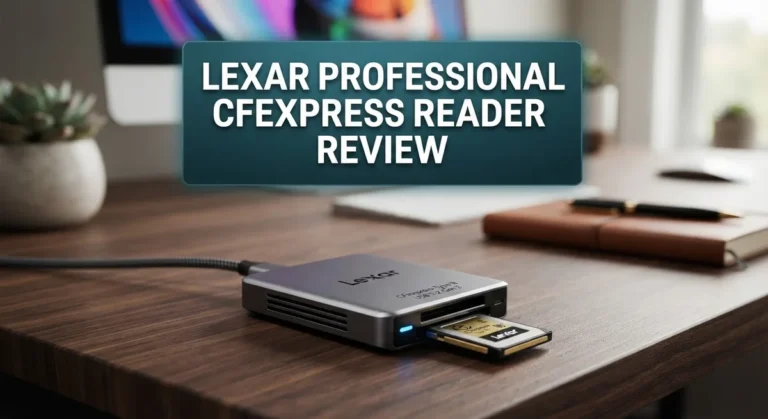
Lexar Professional Card Reader

- Read speeds up to 312MB/s
- Supports USB 3.2 Gen1 (Type-C)
- LED activity light to indicate working status
Last update on 2026-10-04 / Affiliate links / Images from Amazon Product Advertising API
Lexar Professional Card Reader delivers enterprise-level speed for demanding users. This reader handles high-capacity cards and supports the latest card technologies. The aluminum construction provides excellent heat dissipation during intensive use.
The reader connects via USB and supports hot-swapping, so you can insert or remove cards without restarting. LED indicators show you the connection status at a glance. Lexar designed this product for professionals who need consistent, reliable performance.
The compact footprint fits easily into any workspace setup.
Compatibility and Operating System Support
The Ugreen SD Card Reader works seamlessly across virtually every operating system you might use. Windows users get full plug-and-play support without driver installation. Your computer recognizes the device instantly and begins transferring data right away.
Mac compatibility is equally straightforward. The reader functions perfectly on macOS systems, whether you’re running current versions or slightly older installations. No special software is needed on Apple devices.
Linux users benefit from native support as well. The device operates without requiring proprietary drivers or complex configuration steps. This makes it ideal if you work with open source systems.
Chrome OS support rounds out the operating system coverage. If you use Chromebooks for work or creative projects, this reader integrates smoothly into your workflow.
The dual USB connector design (USB A and USB C) expands compatibility significantly. You can connect to older computers with standard USB ports or newer devices featuring USB C connections. This flexibility means one reader works across your entire device ecosystem.
Card format support covers all major standards. The reader handles SD, SDHC, and SDXC cards without any issues. Micro SD cards work too, along with MMC and TF cards. Whether your camera uses full size SD cards or your phone uses micro formats, this reader accepts them.
Simultaneous dual slot reading functions across all supported operating systems. You can read from two cards at once on Windows, Mac, Linux, or Chrome OS. Transfer speeds remain consistent regardless of which system you’re using.
One practical consideration: some users report occasional detection delays on specific PC models. This appears rare and typically resolves with a simple reconnection. The vast majority of users experience trouble free operation.
The USB 3.0 connection maintains its 5Gbps speed across all operating systems. You get consistent performance whether you’re on a Windows workstation, MacBook, or Linux machine. The reader doesn’t slow down based on your platform choice.
This universal compatibility makes the Ugreen SD Card Reader a genuinely versatile tool. It fits into any creative workflow, regardless of your technology preferences. The plug-and-play nature means you spend zero time troubleshooting driver issues.
Ease of Use and Setup
Getting started with the Ugreen SD Card Reader takes almost no effort. You simply plug it in, and your computer recognizes it immediately. No software installation is required, and no drivers need downloading.
The plug and play design means you can start transferring files within seconds. Windows machines detect it right away. Mac computers recognize it just as easily. Linux systems work without any setup steps either.
The dual connector system makes initial setup even more flexible. You can use the USB A connector with older computers. The USB C connector works with newer devices and laptops. This means you don’t need to buy adapters or worry about compatibility issues before you even start.
The card slots themselves accept your media without any confusion. SD cards, Micro SD cards, and other formats slide in smoothly. The reader doesn’t require you to remember which slot does what. Both slots work independently, so inserting one card doesn’t affect the other.
Once connected, your operating system treats the reader like a standard external drive. Files appear in your file explorer or finder window immediately. You can drag and drop content just like you would with any USB device. No special software windows pop up. No confusing menus appear.
The physical design helps with ease of use too. The compact size means you can keep it in a pocket or bag. The connectors feel secure when inserted, so you won’t worry about accidental disconnections during transfers. The cable doesn’t tangle easily, making it genuinely portable.
Some users on specific PC models report occasional detection delays. These situations remain rare. A simple reconnection usually solves the problem. Most people experience flawless recognition on their first try.
The simultaneous dual slot reading capability adds practical convenience. You can transfer from two cards at the same time without switching between them. This speeds up your workflow when working with multiple memory cards. The reader handles this without requiring any special configuration from you.
Pros and Cons
Pros
- Reads two SD cards at the same time without slowing down either transfer
- Works instantly with Windows, Mac, Linux, and Chrome OS out of the box
- Includes both USB-A and USB-C connectors so it fits any device you own
- Supports all major card formats including SD, SDHC, SDXC, Micro SD, and MMC cards
- Customers consistently rate it 4.6 to 5.0 stars across multiple platforms
Cons
- Some PC models occasionally fail to detect the reader on first connection
- Older versions cannot use both card slots at the same time (newer models fixed this)
- Detection delays happen rarely but can be frustrating when they occur on certain computers
Who Should Buy It
The Ugreen SD Card Reader works best for specific user groups. If you transfer files from cameras, drones, or memory cards regularly, this reader is for you. The 5Gbps speed means your workflows stay fast and efficient.
Content creators benefit most from this device. Photographers moving images from SD cards to computers need quick transfers. Videographers working with multiple memory cards appreciate the dual slot feature. You can read two cards at once without waiting between transfers.
Professionals in media production should consider this reader. Your editing software recognizes the reader instantly. No driver installation required. Your files appear on your desktop like any external drive. This simplicity saves time when deadlines matter.
Students and casual users find value here too. If you use an older camera or portable device, this reader supports your card type. The universal compatibility means it works whether you own a Mac, Windows PC, or Linux machine. Your phone or tablet with USB-C also connects to this reader.
Tech enthusiasts appreciate the dual connector design. You own multiple devices with different ports. USB-A works with older computers and peripherals. USB-C handles newer laptops and tablets. Switching between them requires no adapters.
Remote workers and travelers gain practical benefits. The compact design fits in any laptop bag. You can work from anywhere and access your memory cards instantly. The plug and play setup means no software complications on unfamiliar computers.
People with extensive media libraries should note the simultaneous reading feature. You organize photos from multiple cameras at once. Transfer speeds stay consistent for both cards. Your backup and archival processes become more efficient.
The reader suits anyone frustrated with slow transfers. The 5Gbps standard beats older USB 2.0 readers significantly. If your current setup takes forever to move files, this upgrade matters.
However, skip this reader if you rarely use memory cards. One time users don’t need this device. If your camera connects directly via USB cable, a separate reader adds little value. Stick with your existing setup if it works fine for your situation.
Final Verdict
The Ugreen SD Card Reader earns its spot as a smart pick for anyone who moves files often. It blends speed, flexibility, and broad compatibility into one small device.
Build quality feels solid for its size. The casing resists everyday wear and tear, making it a reliable companion for daily use.
Compared to the Kingston USB 3.0 Hi-Speed Media Reader, this Ugreen model holds its own. Both offer strong performance, but Ugreen’s dual connector setup gives it an edge in flexibility.
Generic multi-card readers from marketplaces like AliExpress often lack the same build standards. They may work fine at first, but long term reliability becomes a gamble.
Ugreen backs its hardware with solid customer support. If you run into detection issues, help is easy to reach and problems get resolved quickly.
Warranty coverage adds peace of mind too. You are not left stranded if something goes wrong with the unit early on.
Looking at the bigger picture, this reader solves a real problem. Slow, clunky card transfers become fast and simple once you plug this in.
It fits neatly into a laptop bag or desk drawer. The compact shape means you can carry it anywhere without added bulk.
For anyone juggling multiple memory cards, this device cuts downtime significantly. Less waiting means more time spent on actual work or creative projects.
The brand’s reputation in the accessory space also matters here. Ugreen has built trust through consistent product quality across its lineup.
Overall, this card reader delivers on its promises. It performs well, looks clean, and works across almost every major operating system.
Minor detection hiccups exist, but they are rare and not a dealbreaker. Most users report smooth, trouble free performance from day one.
If you need a dependable tool for fast file transfers, this reader checks every important box. It stands as a smart, practical choice for daily digital tasks.
In short, the Ugreen SD Card Reader proves itself as a dependable, well rounded accessory worth adding to your tech setup.
Frequently Asked Questions
Can I use both card slots at the same time?
Yes, you can read two SD cards simultaneously without speed loss. The newer Ugreen models support dual slot operation. Older versions had this limitation, so check your product batch if you own an earlier model. This feature saves time when you’re transferring files from multiple cards.
Which card types does this reader support?
The Ugreen reader handles SD, SDHC, SDXC, Micro SD, and MMC cards. This broad compatibility means you won’t need separate readers for different card formats. Whether you’re using cards from cameras, drones, or phones, this device works with them all.
Will it work with my Mac or Linux computer?
Absolutely. The reader works instantly on Windows, Mac, Linux, and Chrome OS. No driver installation needed. Just plug it in and your operating system recognizes it immediately. This universal compatibility makes it practical if you switch between different devices.
What should I do if my computer doesn’t detect the reader?
Detection issues happen rarely on certain PC models. First, try a different USB port on your computer. If that doesn’t work, restart your device and reconnect the reader. Most users never experience this problem, but it’s worth knowing the quick fix if it occurs.
Is the Ugreen reader portable enough for travel?
Yes. The compact size fits easily into laptop bags, backpacks, or desk drawers. The dual USB connector design means you can use it with phones, tablets, and computers. Remote workers and travelers particularly appreciate how little space it takes up during trips.

Sili is a tech reviewer who cuts through the hype to find AI tools and gadgets that make life easier. She shares honest reviews and simple guides for everyday tech users.