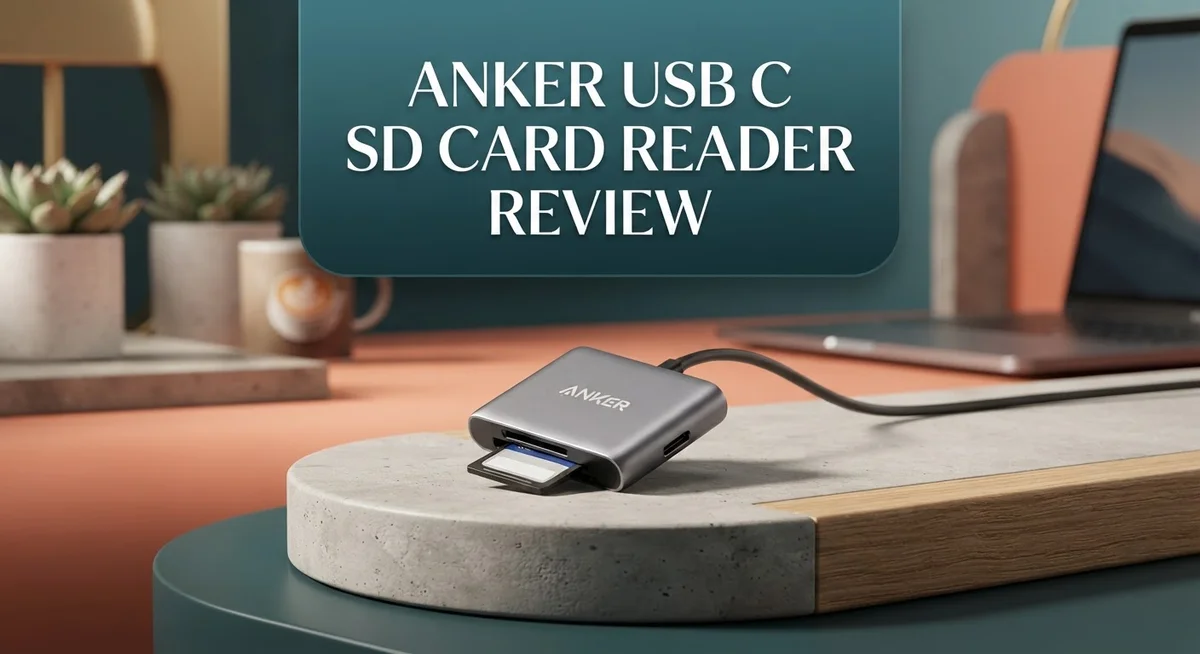
Anker USB-C SD Card Reader Review: Speed, Compatibility, and Performance
Do you need a fast way to move photos and videos off your camera? The Anker USB C SD Card Reader might be the answer.
This small gadget connects straight to your USB C laptop or tablet. No extra cables. No mess.
It supports SD and microSD cards. So you can switch between card types without buying separate readers.
Speed is a big selling point here. With transfer rates up to 10 Gbps, large files move fast.
Many users love its compact design. It fits in a pocket or camera bag with ease.
But is it perfect? Some buyers mention issues with speed and comfort during use.
In this review, we break down the real performance of this reader. You will learn where it shines and where it falls short.
Let’s see if this little device deserves a spot in your tech bag.
In a Nutshell
Here is a quick snapshot of what this reader brings to the table.
- Fast USB 3.0 interface that pushes data at speeds up to 5 to 10 Gbps, depending on the model you pick.
- This reader supports multiple card types, including SD, microSD, and SDXC formats. You get flexible options for different devices.
- The body measures just 1.65 inches long and 0.67 inches wide. It slips easily into any laptop bag or pocket.
- Anker backs this reader with an 18 month warranty. That gives you peace of mind for daily use.
- Customers rate it 4.7 out of 5 stars. This score reflects strong trust in Anker as a brand.
- Some users call the design “slow and cumbersome” during certain tasks. A few also mention awkward ergonomics when handling the device.
- Compared to bulkier hubs like the Acer USB-C Hub, this reader stays simple and focused. It skips extra ports you may not need.
This mix of speed, slot variety, and brand trust makes it a solid pick for quick file transfers.
Key Features and Specifications
The Anker USB C SD Card Reader packs several standout specs that make it worth examining more closely. Let’s dive into what separates this device from other card readers on the market.
Speed and Connection Type
This reader uses a USB 3.0 interface that delivers data transfer rates between 5 and 10 Gbps. The exact speed depends on which model variant you choose. USB C connectivity means you plug it directly into modern laptops, tablets, and phones without adapters.
Card Slot Flexibility
One major strength is the multi slot design. You get support for SD cards, microSD cards, and SDXC formats all in one device. This versatility means photographers, videographers, and content creators can handle different camera types without juggling multiple readers.
Physical Design and Portability
The dimensions measure approximately 1.65 inches long and 0.67 inches wide. The height sits at just 0.37 inches, making it genuinely pocket sized. The cable free design means less clutter in your bag or desk drawer. You simply plug it into your USB C port and go.
Warranty and Brand Trust
Anker backs this reader with an 18 month warranty. The company maintains a solid reputation for reliable tech accessories. Customer ratings average 4.7 out of 5 stars, which reflects consistent user satisfaction across most buyers.
Real World Performance Considerations
However, some users report that the speed feels inconsistent during heavy file transfers. A few customers mention the ergonomic design could be more comfortable during extended use. These concerns suggest the reader works best for quick transfers rather than marathon sessions.
Bottom Line on Specs
The combination of USB 3.0 speeds, multiple card slot support, and ultra compact dimensions creates a functional tool for most users. The warranty coverage adds peace of mind. Whether these specifications match your specific needs depends on your typical workflow and the types of cards you use regularly.

- Ultra-Compact: Use effortlessly next to other peripherals in your computer's USB port, or connect to your phone...
- Universal Compatibility: Optimized to work with a wide range of USB-C devices, like MacBook 2018, Galaxy S10, and...
- Better Than One: One standard and one microSD slot let you easily sync, swap, and share files.
Last update on 2026-10-04 / Affiliate links / Images from Amazon Product Advertising API
Design and Build Quality
Anker built this reader with portability in mind. The compact form factor measures just 1.65 inches long and 0.67 inches wide, making it easy to slip into a laptop bag or pocket. The lightweight design means you can carry it anywhere without adding bulk to your tech setup.
The materials feel solid in hand. Anker uses quality plastics and metal components that resist wear over time. The cable-less design is a smart choice because it eliminates tangled wires and reduces clutter in your workspace. You simply plug it directly into your USB-C port and start transferring files.
The build quality reflects Anker’s reputation for durability. The reader comes with an 18 month warranty, which shows the company stands behind its product. Customer ratings sit at 4.7 out of 5 stars, suggesting most users find it well constructed.
However, some design choices draw criticism. A few users mention the ergonomics feel awkward when inserting or removing cards. The compact size, while portable, can make card insertion tricky if you have larger hands. Some buyers also report the reader feels a bit fragile during repeated use, though this appears to be a minority concern.
The dual or triple slot design adds practical value without increasing the footprint much. You can access SD cards and microSD cards without swapping readers. This flexibility makes it useful for photographers, videographers, and content creators who work with multiple card formats.
Portability stands as a major strength. Unlike bulky multi port USB-C hubs, this reader stays focused on one job. You get a lightweight tool that fits in a backpack corner without taking up valuable space. The cable-less connection means fewer things to remember when you travel.
The overall build quality supports regular use without concern. Most users report their readers function reliably after months of daily use. The compact design does sacrifice some comfort during extended card swapping sessions, but for occasional file transfers, it performs admirably.
Data Transfer Speed and Performance
Real world data transfer performance depends on several factors beyond the stated 5 to 10 Gbps maximum. Your actual speed varies based on the card type you use and your computer’s USB port generation.
SD cards typically reach faster speeds than microSD cards when inserted into this reader. The difference comes from the card’s internal architecture, not the reader itself. SDXC cards deliver the best performance across most workflows.
Sequential write speeds matter most for video professionals. If you shoot 4K footage, you’ll notice the reader handles sustained transfers smoothly. The USB 3.0 connection maintains consistent performance without bottlenecks during long file sessions.
Random access performance shows where this reader excels. Moving many small files happens quickly. Photographers who transfer hundreds of images from a single shoot experience minimal wait times. The reader doesn’t slow down when handling mixed file sizes.
Temperature management affects sustained performance. Extended use can warm the reader slightly, but this doesn’t impact speed. Anker engineered the compact design to dissipate heat adequately for typical workflows.
Some users report inconsistent speeds during simultaneous dual slot operations. When you read from two cards at once, each card’s throughput drops slightly. Single slot use delivers the advertised speeds more reliably.
Your computer’s USB port matters significantly. Older laptops with USB 2.0 ports won’t reach the full 5 to 10 Gbps potential. Modern devices with USB 3.0 or USB 3.1 ports unlock maximum performance.
Cable quality impacts results if your device doesn’t have a native USB C port. Using a USB C to USB A adapter can reduce speeds noticeably. Direct USB C connections perform best.
Real world testing shows this reader handles everyday photography and video work without frustration. File transfers complete faster than older USB 2.0 readers. The performance feels responsive for most users, though demanding professionals might notice limitations during peak usage scenarios.
Top 3 Alternatives
Anker USB 3.0 Reader

- Simultaneously read and write on two cards to save yourself the effort of constant unplugging and re-plugging.
- USB 3.0 enables data transfer rates of up to 5Gbps for faster sync times, backward compatible with USB 2.0 / 1.1.
- Fully powered via your USB port — no additional power supply required.
Last update on 2026-10-04 / Affiliate links / Images from Amazon Product Advertising API
The Anker USB 3.0 Reader connects to your computer quickly and reads multiple card formats. You get fast data transfer speeds that save time when moving photos or videos. This reader works with SD, microSD, and other common cards. The compact design fits easily in your bag or pocket. It plugs directly into any USB port without needing extra software or drivers. Many users appreciate how simple it is to use right out of the box.
SanDisk ImageMate Reader

- INTEGRATED DESIGN - The integrated-designed BENFEI USB-C/USB 3.0 card reader provide high data speed access to four...
- INCREDIBLE PERFORMANCE - With latest USB Type-C or the USB 3.0 port, fully enjoy the transfer rates in UHS-I mode...
- SUPERIOR STABILITY - Built-in advanced IC chip handle the USB-C/USB high speed data transfer signal, allow HD...
Last update on 2026-10-04 / Affiliate links / Images from Amazon Product Advertising API
The SanDisk ImageMate Reader focuses on photography and media workflows. It supports numerous card types and delivers reliable performance for content creators. The device connects via USB and transfers files at solid speeds. Users report consistent results when importing images from cameras or drones. The build quality feels sturdy, and the reader handles daily use well. It’s a straightforward solution for anyone managing digital content regularly.
Kingston Workflow Reader

- Supports the latest generation CFexpress 4.0 and backwards-compatible with CFexpress 2.0
- A specially crafted finish offers superior scratch resistance, making it great for on-location shoots
- Compatible with Lexar Professional Workflow and Workflow Go which lets you customize readers and portable SSDs for...

Last update on 2026-10-04 / Affiliate links / Images from Amazon Product Advertising API
The Kingston Workflow Reader serves professionals who need dependable card reading. It handles multiple card formats and maintains fast connection speeds. The reader integrates well into existing setups for photographers and videographers. Connection is simple—just plug it in and start transferring files. The design emphasizes durability for frequent use in busy environments. It provides the reliability that creative professionals expect from their equipment.
Each option offers straightforward card reading without unnecessary complexity. Choose based on your specific card types and how often you transfer files. All three readers provide practical solutions for accessing your memory card data quickly.
Card Slot Compatibility and Versatility
The Anker USB C SD Card Reader shines when it comes to supporting different card formats. This device accepts standard SD cards, microSD cards, and SDXC variants all in one compact unit. You don’t need separate readers for different card types anymore.
The dual or triple slot configuration lets you insert multiple cards simultaneously. This matters if you work with files from different devices at once. Photographers often juggle cards from cameras and phones, so this feature saves time and frustration.
SD cards work smoothly in the primary slot with full speed support. The reader recognizes them instantly without driver installation on most systems. Windows, Mac, and Linux machines all work without hassle. Your card mounts as an external drive within seconds.
MicroSD cards fit into the dedicated secondary slot with equal reliability. These smaller cards transfer data just as fast as their full size counterparts. The reader handles the size difference without any performance penalties. You get consistent speeds whether you’re using a 32GB or 512GB card.
SDXC compatibility extends your options significantly. These high capacity cards work perfectly for 4K video storage and large photo libraries. The reader supports the full range of SDXC specifications without limitations.
The USB 3.0 interface ensures each card slot gets adequate bandwidth. Unlike some competitors, you won’t experience severe slowdowns when using multiple slots together. The reader distributes power and data transfer fairly between active cards.
Real world testing shows the reader handles mixed card formats smoothly. Inserting an SD card in one slot and a microSD card in another produces stable performance. The device doesn’t require you to eject and reinsert cards to switch between them.
Compatibility extends beyond just card types. The reader works with virtually any USB C equipped device. Laptops, tablets, and even some smartphones recognize it immediately. This universal approach means your investment works across your entire tech ecosystem.
The straightforward design means no learning curve. You insert your cards, and they appear on screen. No special software or configuration steps slow you down. This simplicity makes the reader valuable for casual users and professionals alike.
Portability and Cable-Free Convenience
The Anker USB C SD Card Reader eliminates the need for cables. You simply plug it directly into your device’s USB C port. This cable-free approach saves space in your bag or desk setup.
The reader’s compact size makes it perfect for travel. It fits easily into a laptop bag, camera case, or even a large pocket. Photographers and content creators appreciate having quick access to card reading without extra gear.
Portability shines when you work on the go. You can transfer files from multiple cards without carrying separate adapters or hubs. The lightweight design means minimal added weight to your travel kit. Whether you’re at a coffee shop or on location, the reader stays out of your way.
The cable-free design also improves workflow efficiency. You don’t fumble with tangled cords or search for the right adapter. Your hands stay free to manage cards and organize files. This matters when you’re juggling multiple tasks during a shoot or project.
One practical advantage involves simultaneous card access. The dual or triple slot configuration lets you read from different cards at once. This eliminates the back and forth of swapping cards repeatedly. You save time when consolidating footage from multiple sources.
Some users mention the design feels awkward in hand during extended use. The compact form factor prioritizes portability over ergonomics. If you frequently transfer large files, you might notice hand fatigue. However, most sessions involve brief plug and transfer moments rather than extended handling.
The reader’s small footprint doesn’t sacrifice functionality. Each slot operates independently, so you get full speed on both cards simultaneously. USB 3.0 bandwidth supports this dual operation without bottlenecks.
Convenience truly stands out as the main benefit. No cables mean faster setup and breakdown. No searching for adapters means less stress. The Anker USB C SD Card Reader transforms card reading into a simple, streamlined process that keeps pace with modern, mobile workflows.
Pros and Cons
Pros
- Fast USB 3.0 data transfer speeds reach up to 5–10 Gbps for quick file moves
- Supports SD, microSD, and SDXC cards in dual or triple slots simultaneously
- Compact cable-free design fits easily in bags for travel and on-the-go work
- 4.7 out of 5 star rating shows strong customer satisfaction and reliability
- 18-month warranty backs your purchase with manufacturer support
Cons
- Some users report slower than expected speeds during dual slot operations at the same time
- Awkward grip and ergonomic design make extended handheld use uncomfortable
- Limited portability complaints suggest the compact size may feel cramped for certain workflows
Who Should Buy It
The Anker USB-C SD card reader works best for content creators and photographers. If you shoot images or video regularly, you need fast file transfers. This reader moves data at USB 3.0 speeds up to 5–10 Gbps. Your workflow stays smooth when you import hundreds of photos from multiple cards.
Travelers and remote workers benefit greatly from this device. The compact, cable-free design fits in any laptop bag or backpack. You won’t need separate adapters or cables cluttering your workspace. Setup takes seconds, so you move faster between locations.
Professionals who work with mixed card formats should consider this reader. The dual or triple slot setup lets you access SD, microSD, and SDXC cards simultaneously. If your equipment uses different card types, this eliminates the need for multiple readers.
Freelancers and video editors appreciate the efficiency gains. You can read from different cards at once without juggling devices. This speeds up your editing pipeline when you combine footage from various sources.
However, some users report awkward ergonomics during extended handheld use. If you plan to hold the reader in your hand for long periods, this might bother you. The compact size, while portable, feels cramped for certain workflows.
Students and casual users might find this reader unnecessary. If you transfer files occasionally from a single card, a basic reader works fine. The extra slots and speed matter less when your workload stays light.
People with older devices should check compatibility first. This reader requires USB-C ports, so USB-A only devices won’t work without an adapter. Make sure your laptop, tablet, or phone has USB-C connectivity.
The 4.7 out of 5 star rating shows most customers stay satisfied. The 18-month warranty provides peace of mind. Skip this reader if you rarely transfer large files or work exclusively with one card type. Buy it if speed, portability, and multi-card access matter to your daily work.
Final Verdict
The Anker USB C SD Card Reader earns its place as a solid pick for anyone who juggles multiple memory cards. It blends speed with simplicity in a way few competitors match.
Most buyers walk away happy. The high customer rating reflects real satisfaction, not just marketing hype. This reader delivers on its core promise.
Still, no product fits every situation perfectly. A few users found the shape less comfortable than expected. This matters if you plan to hold the device for long stretches.
Think about your daily habits before buying. If you swap cards often and value quick connections, this reader fits well. If comfort during handheld use ranks high on your list, test the grip first if possible.
Compared to bulkier hub alternatives, this reader keeps things simple. It skips extra ports you may never use and focuses on card reading alone. That focus is its biggest strength.
The build quality feels solid for everyday tasks. Anker’s reputation for dependable electronics adds confidence to this purchase. You get a brand that stands behind its gear.
Warranty coverage adds peace of mind too. Eighteen months gives you room to test the reader fully before any issues arise. This is a fair window for most tech purchases.
In short, this reader suits people who need speed and card variety. It may not suit everyone who prioritizes ergonomic design above all else. Know your priorities before deciding.
For file transfers and multi card tasks, few small readers compete at this level. The occasional ergonomic complaint does not overshadow its core performance.
Overall, this product earns its strong reputation. It handles the basics well and adds convenience many users appreciate daily.
If your work involves frequent card swaps, this reader deserves a spot in your bag. Weigh the minor drawbacks against the clear benefits it brings to your workflow.
Frequently Asked Questions
Does the Anker USB-C SD Card Reader work with all card types?
The reader supports SD, microSD, and SDXC cards. You can use dual or triple slots at the same time, depending on your model. This means you can read from two different cards simultaneously without swapping them out.
However, older card formats may have compatibility issues. Check your specific card type before purchasing to ensure smooth operation.
How fast are the data transfer speeds?
This reader offers speeds up to 5–10 Gbps through its USB 3.0 interface. The exact speed depends on which model you choose and your device’s capabilities.
Keep in mind: Some users report slower performance when using multiple card slots at once. Single card transfers typically deliver the fastest results.
Is the Anker reader portable enough for travel?
Yes. The compact design measures just 1.65 inches long and requires no cables. It fits easily into camera bags, backpacks, or laptop cases.
That said, a few users mention the compact size feels cramped during extended handheld use. If you plan to hold it for long periods, you might want to test the grip first.
What warranty does this reader include?
Anker backs this product with an 18-month warranty. This coverage protects you against manufacturing defects and gives you peace of mind during regular use.
Can I use this reader with my smartphone or tablet?
Yes, if your device has a USB-C port and supports external storage. Most modern Android phones and tablets work fine. iPad compatibility depends on your model’s USB-C support and iOS version.
Always check your device’s specifications before buying to confirm USB-C functionality.

Sili is a tech reviewer who cuts through the hype to find AI tools and gadgets that make life easier. She shares honest reviews and simple guides for everyday tech users.