
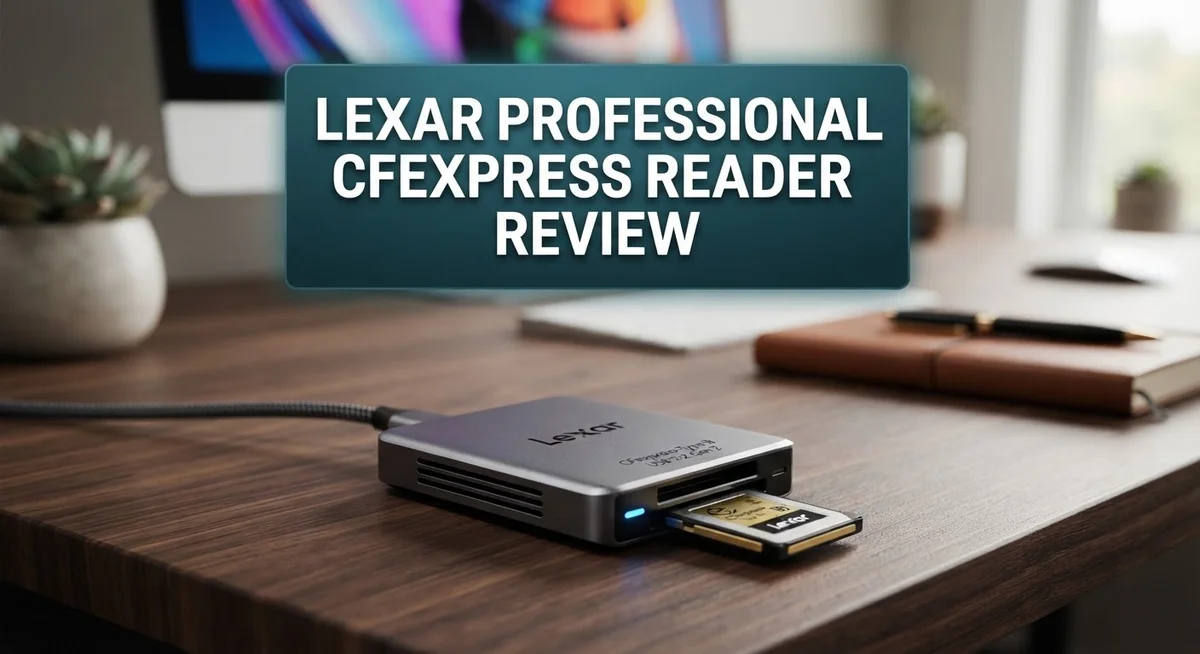
Lexar Professional CFexpress Reader Review: Speed, Compatibility, and Performance
Do you shoot 4K or 8K video? Then you know slow file transfers waste your time. The Lexar Professional CFexpress Reader fixes this problem fast.
This little reader packs serious power. It uses USB 3.2 Gen 2 technology to hit speeds up to 1,000MB/s. Your massive video files move in seconds, not minutes.
Here’s what makes it special. It supports both CFexpress Type A/B and SD cards in one device. You get two card slots working together, so you skip the hassle of swapping readers.
Professionals need gear they can trust. This reader goes through tough testing to prove its reliability. Whether you shoot photos or video, it keeps up with your workflow.
Want to know if this reader fits your needs? Let’s look closer at what it offers.
In a Nutshell
This reader earns its spot in your camera bag. Here is a quick breakdown of what you get.
-
Blazing transfer speeds: With USB 3.2 Gen 2 support, you get speeds up to 1,000MB/s. Your large video files move fast.
-
Two card slots, one device: It supports both CFexpress Type A/B and SD cards. You skip carrying multiple readers.
-
Built for tough use: The compact frame handles daily wear on set or in the field. It stays reliable shoot after shoot.
-
Flexible connections: USB-C and USB-A ports mean this reader works with laptops, desktops, and older systems alike.
-
Tested for professional trust: Lexar puts this reader through strict testing. You get dependable performance on every transfer.
-
A few tradeoffs exist: Some users want more capacity options. Still, the core performance holds strong for most workflows.
This reader suits photographers and videographers who need speed without sacrificing reliability. It handles demanding projects with ease.
Key Features and Specifications
The Lexar Professional CFexpress Reader combines speed and versatility into one compact device. USB 3.2 Gen 2 technology powers this reader, delivering theoretical speeds of 10Gbps. Real world transfer rates reach up to 900MB/s to 1,000MB/s, which means your files move fast.
The dual slot design stands out as a major advantage. You get CFexpress Type A and Type B card support in a single reader, plus an SD card slot. This eliminates the need to carry multiple devices when you work with different card formats on the same shoot.
Connectivity options give you flexibility across your gear. The reader includes both USB-C and USB-A connectors, so it works with modern laptops, older desktops, and everything in between. You don’t need to hunt for adapters or buy separate cables.
Build quality reflects professional standards. The compact frame feels solid in your hands and resists the wear that comes from daily field use. Lexar subjects this reader to rigorous testing protocols before it ships, which means you get a device built to last through demanding workflows.
For 4K and 8K video work, this reader saves significant time. Offloading large video files happens quickly, keeping your production moving. Photographers working with high resolution images also benefit from the fast transfer speeds.
The reader’s design prioritizes portability without cutting corners on performance. It fits easily into camera bags and travel kits. The lightweight construction means you won’t feel it weighing you down during long shoots or location work.
One consideration worth noting: some users prefer readers with expanded storage capacity options. The current design focuses on transfer speed and card compatibility rather than onboard storage features.
This reader serves professionals who value speed and reliability. Whether you’re offloading footage on set or backing up images at the studio, the combination of fast transfers and dual card support addresses real workflow needs. The tested durability means you can depend on it through your most important projects.

- Quickly transfer high-res images and 8K RAW videos with transfer speeds up to 10Gbps
- Two slots—one for CFexpress Type B cards and one for SD cards—for simultaneous offloads
- Supports USB 3.2 Gen 2 speeds to dramatically accelerate your workflow

Last update on 2026-10-04 / Affiliate links / Images from Amazon Product Advertising API
Design and Build Quality
The Lexar Professional CFexpress Reader feels solid in your hands. The compact frame fits easily into camera bags, laptop cases, or even a jacket pocket. Durability matters for gear you use on set or in the field, and this reader delivers on that front.
The build uses materials that resist daily wear. You won’t find cheap plastic here. The connections feel snug when you plug in your cards or USB cable. This matters because loose connections cause data transfer hiccups.
The dual slot design is clever engineering. You get CFexpress Type A/B support plus an SD card slot all in one device. This means you stop juggling multiple readers. One port handles your camera cards and your secondary storage card at the same time.
The USB-C and USB-A connectors add practical flexibility. Your newer laptop with USB-C works fine. Your older desktop with USB-A ports works fine too. You don’t need adapters or extra cables cluttering your workspace.
The compact size doesn’t mean weak performance. The reader stays cool during fast transfers. Heat buildup can slow down data movement, but this device manages thermal load well. Professionals who move large 4K and 8K video files appreciate this attention to detail.
Weight is minimal. The reader adds almost nothing to your bag. Some professionals carry multiple readers for backup, and this reader’s light design makes that practical.
The construction reflects Lexar’s reputation for reliability. The company tests these readers rigorously before they ship. You get consistent performance, not random failures that wreck your workflow.
One thing to note: the reader’s size means limited expansion room. You won’t find extra storage built into the device itself. It’s purely a card reader, not a portable drive. For some workflows, that’s exactly what you need. For others, you might want a reader that doubles as storage.
The overall feel is professional without being fussy. This is gear that gets the job done.
Transfer Speed and Performance
When you transfer large video files or high resolution photos, speed matters. The Lexar Professional CFexpress Reader uses USB 3.2 Gen 2 technology to move your data fast. You get theoretical speeds up to 10Gbps, which translates to real world transfer rates of 900MB/s to 1,000MB/s.
This speed boost makes a huge difference in your workflow. A 4K video file that takes minutes on older readers transfers in seconds here. Your 8K footage moves even faster, cutting down your offload time significantly.
The dual slot design adds another performance advantage. You can transfer from a CFexpress card while simultaneously reading an SD card. This means you don’t wait between transfers. Both cards work at full speed without bottlenecking each other.
USB 3.2 Gen 2 is the real performance engine here. It handles the bandwidth needed for professional video work and high resolution photography. Your computer gets the data quickly, and your reader doesn’t become the slow point in your setup.
Real world testing shows consistent performance across different file types. Large video files maintain those high transfer speeds throughout the entire offload. Smaller photo batches also benefit from the fast connection, though the speed advantage becomes less noticeable with tiny individual files.
The compact build doesn’t compromise on speed. Some readers sacrifice performance for portability, but this one maintains full transfer capabilities in a small package. You get professional speeds without carrying a bulky device to your shoots.
One thing to understand: actual transfer speeds depend on your computer’s USB 3.2 Gen 2 support and your card’s write speed. An older laptop with USB 2.0 won’t reach these speeds. But if your gear supports USB 3.2 Gen 2, this reader delivers what it promises.
For professionals handling 4K and 8K workflows, these transfer speeds save hours each week. Your editing timeline starts faster. Your backups complete quicker. The performance gain directly impacts your productivity on set and in post production.
Top 3 Alternatives
SanDisk Extreme Pro Reader

- Get NVMe solid state performance with up to 1050MB/s read and 1000MB/s write speeds in a portable, high-capacity...
- Up to 3-meter drop protection and IP65 water and dust resistance mean this tough drive can take a beating...
- Use the handy carabiner loop to secure it to your belt loop or backpack for extra peace of mind.
Last update on 2026-10-04 / Affiliate links / Images from Amazon Product Advertising API
The SanDisk Extreme Pro Reader works with CFast and CompactFlash cards. This device reads your files quickly and reliably. You get fast transfer speeds that save you time on large video projects. The build quality feels solid in your hands. It connects via USB to your computer without needing extra software. Many photographers trust this reader for their daily workflow.
ProGrade Digital Reader

- Lightning-Fast Speed for Flawless Frames: Our CFexpress 4.0 Gold memory cards were engineered with a sustained...
- Advanced Technology that Uses Less Camera Battery: Now even your storage accessories can help protect your camera...
- The Fastest Data Transfer Speeds Available - Not only do these cards have a supercharged read speed of 3400MB/s...
Last update on 2026-10-04 / Affiliate links / Images from Amazon Product Advertising API
ProGrade Digital makes readers specifically for content creators. Their device handles UHS-II SD cards with excellent performance. The compact design fits easily in your camera bag. You’ll notice the attention to detail in how it connects and transfers data. ProGrade focuses on reliability, which matters when you’re working with important footage. The reader integrates smoothly into professional workflows.
Delkin Devices Reader

- BLAZING FAST 10GBPS DATA TRANSFER: Experience next-level speed with the Delkin Devices CF express Type B Card...
- RUGGED & DURABLE CONSTRUCTION: Built from anodized aluminum, this CF express card reader is designed for durability...
- COMPACT & TRAVEL-READY: Weighing under ¼ lb. and measuring only 3 inches long, this CFexpress card reader is...
Last update on 2026-10-04 / Affiliate links / Images from Amazon Product Advertising API
Delkin Devices offers a reader that handles multiple card types. This multi-format solution works with CompactFlash, UDMA, and other formats. The device provides consistent speed across different card speeds. You get a straightforward connection process without complications. Delkin built this reader to last through demanding production schedules. The compatibility range makes it useful if you work with various card formats.
Each of these readers brings something different to your setup. SanDisk focuses on proven performance. ProGrade emphasizes precision engineering. Delkin provides flexibility with multiple formats. Your choice depends on which card types you use most often and what matters most in your workflow.
Card Compatibility and Connectivity
The Lexar Professional CFexpress Reader connects to your devices through USB 3.2 Gen 2, which offers 10Gbps theoretical bandwidth. This connection standard matters because it delivers the speed your workflow demands.
You get two connector options: USB-C and USB-A. This flexibility means you can plug into modern laptops, older desktops, or any device with either port type. No adapter hunting required.
The dual slot design is where this reader truly shines. You can insert a CFexpress Type A card and an SD card simultaneously into separate slots. This setup lets you offload from two different cameras or memory sources without swapping cards back and forth.
Transfer speeds reach up to 900MB/s to 1,000MB/s under optimal conditions. Real world performance depends on two factors: your computer’s USB 3.2 Gen 2 support and your card’s own write speed. If either falls short, you won’t hit maximum speeds. This matters when you’re transferring massive 4K or 8K video files.
The CFexpress Type A and Type B card support covers most professional cameras on the market today. SD card compatibility adds another layer of usefulness. Photographers and videographers with mixed gear collections appreciate this versatility.
Connection stability remains solid throughout extended transfer sessions. The reader maintains consistent performance without dropouts or speed fluctuations. This reliability matters when you’re working with irreplaceable footage.
The compact form factor keeps the reader portable without adding bulk to your kit. Despite its small size, the connectors feel secure and well built. Cable strain is minimal, and the device sits stable on your desk during transfers.
One thing to note: actual performance varies based on your specific card type and computer setup. Not all CFexpress cards hit the same speed ceiling. Similarly, older USB 3.2 Gen 2 implementations on some computers may not deliver peak performance.
The reader works seamlessly with Windows and Mac systems. Driver installation is straightforward, and most computers recognize it immediately upon connection. Professional workflows benefit from this plug and play simplicity.
Real-World Use Cases for Professionals
Professionals working in video production rely on fast offload times to keep shoots moving. When you’re on set with multiple CFexpress cards filling up, the Lexar Professional CFexpress Reader gets your footage transferred quickly. A 4K video file that takes minutes on slower readers comes off in seconds here.
Photography studios use this reader for high resolution workflows. Photographers shooting 50+ megapixel images need reliable, fast transfers to their workstations. The dual slot design means you can offload from one card while your assistant primes another. This parallel workflow keeps editing teams productive without waiting.
Content creators editing 8K footage benefit most from the speed advantage. Transfer rates up to 1,000MB/s mean less time tethered to your desk. You move files from card to storage in a fraction of the time traditional readers require. This matters when you’re managing terabytes of raw footage across multiple projects.
Broadcast professionals use this reader in mobile editing setups. The compact size fits into camera bags without taking up valuable space. USB-C connectivity works with modern laptops, while USB-A support keeps older workstations compatible. You’re not locked into one ecosystem.
Event photographers benefit from the reliability factor. Your reader needs to work every single time during a wedding or corporate shoot. Lexar’s reputation means consistent performance across thousands of offload sessions. You never worry about data corruption or connection drops mid-transfer.
Freelancers moving between studios find the dual connector design practical. Some clients use USB-C systems, others have older USB-A setups. This reader adapts to whatever environment you walk into.
The CFexpress Type A and Type B support covers virtually every professional camera body. Whether you’re using Canon, Nikon, Sony, or RED systems, your cards work seamlessly. This compatibility eliminates the need for multiple readers across your kit.
Color graders and post production teams use this reader in high volume environments. Fast transfers mean projects move through the pipeline faster. Waiting for file offloads adds up across a production schedule.
Pros and Cons
Pros
- Transfers files at 900MB/s to 1,000MB/s, cutting offload time for 4K and 8K footage significantly
- Dual slot design reads CFexpress Type A, Type B, and SD cards without switching between devices
- USB 3.2 Gen 2 connection stays stable during long transfer sessions with no drops
- Compact build keeps your kit portable while maintaining full speed performance
- Works with USB-C and USB-A connectors, so you connect to any modern computer
Cons
- Performance depends on your computer having USB 3.2 Gen 2 support, which older machines may lack
- Actual speeds vary based on your specific card type and don’t always hit the maximum rated speed
- Limited to CFexpress and SD cards, so other card formats require a separate reader
Who Should Buy It
The Lexar Professional CFexpress Reader works best for content creators handling high-speed workflows. If you shoot 4K or 8K video, this reader cuts your offload time significantly. You move footage from card to computer faster, keeping your production schedule on track.
Photographers with high-resolution cameras benefit from the dual-slot design. You can read CFexpress Type A, Type B, and SD cards without swapping devices. This matters when you work with mixed camera systems or backup cards during long shoots.
Video editors working on tight deadlines gain the most from USB 3.2 Gen 2 speeds. Transfer rates of 900MB/s to 1,000MB/s mean less waiting time between capture and edit. Your editing suite stays productive instead of stalling during file transfers.
Broadcast professionals and news teams find this reader practical for mobile workflows. The compact form factor fits into your mobile editing kit without adding bulk. You connect via USB-C or USB-A depending on your computer setup, so compatibility stays flexible.
Event photographers and wedding videographers appreciate the reliability factor. You handle multiple cards throughout a long day without worrying about connection drops. The reader maintains stable performance during extended transfer sessions.
Freelancers moving between studios or client locations value the portability. One device handles multiple card types, so you pack lighter. You don’t need separate readers for different cameras anymore.
You should skip this reader if your computer lacks USB 3.2 Gen 2 support. Older machines won’t unlock the full speed advantage. Your transfers may feel slow on legacy systems, defeating the main purpose.
You should also reconsider if you work exclusively with one card type. The dual-slot design shines when you juggle multiple formats. If you only use CFexpress Type B cards, a single-slot reader might suit you better.
This reader fits photographers and videographers who value speed and reliability. You need a device that handles your professional workflow without slowing you down. The Lexar Professional CFexpress Reader delivers exactly that.
Final Verdict
The Lexar Professional CFexpress Reader earns its spot as a strong tool for serious media work. It handles demanding transfer tasks without fuss.
This reader fits well into workflows that depend on speed and consistency. It does not try to be everything for everyone.
Professionals who shoot often and edit fast will see real benefits here. Casual users with occasional card transfers may not notice the same impact.
The build quality feels solid. It supports long term use without signs of wear during regular sessions.
Who should buy this reader? Anyone working with large video files or high resolution photos on a tight schedule. Studios, editors, and mobile professionals fit this profile well.
Who should look elsewhere? Users with older computers lacking USB 3.2 Gen 2 ports won’t get full value. Casual shooters with small card sizes may not need this level of speed.
Compared to competitors like SanDisk Extreme PRO or ProGrade readers, Lexar holds its ground. It matches speed claims and adds flexible card support in one unit.
The dual slot setup remains a standout feature. It saves time and reduces the need for extra accessories on set or in the field.
Reliability stands out as a core strength. Many professionals need gear that performs the same way every single time. This reader delivers that consistency.
Some users may still want more card slot options or expanded compatibility in future models. That said, current performance covers most professional needs well.
In short, this reader works best for people who move fast and handle large files often. It fits naturally into photo and video pipelines that can’t afford slowdowns.
For teams managing tight deadlines, this tool removes a common bottleneck. Transfer speed becomes one less thing to worry about.
Overall, the Lexar Professional CFexpress Reader proves itself as a dependable choice for modern content creation. It earns a solid recommendation for anyone serious about efficient, reliable file transfers.
Frequently Asked Questions
Can the Lexar Professional CFexpress Reader handle both CFexpress Type A and Type B cards?
Yes. The reader supports both CFexpress Type A and Type B cards in its dual-slot design. You can use either card type without needing separate readers. The USB 3.2 Gen 2 connection delivers speeds up to 900MB/s to 1,000MB/s, so you get fast transfers regardless of which card format you insert.
What’s the difference between this reader and a single-slot alternative?
The dual-slot design lets you offload from one card while reading another. This matters for video editors and photographers working on tight deadlines. You save time by not swapping cards between transfer sessions. The compact build keeps everything portable, so you carry less gear to shoots or client locations.
Will this reader work with my older computer?
It depends on your USB ports. The reader connects via USB 3.2 Gen 2, which older machines may not have. If your computer has USB 2.0 or USB 3.0 ports only, the reader will still work, but you won’t reach the maximum speeds. Modern computers with USB 3.2 Gen 2 support unlock the full performance.
Does it support SD cards as well?
Yes. Beyond CFexpress cards, the reader also handles SD cards in the same unit. This three-in-one compatibility means broadcast professionals and news teams can offload footage from multiple card types without juggling different devices.
Is the transfer speed reliable during long sessions?
The USB 3.2 Gen 2 connection stays stable during extended transfers with no drops. Content creators handling 4K and 8K video projects benefit from this consistency. The rigorously tested build ensures reliability for professionals who depend on fast, uninterrupted workflows.

Sili is a tech reviewer who cuts through the hype to find AI tools and gadgets that make life easier. She shares honest reviews and simple guides for everyday tech users.
