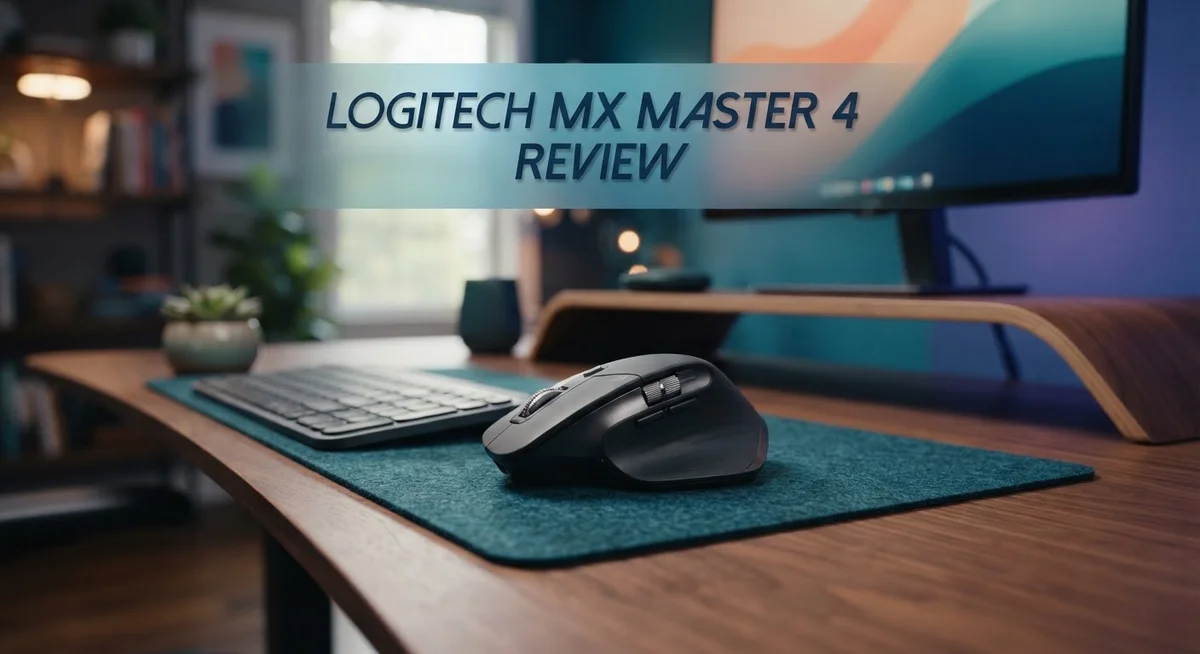
Logitech MX Master 4 Review: Premium Wireless Mouse Worth It?
Logitech just raised the bar for productivity mice. The MX Master 4 brings new features that make work smoother and faster.
This mouse has an 8K DPI sensor. It also has a new haptic feedback engine. You feel every click and scroll in a new way.
The Action Ring is a standout feature. It gives you quick access to shortcuts with a simple press. You can switch between three devices using Bluetooth or the USB-C receiver.
Is the MX Master 4 the right upgrade for you? We tested its ergonomics, build quality, and performance. This review covers everything you need to know.
We checked how it compares to the MX Master 3S and other top competitors. Let’s see if this mouse earns a spot on your desk.
In a Nutshell
Here’s the quick lowdown on the MX Master 4 before you scroll further.
-
Built for comfort: This mouse feels solid in your hand. The right-handed shape fits long work sessions well.
-
Haptic feedback adds a nice touch. You feel soft clicks and vibrations as you scroll or click.
-
Switch between devices with ease. The mouse connects to three devices through Bluetooth or the USB-C receiver.
-
Programmable buttons let you customize shortcuts. This saves time during daily tasks.
-
It’s heavier than most gaming mice. Your hand may notice the extra weight during fast movements.
-
The size may not suit smaller hands. Try it before you commit to daily use.
-
Click response and sensor speed stay adequate. They don’t match dedicated gaming mice though.
-
Zoom certified for virtual meetings. This makes video calls smoother and simpler.
-
Not built for gaming. It shines in office work and creative tasks instead.
This mouse works best for professionals who want comfort and control. Gamers should look elsewhere for faster response times.
Design and Build Quality
The MX Master 4 feels premium from the moment you pick it up. Logitech used quality materials throughout the design, creating a mouse that withstands daily use without feeling cheap or flimsy.
The right-handed ergonomic shape fits naturally in your palm. Your fingers rest exactly where they need to be for long work sessions. The contoured design reduces strain on your wrist and hand muscles. This matters when you spend eight hours clicking and scrolling every day.
The mouse weighs more than typical gaming mice. Some people love the substantial feel. Others find it slightly heavy for rapid movements. If you prefer lightweight gear, you’ll notice the difference immediately.
The size runs larger than average mice. People with smaller hands might feel like they’re gripping something oversized. Your entire hand should rest comfortably on the device. Test it in person if possible to confirm the fit matches your grip style.
Haptic feedback sets this mouse apart from competitors. When you interact with the Action Ring or scroll wheel, you feel subtle vibrations. These tactile responses confirm your actions without requiring visual confirmation. It’s a small detail that makes precision work feel more responsive.
The scroll wheel deserves special mention. It moves smoothly through documents and spreadsheets. You can click it like a traditional middle mouse button. The precision scrolling option lets you move line by line instead of jumping through pages. This feature saves time when reviewing long documents.
The underside includes a sensor that tracks movement accurately. The materials used on the bottom glide smoothly across most desk surfaces. Rubber feet protect your desk from scratches while keeping the mouse stable during use.
Build quality extends to every button and connection point. The side buttons feel clicky and responsive. The USB-C charging port sits recessed to prevent accidental damage. Even the cable feels durable and flexible.
This mouse prioritizes durability over flashy design. You won’t find RGB lighting or aggressive styling. Instead, you get a professional appearance that fits any workspace. The matte finish resists fingerprints and maintains its appearance over time.

- Mastered for Mac: With matching Apple finishes, Logi Options+ functions for macOS (1), USB-C charging while you...
- Precision you can feel with the Haptic Sense Panel; customizable (1) haptic feedback on specific actions...
- Effortlessly access favorite tools with Actions Ring (2) on this MX Series mouse—a dynamic, customizable overlay...

Last update on 2026-10-04 / Affiliate links / Images from Amazon Product Advertising API
Key Features and Customization
The MX Master 4 shines when it comes to customization options. You get seven programmable buttons that adapt to your workflow. Each button accepts custom commands, macros, or app-specific functions. This flexibility means you spend less time hunting through menus and more time working.
The Action Ring stands out as the star of customization. This touch-sensitive button sits beneath your thumb. You rotate it to trigger different actions without lifting your finger. Designers intended it for scrolling, but you can reprogram it for volume control, app switching, or document navigation. The haptic feedback gives you tactile confirmation with each rotation.
Gesture support adds another layer of control. You can assign swipe patterns to specific commands. Swipe up for one action, down for another. This approach works great if you use repetitive tasks throughout your day. The mouse learns your habits and adapts accordingly.
The Bluetooth multi-device feature deserves attention here too. You connect three devices simultaneously. Switch between your laptop, tablet, and desktop with a single button press. Your settings follow you across all devices. No need to reprogram buttons when you jump from one screen to another.
Logitech’s software makes customization simple. The Options app lets you map buttons without coding knowledge. You see live previews of your changes. The interface feels intuitive even for first-time users. You can save multiple profiles for different projects or clients.
The scroll wheel itself offers customization options. You toggle between precision scrolling and speed scrolling modes. Precision mode moves one line at a time. Speed mode lets you fly through long documents. The haptic engine provides feedback so you always know which mode is active.
Side buttons give you quick access to browser functions. Forward and back navigation happen instantly. You can reassign these for other purposes too. Power users often map these to application-specific commands.
The combination of programmable buttons, the Action Ring, gesture support, and multi-device switching creates a mouse that molds to your needs. Every professional workflow is different. The MX Master 4 recognizes this and gives you the tools to match your unique process.
Performance and Precision
The MX Master 4 delivers tracking accuracy that meets professional demands. The 8K DPI sensor captures precise movements across your screen. You get smooth cursor control whether you’re working on spreadsheets or editing photos.
Precision matters when you spend hours at your desk. This mouse responds to your input without lag or stuttering. The sensor tracks movement consistently across different surfaces. You won’t experience the jittery motion that plagues cheaper mice.
The scroll wheel stands out as a precision tool. It moves with satisfying clicks that feel intentional. You can scroll through documents page by page or switch to freewheel mode for rapid scrolling through long content. This dual functionality saves time during your workflow.
Click response stays adequate for professional work. The buttons register your input reliably. Gaming enthusiasts might notice the latency isn’t as tight as specialized gaming mice, but this mouse wasn’t built for that purpose. For office tasks, design work, and content creation, the click response feels responsive enough.
The haptic feedback engine adds another layer of control. You feel subtle vibrations when you interact with the Action Ring. These tactile cues help you confirm your actions without looking at the screen. The feedback is gentle enough that it never feels intrusive.
Pointer precision benefits from Logitech’s software integration. You can adjust DPI settings on the fly using the programmable buttons. Some professionals keep multiple DPI profiles saved for different tasks. Switching between them takes just one click.
The larger size does impact precision for some users. Your hand position determines how naturally the mouse responds. Smaller hands might struggle to reach all the buttons comfortably. Larger hands typically find the ergonomic shape enhances their control and accuracy.
The Zoom certification confirms this mouse meets video call standards. Your camera captures smooth movements during presentations. The precision tracking keeps your cursor stable on screen during important meetings.
For professionals who demand accuracy without gaming-level latency, this mouse delivers. The combination of the 8K sensor, haptic feedback, and customizable controls creates a precise tool for daily work.
Top 3 Alternatives
Logitech MX Master 3S

- Logitech MX Master 3S Bluetooth Edition is a Bluetooth only mouse, and does not come with any USB receiver...
- 8K DPI Any-surface tracking: Use MX Master 3S cordless computer mouse to work on any surface - even glass...
- Quiet Clicks: MX Master 3S Bluetooth mouse with Quiet Clicks - offering the same satisfying feel but with 90% less...
Last update on 2026-10-04 / Affiliate links / Images from Amazon Product Advertising API
The MX Master 3S brings solid performance to your desk. This mouse offers precision tracking across multiple devices. You get fast switching between computers without any lag. The side scroll wheel works great for spreadsheets and documents.
Battery life runs strong for weeks on a single charge. The ergonomic design fits your hand naturally during long work sessions. Customizable buttons let you automate repetitive tasks and boost your productivity instantly.
Razer Pro Click

- ERGONOMIC DESIGN WITH EXTENDED THUMB REST — Make work and play feel effortless with a shape that’s sculpted to...
- AI PROMPT MASTER — Summarize text, draft emails, and more with just one click — unlock powerful shortcuts via...
- LONG BATTERY LIFE — Powered by an efficient, long-lasting battery, game and work for up to 3.5 months* without...
Last update on 2026-10-04 / Affiliate links / Images from Amazon Product Advertising API
Razer built this mouse for professionals who demand accuracy. The Focus Pro sensor delivers pixel-perfect tracking on any surface. You can pair it with multiple devices and switch between them smoothly.
The side buttons respond instantly to your commands. Wireless connectivity keeps your desk clean and clutter-free. The charging dock sits discreetly on your workspace. Battery performance handles full workdays without needing frequent top-ups.
Corsair Dark Core Pro

- Three Ways to Connect: Sub-1ms SLIPSTREAM WIRELESS technology, low-latency Bluetooth wireless technology, or USB...
- Wireless-Optimized 18,000 DPI Optical Sensor: Play with pinpoint accuracy and precision thanks to a custom PixArt...
- Hyper-Polling Technology: Communicates with your PC at up to 2,000Hz, twice the speed of standard gaming mice...
Last update on 2026-10-04 / Affiliate links / Images from Amazon Product Advertising API
Corsair designed this mouse for users who want flexibility. It works both wired and wireless, so you choose your setup. The sensor tracks movement with impressive accuracy across different surfaces.
The thumb buttons sit in comfortable positions for quick access. Customization software lets you program every button to match your workflow. The ergonomic shape supports extended use without hand fatigue. You get reliable performance whether you’re working or gaming on the side.
Connectivity and Multi-Device Support
The MX Master 4 connects to your devices through two wireless methods. You get a USB-C receiver for a direct wired connection, or you can use Bluetooth for cable-free setup. This dual approach gives you flexibility based on your workspace needs.
Bluetooth connectivity shines when you want to pair multiple devices simultaneously. The mouse remembers up to three different devices at once. You can switch between your laptop, tablet, and desktop without any physical changes. A single button press moves you from one device to another instantly.
The USB-C receiver offers a stable connection for your primary workstation. Some users prefer this method because it eliminates potential wireless interference. You can keep the receiver plugged in permanently without worrying about battery drain on your receiver itself.
Switching between paired devices happens smoothly in real time. Your cursor moves from one screen to another as you press the device switcher button. This feature works especially well if you juggle multiple projects across different machines. Professionals who use both a laptop and desktop appreciate this seamless transition.
The connection range extends far enough for typical office setups. You can move your mouse across your desk, around your workspace, and even to nearby surfaces without losing signal. The wireless connection stays responsive even when you’re several feet away from your devices.
Logitech’s software manages all your connectivity settings. The app lets you customize which devices appear in your switcher. You can also set up device-specific button configurations if needed. This means your Action Ring behaves differently on your laptop versus your desktop, adapting to your workflow.
Battery life supports extended use between charges. The wireless connection doesn’t drain power excessively, so you get consistent performance throughout your workday. You’ll receive notifications when battery runs low, giving you time to charge before any interruptions occur.
The combination of Bluetooth and USB-C connectivity removes barriers between your devices. You work across multiple screens without fumbling with cables or restarting connections. This multi-device support transforms how productively you move between projects and applications.
Ergonomics and Comfort
The MX Master 4 feels natural in your hand from the moment you pick it up. Logitech designed this mouse specifically for right-handed users who spend long hours working at their desk. The ergonomic shape curves to fit your palm and fingers without forcing your hand into an unnatural position.
Weight distribution plays a key role in comfort. This mouse sits heavier than typical gaming mice, but that weight centers itself well. Your wrist doesn’t experience strain during extended use because the mass distributes evenly across the device. The textured grip surfaces prevent your hand from slipping, even during intense work sessions.
The Action Ring contributes to comfort in unexpected ways. Your thumb rests on this customizable button naturally, reducing the need to stretch or contort your fingers. You can perform common tasks without moving your hand away from its resting position. This design choice means fewer repetitive reaching movements throughout your day.
Hand size does matter here. The MX Master 4 works best for medium to large hands. If you have smaller hands, the larger size might feel slightly awkward during extended sessions. Your grip style determines how comfortable the mouse feels for you personally.
The scroll wheel sits at the perfect height for your fingers. You can operate it without changing your hand position or grip. The precision scroll mechanism responds smoothly to your touch, and the haptic feedback provides satisfying tactile confirmation with each click.
Button placement follows ergonomic principles. Your thumb reaches the side buttons easily without moving your hand. Your index and middle fingers naturally align with the main click buttons. Every button sits where your fingers expect to find it.
The overall design minimizes fatigue during long work days. Your forearm stays neutral, your wrist avoids awkward angles, and your fingers don’t overextend. Logitech clearly invested time understanding how professionals actually use their mice. The result is a mouse that feels like an extension of your hand rather than a device you’re gripping.
Pros and Cons
Pros
- Exceptional build quality that withstands daily professional use
- Precision scroll wheel lets you control speed and direction with ease
- Seamless switching between three paired devices via Bluetooth or USB-C
- Customizable buttons and the Action Ring adapt to your workflow
- Premium haptic feedback gives you tactile confirmation for every action
Cons
- Heavier than typical gaming mice, which may feel tiring during extended sessions
- Larger size doesn’t fit all hand sizes comfortably
- Click latency and sensor response are adequate for work but not exceptional for gaming
- Not designed for gaming, so competitive players should look elsewhere
Who Should Buy It
The MX Master 4 works best for professionals who spend hours at their desk every day. If you work with documents, spreadsheets, or design software, this mouse delivers real productivity gains. Content creators find the customizable buttons especially useful for speeding up their workflows without reaching for the keyboard.
Video conferencing professionals benefit from Zoom certification built into this device. Your camera and microphone perform reliably during calls when you use this mouse. Remote workers who jump between multiple applications throughout the day will appreciate seamless device switching.
This mouse shines for people with medium to large hands. If you have smaller hands, test it first because the size might feel awkward during extended use. The ergonomic design rewards users who maintain proper posture and avoid strain injuries.
Developers and programmers gain significant advantages from the programmable buttons and Action Ring. You can assign shortcuts to common commands and reduce repetitive keyboard navigation. The precision scroll wheel helps when reviewing long code files or documentation.
Photo and video editors appreciate the haptic feedback system. Every action receives tactile confirmation, which builds confidence during detailed work. The scroll wheel’s ability to switch between fast and precise scrolling saves time when editing large projects.
This mouse is NOT for competitive gamers. The click latency and sensor response fall short of gaming standards. Gamers should explore alternatives specifically built for fast paced competition.
People who move between office and home setups benefit from multi device connectivity. Pair it with your laptop, tablet, and desktop simultaneously. Switching happens instantly without fumbling with cables or reconnecting.
Professionals who value build quality and durability find long term value here. The construction withstands years of daily use without degradation. Button responsiveness remains consistent even after thousands of clicks.
Students may find this mouse helpful if they work on research papers and presentations regularly. The customizable features adapt to academic workflows. However, casual users who primarily browse the web might not need all these advanced features.
Final Verdict
The Logitech MX Master 4 earns its place as a top choice for desk work. It blends smart engineering with real comfort. You feel the difference the moment you start clicking and scrolling.
This mouse suits people who sit at a desk for hours. Writers, editors, and analysts will notice the difference in daily comfort. The design supports your hand instead of fighting it.
Gamers should look elsewhere. This device focuses on precision and comfort for work tasks. It does not try to compete with gaming mice built for speed.
Compared to the MX Master 3S, this model adds the Action Ring and upgraded haptic feedback. Those two features alone make the upgrade worth considering for power users. The jump feels meaningful, not just cosmetic.
The M720 Triathlon offers similar multi device support but skips the premium haptic engine. The G502 X Plus leans toward gaming performance instead of office comfort. Neither competitor matches the MX Master 4 for all day desk use.
Build quality stands out as a major strength. The mouse feels solid under your palm and resists wear over time. You get a tool that lasts through years of daily use.
Some buyers may hesitate due to the size and weight. If you have smaller hands or prefer light mice, test it first. Comfort depends heavily on hand size and grip style.
For most professionals, though, the trade off makes sense. You gain precision, smooth multitasking, and tactile feedback. These benefits outweigh the minor drawbacks for office based work.
The bottom line stays simple. The Logitech MX Master 4 rewards people who value comfort and control at their desk. It fits naturally into workflows that involve multiple devices and long hours.
Choose this mouse if you want a dependable work companion. Skip it if gaming performance tops your list. For everyone else, it delivers a confident, comfortable experience every single day.
Frequently Asked Questions
Is the MX Master 4 good for gaming?
No. This mouse is built for work, not gaming. The click latency and sensor response are adequate for office tasks but not sharp enough for competitive play. If you game seriously, look at the Logitech G502 X Plus instead.
How many devices can I connect at once?
You can pair three devices simultaneously. Switch between them using Bluetooth or the USB-C receiver. This makes it simple to move from your laptop to your tablet to your desktop without reconnecting.
What makes the Action Ring different from other buttons?
The Action Ring is a customizable shortcut button that sits on the side of the mouse. You can program it to do different things based on your app or task. Developers use it for quick commands. Video editors map it to timeline controls. It adapts to your workflow instead of forcing you into one way of working.
Will this mouse fit my hand size?
The MX Master 4 is larger and better suited for medium to large hands. If you have small hands, this mouse may feel uncomfortable during long sessions. Test it in person before buying if possible.
How does the haptic feedback work?
The haptic engine gives you tactile confirmation when you perform actions. You feel a subtle vibration when you click or use the scroll wheel. This feedback helps you stay aware of what the mouse is doing without looking at your screen. It’s especially useful for professionals who work with precision tools like photo editing software.

Sili is a tech reviewer who cuts through the hype to find AI tools and gadgets that make life easier. She shares honest reviews and simple guides for everyday tech users.