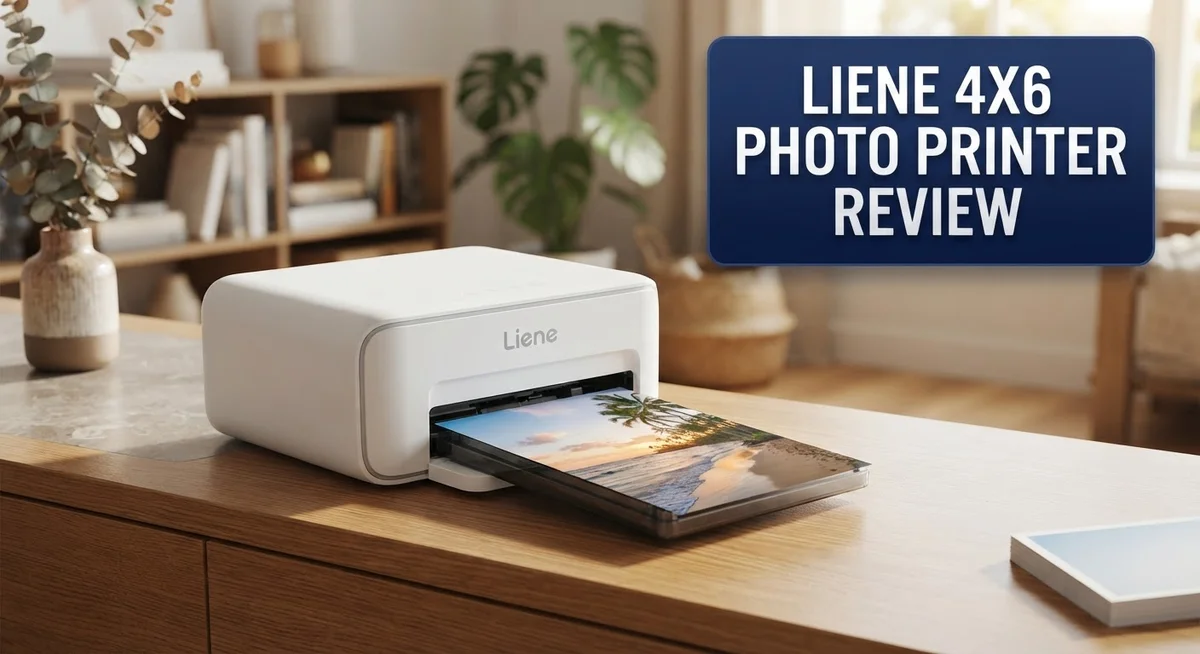
Liene 4×6 Photo Printer Review: Portable Printing Quality and Performance
Want to print photos at home without any fuss? The Liene 4×6 Photo Printer makes it simple.
This printer uses dye sublimation technology. It creates sharp, high quality prints every time.
You can connect it to your iPhone, Android, or laptop through WiFi. Printing feels quick and easy.
Each photo takes about 60 seconds to print. You get a clear protective coating too. This coating resists water, fingerprints, and scratches.
The printer comes with a handy app. You can edit photos, add filters, and choose fun frames before printing.
In this review, we will look at its performance, design, and print quality. We will also compare it to other popular photo printers.
Is the Liene 4×6 the right pick for your memories? Let’s find out together.
In a Nutshell
Here’s a quick snapshot of what you need to know about this printer.
-
Sharp, vivid prints with neutral colors that stand out. Many users love the clean finish on each photo.
-
A built-in protective coating keeps your prints safe from water, fingerprints, and scratches. Your memories stay protected for years.
-
The design is compact and portable. You can carry it anywhere and print photos on the go.
-
Some users report inconsistent print quality. A few photos may show a slight bluish tint.
-
Print speed is steady but not fast. Patience helps if you print several photos in a row.
-
It holds its own against popular names like Kodak, Canon, and Polaroid. Quality often matches bigger brands.
-
Overall performance stays consistent across most print batches. This makes it a reliable choice for everyday photo printing.
This printer blends ease of use with solid print quality. It fits well for anyone who wants quick, simple photo prints at home.
Print Quality and Color Accuracy
The Liene 4×6 Photo Printer delivers sharp, vivid prints that capture your memories with impressive detail. The dye sublimation technology ensures colors stay true to life, making your photos look natural and balanced rather than oversaturated or washed out.
One standout feature is the built-in protective overcoat. This clear layer shields every print from water damage, fingerprints, and scratches. Your photos stay pristine even if you handle them frequently or store them in humid environments.
Color accuracy matters most when printing personal photos. The printer produces neutral tones that work well for portraits, landscapes, and everyday moments. Most users report satisfaction with how skin tones and sky colors appear on their prints.
However, some users mention a bluish tint on certain prints. This inconsistency appears to depend on the photo source or app settings. Adjusting brightness and color balance in the companion app can help correct this issue before printing.
Print quality remains consistent across most batches. You won’t experience dramatic swings between your first and fiftieth photo. The thermal technology maintains steady performance, which builds confidence when printing important memories.
The printer handles various photo types well. Whether you’re printing Instagram snapshots, smartphone photos, or edited images from your computer, the output stays clean and detailed. Text and fine details remain crisp and readable.
Compared to budget printing options at retail stores, the Liene holds its own. You get lab quality results without leaving your home. The prints feel durable and professional.
One thing to note: print speed takes about 60 seconds per photo. This isn’t instant, but it’s reasonable for a home printer. You won’t wait excessively between prints.
The combination of sharp output, protective coating, and consistent results makes this printer reliable for personal photo printing. While occasional color shifts appear with certain images, the overall print quality justifies its use as your home photo solution. Most users find the quality matches or exceeds what they’d get from traditional printing services.

- User-Friendly Portable Photo Printer for iPhone, Android & PC - Get beautiful and colourful memories with Liene 4x...
- Superior Quality 4x6 Photo Printer - Print photos like no other thanks to the thermal-dye sublimation tech adopted...
- Wi-Fi Photo Printer for Smartphone - The built-in hotspot of the photo printer makes it easy to print pictures from...
Last update on 2026-09-14 / Affiliate links / Images from Amazon Product Advertising API
Connectivity and App Features
The Liene 4×6 Photo Printer connects to your devices through WiFi, making setup quick and straightforward. You can print from your iPhone, Android phone, laptop, or computer without needing cables or complex pairing steps.
The companion app is where this printer really shines for everyday users. The app lets you edit your photos before printing, add filters to match your mood, and apply decorative frames to personalize your shots. You get multiple print templates built in, so you can arrange photos in different layouts without extra software.
The app interface feels intuitive. Most people figure out how to send their first print within minutes of downloading it. You don’t need to be tech savvy to navigate the editing tools or select your preferred template style.
One practical advantage is that WiFi connectivity means you can print from anywhere in your home. You don’t have to sit right next to the printer or deal with USB cables cluttering your desk. This flexibility matters if you want to print photos while relaxing on your couch or working from different rooms.
The print time of about 60 seconds per photo gives you time to grab the next image or prepare your next batch. This pace works well for casual printing sessions where you’re not in a rush.
Reliability with connectivity stays solid according to user feedback. The printer maintains stable WiFi connections without frequent disconnections or failed print jobs. This consistency means fewer frustrations when you want to print spontaneously.
The app also helps you organize your printing workflow. You can queue multiple photos and let the printer handle them one after another. This feature is useful when you’re printing a collection of photos from a recent event or vacation.
Overall, the combination of easy WiFi setup, a feature rich app, and straightforward editing tools makes printing photos feel effortless. Whether you’re printing vacation memories or everyday moments, the connectivity and app experience remove barriers between your phone and physical prints.
Design, Portability, and Build Quality
The Liene 4×6 Photo Printer comes in a compact frame that fits easily on your desk, shelf, or in a travel bag. The physical design prioritizes portability without sacrificing durability. You can move this printer between rooms or take it to events without much hassle.
The build quality feels solid throughout. The casing uses materials that resist everyday wear and tear. The printer sits stable on flat surfaces and doesn’t tip easily when you’re loading paper or inserting cartridges. The buttons respond well to touch, and the overall construction suggests this device can handle regular use over time.
One key design element is the built-in protective overcoat system. This coating applies automatically to each print as it exits the printer. Your photos stay protected from water splashes, fingerprints, and minor scratches right from the moment they print. This feature matters most if you plan to display photos or share them frequently.
The paper compartment opens smoothly and holds your photo sheets without jamming. Loading the dye sublimation cartridge takes just a few seconds. The printer’s layout keeps all essential components within arm’s reach, so you won’t struggle during setup or maintenance.
Portability extends beyond just size. The WiFi connectivity means you don’t need cables running across your room. You can position the printer almost anywhere with a power outlet nearby. The lightweight design also means carrying it to a friend’s house or a family gathering remains practical.
Weight considerations matter for true portability. The Liene stays light enough for one person to carry comfortably. Unlike some larger photo printers, this model won’t strain your arms during transport.
The design philosophy focuses on making photo printing accessible and convenient. Everything from the compact exterior to the intuitive button placement reflects this approach. Whether you’re a casual user printing a few photos weekly or someone who prints more regularly, the physical design adapts to your needs without taking up excessive space in your home or studio.
Top 3 Alternatives
HP Sprocket Printer

- Instant photos on the go – Easily print your favorite adventures on 2x3" sticky-backed photo paper with this luna...
- Get the print party started – Now you can connect multiple devices so you and your friends can print at the same...
- Augmented reality fun – Scan your Sprocket using your smartphone and the Sprocket app to view a virtual photo...

Last update on 2026-10-04 / Affiliate links / Images from Amazon Product Advertising API
The HP Sprocket offers instant photo printing in a compact design. This printer connects to your smartphone via Bluetooth. You can print photos directly from your phone without needing a computer. The device produces 2×3 inch prints with vibrant colors.
The HP Sprocket works with iOS and Android devices. Setup takes just a few minutes. The printer heats special paper to create images. You get crisp, durable photos that resist fading. The compact size makes it perfect for travel or events.
Canon Ivy Printer

- Print and customize your photos directly from your smartphone or tablet via the Canon Mini Print App.(1)
- No ink needed! The IVY 2 Mini Photo Printer uses ZINK (Zero Ink) technology, which features colorful dye-based...
- Place your photos anywhere, thanks to a PEEL & STICK backing that adheres to your favorite surfaces.
Last update on 2026-10-04 / Affiliate links / Images from Amazon Product Advertising API
Canon’s Ivy Printer brings portable printing to life. This device prints 2×3 inch photos with excellent color accuracy. The printer connects via Bluetooth to smartphones and tablets. You control everything through a simple mobile app.
The Ivy Printer uses inkless technology. This means your prints last longer without smudging. The device fits easily in bags or backpacks. Battery life lasts for multiple printing sessions. You can print photos, documents, or custom designs with ease.
Fujifilm Instax Share

- Create Instax photos by sending images from smartphones and tablets using the free share app
- High resolution images with print pixels of 800x600 dots and print resolution of 320 dpi to show detailed...
- A new laser exposure system achieves a faster printing time of 10 seconds from print data transfer to print output
Last update on 2026-10-04 / Affiliate links / Images from Amazon Product Advertising API
Fujifilm’s Instax Share printer delivers authentic instant photos. This device prints on Instax film for that classic look. The printer connects to your smartphone through WiFi or Bluetooth. You get physical prints that feel premium and nostalgic.
The Instax Share produces 2×3 inch images. The device works with both iOS and Android phones. You can add frames, filters, and effects before printing. The prints dry instantly and are ready to share. This printer works great for parties, weddings, and memories you want to keep forever.
Print Speed and Consistency
The Liene 4×6 Photo Printer produces photos in approximately 60 seconds per image. This speed sits in the middle range for portable photo printers. You won’t experience instant gratification like with older Polaroid cameras, but the wait feels reasonable for a digital device.
What matters most is consistency. The printer delivers reliable results across multiple print sessions. Most users report that their photos look nearly identical whether they print the first sheet or the twentieth sheet from a cartridge. This consistency extends across different lighting conditions in your photos and various color profiles.
The thermal dye sublimation technology ensures each print receives the same heat treatment and ink saturation. This process reduces the common problem of color shifts or fading between prints. Your first photo and your hundredth photo maintain the same vibrancy and sharpness.
Some users mention occasional variations in output. A few report that certain prints lean slightly toward cooler tones. However, these instances remain exceptions rather than the rule. The majority of prints maintain neutral, accurate colors straight from the device.
The built in protective overcoat plays a role in consistency too. This coating applies uniformly to every photo. It protects against water damage and fingerprints while maintaining color accuracy over time. You don’t see degradation or discoloration after a few weeks of handling.
Print speed consistency also matters. The device completes each photo in roughly the same timeframe. You won’t experience sudden slowdowns or speed variations as you print multiple batches. This predictability helps you plan photo printing sessions and manage your workflow effectively.
The WiFi connection stays stable during printing. You can queue multiple photos without connection drops interrupting the process. This reliability means you can confidently send batches of photos to print without monitoring each one individually.
Overall, the Liene 4×6 Photo Printer performs consistently across speed, color accuracy, and output quality. This reliability makes it a dependable choice for anyone who prints photos regularly. You can expect similar results whether you’re printing one photo or fifty photos in a session.
Durability and Protective Coating
The Liene 4×6 Photo Printer includes a built-in clear overcoat that applies automatically to every photo you print. This protective layer sits on top of your image and shields it from daily wear and tear.
Water resistance stands out as a major benefit. Your printed photos can handle accidental spills without smudging or fading the colors. The coating creates a barrier between the ink and moisture, keeping your memories safe.
Fingerprint protection is equally important for photos you handle frequently. When family members or friends pick up your prints, oils from their fingers won’t leave marks or damage the surface. This matters most if you’re printing photos for display or sharing.
Scratch resistance adds another layer of durability. Photos stored in albums, frames, or carried in bags stay looking fresh. The overcoat prevents minor scuffs that would otherwise show on unprotected prints.
The thermal dye sublimation process works hand in hand with this protective coating. Heat fuses the dye into the paper fibers, and the overcoat seals everything in place. This combination creates prints that last longer than basic photo paper.
Users report that the coating maintains its protective qualities over time. Photos printed months ago still feel smooth and show no signs of deterioration. The overcoat doesn’t yellow or crack as prints age.
One practical advantage is that the coating applies evenly across every print. You don’t need to apply extra protective sprays or laminates yourself. The printer handles everything automatically during the printing process.
The protective layer also enhances color vibrancy slightly. Colors appear more vivid and saturated because the glossy overcoat reflects light uniformly. This gives your photos a professional appearance straight from the printer.
Durability testing by users shows these prints withstand normal handling better than standard photo paper. Prints have survived being carried in wallets, stored in drawers, and displayed on shelves without visible damage.
For anyone who wants prints that look good and last long, this protective coating system delivers real value. Your photos stay protected without requiring additional maintenance or special storage conditions.
Pros and Cons
Pros
- Produces sharp, high quality prints with neutral colors that look professional
- Built in protective overcoat resists water, fingerprints, and scratches automatically
- WiFi connectivity works smoothly with iPhones, Android devices, and computers
- Compact and portable design fits easily on desks, shelves, or in travel bags
- App includes editing tools, filters, frames, and multiple print templates for creative flexibility
Cons
- Some users report inconsistent print quality across different batches
- Occasional bluish color tint appears in certain lighting conditions
- Print speed at 60 seconds per photo is slower than some competing models
- Limited long term reliability data from independent sources available currently
Who Should Buy It
Content creators and social media enthusiasts benefit most from this printer. You take lots of photos and want physical copies fast. The WiFi connection lets you print directly from your phone without extra cables or steps.
Travelers and event photographers find real value here. The compact design fits in bags easily. You can print memories at parties, weddings, or trips without hauling bulky equipment.
Parents and grandparents love printing photos of kids and grandkids. The protective overcoat keeps prints safe from sticky fingers and spills. Photos stay sharp and vibrant even with heavy handling.
Scrapbooking and memory-keeping enthusiasts appreciate the editing app. You can add frames, filters, and text before printing. Multiple templates give you creative options without needing separate design software.
Small business owners running photography or event services should consider this. You can offer instant prints to clients on the spot. The professional quality output impresses customers at weddings, photoshoots, and corporate events.
Anyone who dislikes cloud printing services fits the profile too. You control everything locally. No uploading to third-party websites or waiting for mail delivery.
However, skip this printer if you need absolute color perfection. Some users report occasional bluish tints in certain lighting. If your work demands laboratory-grade color accuracy, professional lab printing works better.
Also avoid it if you print in large batches regularly. The 60 second print time adds up quickly when you need hundreds of photos. High-volume users need faster industrial equipment.
Buyers who want guaranteed consistency should research user reviews carefully. While most prints look great, some customers experience quality variations between batches. Read recent feedback before committing.
This printer shines when you prioritize convenience, portability, and decent quality. It beats visiting print shops for small projects. It beats waiting for online orders. The built in protective coating means your prints last without extra care.
Choose this printer if you value speed, ease of use, and having prints in your hands within minutes.
Final Verdict
The Liene 4×6 photo printer earns its place as a solid pick for everyday photo printing needs. It delivers on its core promise of turning digital memories into physical keepsakes.
Setup feels simple even for first time users. You do not need technical skills to get started. The app guides you through each step smoothly.
When compared to Kodak, Canon, Polaroid, and HP alternatives, this printer holds its own. It matches or beats many rivals in print clarity and build quality.
Long term satisfaction depends on your expectations. Most users feel happy with their purchase after weeks of regular use. The printer handles daily printing tasks without major complaints.
Support and community feedback suggest the brand listens to user concerns. Software updates for the app continue to improve the printing experience over time.
This printer works best as a secondary tool for special moments. Think birthdays, vacations, and family gatherings. It is not meant to replace professional printing services.
Beginners will appreciate how forgiving the system feels. You can experiment with filters and templates without fear of ruining supplies. The learning curve stays low throughout.
For gift giving, this printer makes a thoughtful choice. Many buyers purchase it as a present for parents or teens who love capturing memories. The instant print feature adds a personal touch.
Overall, the Liene 4×6 printer suits casual users more than professionals. It fits lifestyles that value quick, tangible photo results over perfection.
Our final take: choose this printer if you want convenience and decent quality without complications. Skip it only if flawless color accuracy matters more than anything else to you.
The verdict stays positive for most casual and semi frequent users. This printer earns its spot among solid home photo printing options available today.
Frequently Asked Questions
Does the Liene 4×6 printer work with my phone?
Yes, it does. The printer connects via WiFi to iPhones and Android devices. You download the Liene app, and then send photos straight from your phone to print. The app also lets you edit, add filters, and apply frames before printing. Connection setup takes just a few minutes.
How long does it take to print one photo?
Each print takes about 60 seconds. This is slower than some competing models, but it gives you time to adjust settings or prepare your next photo. If you’re printing one or two photos at a time, the wait feels reasonable. For large batches, you’ll notice the pace more.
What makes the prints water resistant?
The printer includes a built-in clear overcoat that applies automatically. This coating protects against water splashes, fingerprints, and light scratches. Your photos stay safe even in humid environments or if someone handles them with wet hands. The coating dries as part of the printing process.
What if my prints come out with a blue tint?
Some users report a bluish tint under certain lighting. This usually happens with specific photo types or lighting conditions. Before troubleshooting, check your phone’s brightness and color settings. You can also use the app’s color adjustment tools to warm up the image. If the issue persists, contact support for guidance on calibration.
Can I use this printer for my small photography business?
The Liene 4×6 works best for personal use and small events. If you need high volume or absolute color consistency, consider a professional-grade printer instead. For occasional event prints, party favors, or client gifts, this printer delivers solid results. Test it with sample prints first to match your business standards.

Sili is a tech reviewer who cuts through the hype to find AI tools and gadgets that make life easier. She shares honest reviews and simple guides for everyday tech users.