Sonos Ray Soundbar Review: Features, Performance & Sound Quality
Looking for a compact soundbar that actually sounds great? The Sonos Ray might be your answer. It fits small to medium rooms with ease.
This soundbar uses a single optical cable for setup. You get WiFi, Bluetooth, and Apple AirPlay 2 built in. Trueplay room correction fine tunes the sound for your space.
The Ray shines with TV dialogue clarity. Voices sound crisp and clear. Music playback also impresses, especially with Sonos multi-room features.
It does skip HDMI input. Bass output stays light too. Still, many users love its simple setup and solid build quality.
Is the Sonos Ray right for your living room or bedroom TV setup? This review breaks down every feature. We cover sound quality, connectivity, and how it stacks up against other soundbars on the market today.
In a Nutshell
Here’s what stands out about the Sonos Ray at a glance:
- Compact design fits small to medium rooms without taking over your TV stand.
- Touch controls make daily use simple. No remote hunting needed.
- WiFi and Bluetooth connectivity let you stream music from your phone easily.
- Apple AirPlay 2 support adds another way to play audio wirelessly.
- Trueplay room correction (iOS only) tunes sound to match your room shape.
- Works well within Sonos’ multi-room ecosystem. You can link it with other Sonos speakers.
- Sound quality punches above its size, though low bass output stays limited.
- Connectivity options are fewer than some rival soundbars offer.
- Some users report setup hiccups during initial pairing or app configuration.
- Build feels solid and durable for everyday use.
This soundbar suits people who want clear audio and easy streaming without extra cables. It may not satisfy bass lovers or gamers needing HDMI. Still, it holds its own as a smart, compact upgrade for basic TV sound.
Design and Build Quality
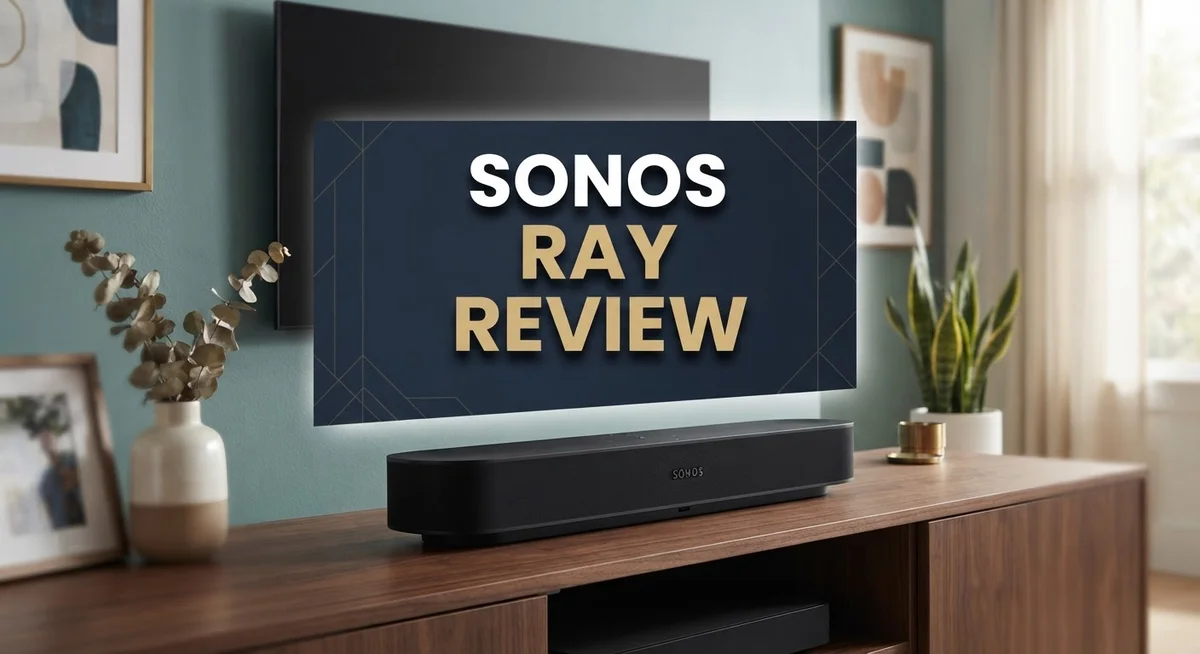
The Sonos Ray feels like a premium product that doesn’t demand a lot of space. Its compact frame measures just 22 inches wide, making it ideal for smaller TV stands or wall mounting in bedrooms and apartments. The soundbar sits low and unobtrusive, so it won’t block your TV screen or dominate the room visually.
The build quality impresses right away. Sonos uses a matte black finish that resists fingerprints and dust better than glossy alternatives. The front panel features touch controls that respond quickly and intuitively. You tap the top surface to adjust volume, play or pause, and switch between inputs. These controls feel responsive without being overly sensitive.
Weight and materials matter for stability. The Ray weighs approximately 1.3 pounds, which means it stays put on most TV stands without sliding around. The plastic construction keeps things light, yet the soundbar doesn’t feel cheap or flimsy. The grille covering the drivers appears durable and well finished.
Connectivity ports sit on the rear. You’ll find an optical input for TV connections, a power cable, and an Ethernet port if you prefer wired WiFi over wireless. The single optical cable setup means fewer wires cluttering your entertainment center. This simplicity appeals to people who hate cable management headaches.
The soundbar’s depth measures only 2.3 inches, so it fits snugly against walls or in tight spaces. This shallow profile makes it one of the slimmest soundbars available today. Despite its compact dimensions, the internal engineering manages to deliver surprisingly full sound for TV watching.
Ventilation and heat dissipation appear well thought out. Air vents on the sides and rear prevent the soundbar from overheating during extended listening sessions. The overall industrial design balances form with function effectively. You get a device that looks modern and clean while performing reliably day after day.

- Experience clearer, more powerful sound than ever before possible by a small standalone soundbar.
- Dynamic sound that enhances the drama and creates a surprisingly wide soundstage.
- Zero-stress setup with only two cables and help from the Sonos app.

Last update on 2026-10-15 / Affiliate links / Images from Amazon Product Advertising API
Sound Performance and Audio Quality
The Sonos Ray delivers impressive audio clarity that punches well above what you’d expect from a compact soundbar. Voices come through crisp and natural, making TV shows and movies a pleasure to watch without constant volume adjustments.
The soundbar uses a single optical cable to connect to your TV or PC. This setup keeps things simple and clutter free. Once connected, sound fills your room evenly without harsh spots or dead zones. The Trueplay room correction feature (available on iOS) learns your space and adjusts audio output automatically.
Music playback shines across multiple genres. Pop, jazz, and spoken word content all sound balanced and engaging. The soundbar handles mid and high frequencies with precision. Streaming from your phone via WiFi or Bluetooth works smoothly without dropouts or lag.
Where the Ray shows limits is in low bass response. Action movies and bass heavy music lack the punch that larger soundbars provide. You won’t feel explosions rumble through your chest. If deep bass matters greatly to you, this soundbar may disappoint. For dialogue focused content and everyday listening, the bass limitation rarely becomes an issue.
The touch controls respond quickly to your fingers. Volume adjustments happen instantly. Pausing or skipping tracks feels natural and intuitive. The soundbar integrates seamlessly into Sonos’ multi-room system, letting you play different songs in different rooms simultaneously.
Gaming performance deserves mention. The optical connection supports gaming consoles well. Audio latency stays low enough for most gamers. Dialogue in story driven games sounds excellent. Competitive shooters benefit from clear directional audio cues.
Overall, the Sonos Ray excels at delivering clean, detailed sound in small to medium spaces. It prioritizes clarity and ease of use over raw power. The build quality feels solid and premium. For bedrooms, offices, or modest living rooms, this soundbar offers genuine audio performance without demanding much space or complicated setup procedures.
Connectivity and Setup
Getting your Sonos Ray up and running takes just minutes. The soundbar connects to your TV using a single optical cable, which means you skip the complexity of multiple wires or adapters. Plug it in, connect the cable, and you’re ready to go.
WiFi setup happens through the Sonos app on your smartphone. The app walks you through each step in plain language. You’ll select your home network, enter your password, and the Ray joins your system. Most users complete this process without any hiccups.
Bluetooth connectivity gives you another way to stream audio. Your phone, tablet, or laptop can pair directly with the Ray without needing WiFi. This works great when you want quick, temporary connections. The pairing process is standard and intuitive.
Apple AirPlay 2 support opens doors for iOS users. You can stream music, podcasts, and audiobooks straight from your Apple devices. The connection remains stable and responsive throughout playback.
The optical connection works perfectly for TV and PC gaming. Your television sends audio through the cable to the soundbar. Response times feel snappy, so dialogue and effects sync well with what you see on screen. Some users have reported occasional setup hiccups with older TV models, but this remains rare.
Trueplay room correction (available on iOS) analyzes your space and adjusts sound accordingly. Your phone’s microphone listens to the soundbar’s output, then the app fine tunes frequencies based on your room’s shape and materials. This feature lifts audio quality noticeably in most living rooms and bedrooms.
The Ray integrates smoothly into Sonos’ multi room system. Once connected, you can group it with other Sonos speakers throughout your home. You control everything from one app, making it simple to play different music in different rooms or sync audio across your entire space.
Limited ports compared to other soundbars mean fewer connection options overall. You get optical input and Bluetooth, but no HDMI or USB connections. For most people, this limitation doesn’t matter since optical and Bluetooth handle the main use cases effectively.
Top 3 Alternatives
Bose Smart Soundbar

- TOTAL IMMERSION, FOR EVERYTHING YOU PLAY: The Bose Dolby Atmos Soundbar features shockingly immersive sound for its...
- ONLY TRUESPACE ELEVATES IT ALL: Bose TrueSpace technology intelligently analyzes signals other than Dolby Atmos...
- BIG-TIME TECH FOR A SMALL SOUNDBAR: This compact soundbar speaker features an acoustic architecture that fits five...
Last update on 2026-10-15 / Affiliate links / Images from Amazon Product Advertising API
The Bose Smart Soundbar delivers clear dialogue and balanced sound for your TV. It connects easily to your home network and works with voice assistants. You get a compact design that fits most entertainment setups without taking up much space.
This soundbar handles movies, music, and sports with solid performance. The audio quality stays consistent across different volume levels. Setup takes just a few minutes, and the app lets you adjust settings from your phone.
Samsung HW-Q60C

- Q-SYMPHONY: Amp up your audio with the greatest duo of all time—Samsung TVs paired with Samsung soundbars; With...
- 3.1 CH DOLBY ATMOS SOUND: When you make the jump to three channels, your audio comes alive; Experience captivating...
- ADAPTIVE SOUND LITE: Enjoy all your favorite video content with dynamically optimized audio and enhanced voice...
Last update on 2026-10-15 / Affiliate links / Images from Amazon Product Advertising API
Samsung built this soundbar with multiple drivers for immersive audio. It supports surround sound technology that makes action scenes feel more dynamic. The soundbar integrates well with Samsung TVs through a single cable connection.
You can add wireless rear speakers and a subwoofer to expand your system later. The soundbar learns your listening habits and adjusts sound automatically. Streaming services like Spotify and Apple Music work seamlessly through the built-in connectivity options.
JBL Bar 500

- 750W Max Output Power
- 10 in. Wireless Subwoofer Included
- Dolby Atmos
Last update on 2026-09-14 / Affiliate links / Images from Amazon Product Advertising API
JBL’s soundbar focuses on powerful bass and crisp highs for an engaging listening experience. It features a sleek design with touch controls on top for quick adjustments. The wireless connectivity options let you stream from multiple devices without hassle.
This soundbar includes a separate subwoofer that adds depth to your audio. Gaming mode optimizes sound for fast-action content with quick response times. The bar syncs with JBL’s ecosystem, so you can expand your setup with additional speakers as your needs grow.
Multi-Room and Smart Features
The Sonos Ray shines when you want to connect multiple speakers throughout your home. The soundbar joins the Sonos ecosystem seamlessly, letting you group rooms together and play the same song everywhere at once. You can also play different music in different rooms. This flexibility makes it perfect for homes where you want audio in the kitchen, bedroom, and living room.
Controlling your speakers happens through the Sonos app on your phone. The app lets you adjust volume, skip tracks, and switch between rooms without walking around. Everything syncs instantly across your network, so commands work from anywhere in your house.
Smart features on the Ray focus on simplicity rather than complexity. The soundbar supports Apple AirPlay 2, so iPhone and iPad users can send music directly to it. Bluetooth connectivity gives you another wireless option when you want quick, temporary connections. WiFi handles your permanent setup, keeping the Ray connected to your home network all day.
Trueplay room correction (available on iOS) adds intelligence to your listening experience. This feature uses your phone’s microphone to analyze how sound travels in your specific room. The Ray then adjusts its output to match your space’s unique acoustics. You run the analysis once, and the soundbar remembers the settings.
The Ray’s touch controls sit on top, responding quickly to your finger taps. You can play, pause, and adjust volume without reaching for a remote. These controls feel responsive and intuitive during daily use.
One limitation stands out here. The Ray has fewer connection options than some competing soundbars. You get optical input and wireless connectivity, but no HDMI or other ports. This matters if you own older devices or want maximum flexibility.
The soundbar integrates smoothly into Sonos’ broader ecosystem. If you already own Sonos speakers, the Ray becomes another node in your network. New users will find the system easy to set up and understand. Multi-room audio becomes accessible without technical knowledge or complicated setup procedures.
Room Correction and Customization
The Sonos Ray includes Trueplay room correction, which is a smart feature that listens to your space and adjusts the sound to match it. This tool works exclusively on iOS devices. You run the calibration by holding your iPhone near the soundbar while the app sends test tones through your room. The system then learns your walls, furniture, and layout to optimize audio performance.
Trueplay makes a real difference for most listeners. The soundbar adapts its output based on whether you have hard floors, soft carpets, or lots of furniture. This means the same soundbar sounds different in different rooms, which is exactly what you want. The adjustment happens automatically once you complete the setup process.
One thing to know is that Android users cannot access Trueplay. If you use an Android phone, you’ll get solid sound without this calibration step, but iOS owners get an extra advantage here. The feature adds intelligence to your listening experience without requiring you to manually tweak settings.
Beyond room correction, customization options stay simple and straightforward. The Sonos app lets you adjust bass and treble levels to your preference. You can boost the bass if you want more punch, or reduce it if your room already has natural low end from other speakers. These basic controls keep things user friendly without overwhelming you with options.
The soundbar’s touch controls on top give you quick access to volume and playback. You can tap to play, pause, or skip tracks without opening the app. This hands on control works great when you’re sitting on your couch watching TV or listening to music.
If you add other Sonos speakers to your setup, the Ray becomes part of a bigger system. You control everything from one app, and each room can have its own settings. This flexibility means your Ray adapts whether it stands alone or works alongside other speakers throughout your home. The customization focuses on what matters most: making your audio sound great in your specific space.
Pros and Cons
Pros
- Delivers clean, detailed sound perfect for TV dialogue and music across multiple genres
- Setup takes just minutes with a single optical cable connection to your TV
- Touch controls respond quickly and the compact design fits small to medium rooms easily
- Trueplay room correction (iOS) listens to your space and adjusts sound automatically
- Integrates seamlessly into Sonos’ multi-room system for whole-home audio
Cons
- Low bass response falls short, so action movies and music with heavy bass feel thin
- No HDMI input means you’re limited to optical connection only
- Android users cannot access Trueplay, missing out on room correction benefits
- Fewer connection options compared to rival soundbars in the same category
Who Should Buy It
The Sonos Ray works best for people who want simple, no-fuss audio without extra complexity. If you own a small or medium-sized living room, this soundbar fits your space perfectly. The compact design means it won’t dominate your entertainment setup.
TV lovers should pay attention here. The Ray excels at dialogue clarity, so if you watch shows and movies regularly, you’ll notice crisp speech and easy-to-follow conversations. This matters when subtitles aren’t your preference.
Sonos ecosystem fans will appreciate how smoothly the Ray connects to other Sonos speakers. You already own a Move or Play speaker? The Ray becomes part of your whole-home audio system instantly. This is a major plus if you’re building a multi-room setup over time.
Music listeners who enjoy variety will find the Ray capable across genres. It handles pop, jazz, classical, and streaming content well. However, if you’re a bass-heavy music fan or love action movies with explosive sound, the Ray’s limited low-end response might disappoint you.
iOS users get an advantage here. Trueplay room correction listens to your space and adjusts sound automatically. This smart feature makes a real difference for most listeners. Android users won’t have access to this benefit, which is worth considering before you buy.
People who value simplicity over features should choose the Ray. You get touch controls on top, WiFi connectivity, Bluetooth, and Apple AirPlay 2. The setup takes minutes with just one optical cable to your TV. No complicated installation required.
Skip the Ray if you need HDMI input or multiple connection options. The optical-only connection limits your flexibility with newer devices. Gamers who want quick HDMI switching should look elsewhere.
The Ray suits budget-conscious buyers who refuse to sacrifice sound quality for their money. You get a well-built soundbar that handles everyday listening tasks without breaking a sweat. This is your choice if you want Sonos quality without unnecessary extras or high-end price tags.
Final Verdict
The Sonos Ray earns its spot as a solid pick for anyone who wants better TV sound without extra hassle. It handles everyday viewing and casual listening with ease.
This soundbar shines when you value simplicity over a long list of features. It does a few things well instead of trying to do everything.
Compared to rivals like the Klipsch Flexus Core 300 or Yamaha YAS-209, the Ray takes a more minimal approach. Those alternatives offer more inputs and bigger sound stages, but they also ask more from setup and space.
If you already own Sonos speakers, the Ray fits right into that world. It adds another voice to your home audio without adding confusion.
Think about your daily habits before deciding. Do you watch a lot of shows and movies? Do you stream music often? The Ray answers both needs well.
Bass lovers and gamers might want to look elsewhere. The Ray keeps things light on power, which means deep rumbles and cinematic booms stay out of reach.
Families who want one clean cable and clear voices from the TV will likely walk away happy. This is the kind of soundbar you set up once and forget about.
The build quality stands out too. It feels sturdy and looks good in any living room or bedroom setup.
For shoppers comparing several soundbars, the Ray works best as an entry point. It is not the last soundbar you will ever need, but it is a great starting point for better sound.
Skip it if you want cinematic depth or multiple ways to connect devices. Choose it if you want something that just works, sounds clean, and blends into your daily routine without fuss.
In short, the Sonos Ray delivers exactly what it promises. It is not flashy, but it gets the job done for most everyday listeners.
Frequently Asked Questions
Does the Sonos Ray work with Android devices?
Yes, the Ray connects to Android phones via Bluetooth and WiFi. You can stream music and control playback from your Android device without issues. However, Android users miss out on Trueplay room correction. This feature only works on iOS, so Android owners won’t get automatic sound adjustments based on your room’s acoustics.
Can I use the Sonos Ray for gaming?
The Ray works for gaming through optical connection to your PC or console. Sound quality is decent for dialogue and effects. However, bass lovers and serious gamers should note that the Ray lacks strong low-end punch. Action-heavy games might feel less immersive compared to soundbars with deeper bass response.
What if I don’t have an optical port on my TV?
This is a real limitation. The Ray only accepts optical input, not HDMI. If your TV lacks an optical output, you’ll need an adapter or alternative connection method. Check your TV’s ports before purchasing. This single connection type is one area where competitors offer more flexibility.
How does the Sonos Ray fit into a multi-room setup?
The Ray integrates smoothly into Sonos’ ecosystem. You can group it with other Sonos speakers throughout your home and play different music in each room or the same song everywhere. This makes it a great entry point if you plan to expand your audio system later.
Is the Sonos Ray good for watching TV shows and movies?
Absolutely. The Ray excels at dialogue clarity, making voices crisp and easy to understand. TV lovers will appreciate how well conversations come through. Just remember that bass-heavy action scenes won’t hit as hard due to limited low-end response.

Sili is a tech reviewer who cuts through the hype to find AI tools and gadgets that make life easier. She shares honest reviews and simple guides for everyday tech users.