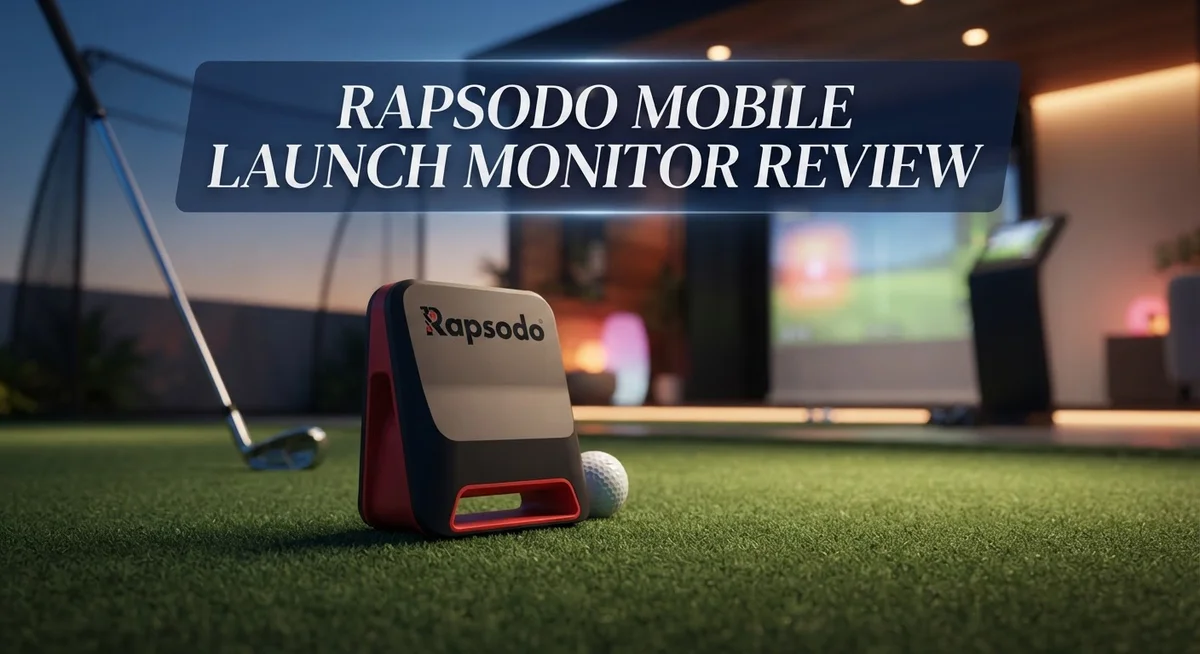
Rapsodo Mobile Launch Monitor Review: Doppler Radar Golf Technology
Want to check your swing like a pro? The Rapsodo Mobile Launch Monitor makes it simple. This device uses Doppler radar and dual cameras to track your every shot.
You get instant data on carry distance, ball speed, and launch angle. The MLM2PRO model also shows smash factor and launch direction. That means you see exactly what happens at impact.
Golfers love this tool because it is portable and easy to use. You can set it up in your backyard or take it to the course. Video feedback lets you review your swing right away.
This review digs into what makes the Rapsodo stand out. We cover its best features, some drawbacks, and how it compares to other launch monitors. By the end, you will know if this device fits your game.
In a Nutshell
Here’s the quick rundown of what this launch monitor brings to your game:
-
Doppler radar meets dual cameras: The MLM2PRO pairs radar tech with two cameras. This combo gives you sharper swing and impact video footage.
-
Goes beyond basic numbers: You get club speed, smash factor, and launch direction data too. These metrics help you understand your full swing mechanics.
-
Works on your phone: The device connects easily to Android and Apple devices. You can check your stats right after each shot.
-
Built for comparison: Want to test different clubs side by side? This tool lets you run head to head club comparisons instantly.
-
Some trade offs exist: You need RPT balls for accurate readings. The app also skips putting support and shows limited course graphics.
-
Third party limits apply: Club data does not transfer to outside golf apps. Keep this in mind if you use multiple platforms for tracking.
This tool fits golfers who want detailed swing feedback without extra hassle.
Key Features and Specifications
The Rapsodo Mobile Launch Monitor delivers a solid package of features that appeal to golfers wanting serious performance data without complexity.
Doppler Radar Technology forms the backbone of this system. The radar captures ball flight information with precision, and the dual integrated cameras on the MLM2PRO model add visual confirmation. You see your swing in motion while data streams in real time. This combination means you get both numbers and video feedback instantly.
The metrics you receive cover all the essentials. Ball speed, club speed, and carry distance tell you how far and how hard you are hitting. Launch angle shows your trajectory. Launch direction reveals where the ball travels left or right. Smash factor measures how efficiently you transfer club energy to the ball. These six core metrics give you a complete picture of each shot.
Video capture stands out as a practical feature. The system records your swing and the impact moment automatically. You can review these clips right away or export them later. Head to head club comparisons let you test a driver against a 3 wood or different irons side by side. This helps you make real decisions about which clubs perform best for your game.
Portability matters for many golfers. The compact design means you can set this up in your backyard, at the range, or even indoors. Your phone becomes the display screen, so you travel light. Android and Apple compatibility ensures your device works with the system.
A few practical limits exist. The system requires Rapsodo RPT balls for accurate readings, so standard golf balls won’t work. Course graphics remain basic compared to some competitors. If you use third party golf apps, club data won’t sync to those platforms. The device also does not support putting measurements.
Occasional missed shots happen, particularly on thin strikes or extreme angles. This reflects the technology’s price positioning. Overall, the feature set delivers substantial value for golfers who want reliable data and video feedback in a portable package.

- PRACTICE AT THE RANGE OR BACKYARD — Get shot-by-shot feedback anywhere you play: the driving range, your...
- KNOW YOUR CARRY DISTANCE — Get ball speed, club speed, launch angle, carry distance, and shot shape on every...
- VIDEO REPLAY WITH SHOT TRACER — Record each swing and watch it back with an on-screen tracer that shows your true...
Last update on 2026-10-04 / Affiliate links / Images from Amazon Product Advertising API
Accuracy and Measurement Capabilities
The Rapsodo Mobile Launch Monitor uses Doppler radar technology to track your shots with solid precision. This radar system works by measuring the ball’s flight path in real time. You get accurate readings on carry distance, ball speed, and launch angle right on your phone.
The dual integrated cameras on the MLM2PRO add another layer of measurement power. These cameras capture your swing mechanics and impact point from two angles. You can replay your swing instantly and see exactly what happened at contact. This video feedback helps you spot problems in your technique that numbers alone cannot show.
Club speed and smash factor measurements give you deeper insights into your swing. Club speed tells you how fast you’re swinging. Smash factor shows how efficiently you’re transferring that speed to the ball. Launch direction data rounds out the picture by showing where your ball actually travels relative to your target line.
One important note: the Rapsodo works best with RPT balls. Regular golf balls may produce occasional missed shots, especially on thin strikes or extreme angles. This is a trade off you should expect at this performance level. The accuracy stays consistent when you use the recommended balls.
The system exports your data easily to your phone. You can save swing videos and build a library of your shots over time. Head to head club comparisons let you test different clubs back to back and see which performs better for your swing.
Course graphics remain limited compared to some competitors. You won’t get detailed hole layouts or hazard mapping. The device also lacks putting support, so this tool focuses purely on full swing analysis. Additionally, your club data stays within the Rapsodo app. You cannot transfer metrics to third party golf software or other tracking platforms.
Despite these boundaries, the measurement system delivers the core metrics golfers need. The combination of radar and video creates a complete picture of your swing performance. The portability means you can take this tool to the range, your backyard, or anywhere you practice.
Portability and Device Compatibility
The Rapsodo Mobile Launch Monitor shines when it comes to taking your golf analysis anywhere. This device fits easily into a golf bag without adding bulk, making it perfect for golfers who want data at the range, the course, or even their backyard.
Connectivity is straightforward. The system pairs with both Android and Apple smartphones through a simple app connection. You launch the app, connect your device via Bluetooth, and you’re ready to start capturing shots. The setup takes just a few minutes, even for users who aren’t tech savvy.
One key advantage is the instant video playback feature. After each swing, you see your impact and follow through recorded from the dual cameras. This video feedback appears right on your phone screen, letting you review your mechanics immediately. You can save these videos for later analysis or share them with your coach.
The export function works smoothly too. Your shot data transfers to your phone without friction, so you can organize your sessions and track progress over time. This makes it easy to compare how different clubs perform or monitor your improvements week to week.
However, there are some compatibility boundaries to know. Club data stays within the Rapsodo ecosystem. You cannot pull your metrics into other popular golf apps or software platforms. If you use multiple golf tools, the Rapsodo numbers won’t sync across them. This is a real limitation for golfers who manage their game through third party applications.
Another consideration involves the balls you use. The system requires RPT balls for optimal accuracy. Regular golf balls may produce inconsistent readings or missed shots, especially on thin strikes or extreme trajectories. This requirement adds a small extra layer to your setup routine.
The device itself is lightweight and durable. It handles being moved between locations without issues. For golfers prioritizing portability and phone based analysis, the Rapsodo delivers solid performance. The trade off is accepting some ecosystem limitations and ball requirements in exchange for that convenience and ease of use.
Top 3 Alternatives
Trackman Range Golf

- ACCURATE GOLF LAUNCH MONITOR – The PRGR Launch Monitor accurately tracks club head speed (with or without a...
- MOST AFFORDABLE LAUNCH MONITOR IN GOLF – Get precise golf swing data for a fraction of the price of high-end...
- COMPARES TO THE HIGH-END UNITS - The PRGR’s golf swing speed monitor delivers accurate data using precise...
Last update on 2026-10-04 / Affiliate links / Images from Amazon Product Advertising API
Trackman Range Golf gives you accurate ball flight data in a compact package. This device tracks your shots with precision and shows you exactly where the ball lands. You get instant feedback on distance, carry, and ball speed.
The system works both indoors and outdoors. You can practice at home or at the range. The app connects easily to your phone or tablet. Data syncs automatically so you never lose your practice sessions.
FlightScope Mevo Plus

- FLIGHTSCOPE LAUNCH MONITOR AND SIMULATOR: The FlightScope Mevo+ is a launch monitor and simulator that uses...
- PRACTICE WITH PURPOSE: Dial In Your Distance with 20+ Full Swing and Short Game Data Parameters which can be...
- FLIGHTSCOPE MULTICAM: Automatically record and sync videos from multiple cameras for instant review on your iOS...
Last update on 2026-10-04 / Affiliate links / Images from Amazon Product Advertising API
FlightScope Mevo Plus delivers professional-grade analytics for serious golfers. This monitor captures every detail of your swing and shot. You see spin rate, launch angle, and club head speed in real time.
The device pairs with your smartphone for easy viewing. The app shows you detailed shot patterns and swing metrics. You can record your practice sessions and review them later. Multiple golfers can use the same device by creating separate profiles.
SkyTrak Launch Monitor

- Includes 1 year of Core Foresight software at no additional cost
Last update on 2026-10-04 / Affiliate links / Images from Amazon Product Advertising API
SkyTrak Launch Monitor offers reliable performance at the range or home. This system measures ball flight data and provides instant feedback. You get accurate readings on distance, carry, and trajectory.
The device works with popular golf simulation software. You can play virtual courses or practice specific shots. The compact design makes setup quick and simple. Data uploads to the cloud so you can track progress over time.
Each option gives you different features and capabilities. Choose based on your practice location and budget needs. All three help you improve your game through better data and feedback.
Video Feedback and Data Export
Video playback happens instantly on your phone after each shot. You see your swing and impact captured in real time. This feature helps you spot problems immediately without waiting for processing delays.
The dual cameras on the MLM2PRO work together to record your motion from different angles. One camera focuses on your full swing. The other captures the ball at impact. You get clear visuals of both moments that matter most.
Data export works smoothly through the Rapsodo app. Your shots sync automatically to your device. You can review your session anytime, anywhere. The app organizes all your metrics in one place. Swing videos stay linked to each shot’s numbers.
Head to head comparisons become easy with this setup. Test driver versus 3 wood. Record both sessions. Pull up the videos side by side. See which club produces better launch angles or ball speeds. The video feedback shows you exactly what changes between clubs.
Exporting your data beyond the app has limits. Club information does not transfer to third party golf apps. Your numbers stay within the Rapsodo system. This matters if you use other golf software. You cannot easily combine Rapsodo data with Shot Scope or similar platforms.
Video quality depends on lighting conditions. Indoor bays work great. Outdoor sessions perform best on clear days. Shadows or low light reduce video clarity. The cameras capture solid footage in good conditions.
You can save videos to your phone’s storage. Share swings with your coach or playing partners. Email clips directly from the app. Store them in cloud services if you prefer. The flexibility here works well for most golfers.
One practical note: occasional missed shots happen. Thin strikes or extreme angles sometimes fail to register. The radar picks up most shots cleanly, but edge cases occur. This is normal for radar based systems at this level.
The combination of instant video and easy data export makes this system practical for serious practice. You get immediate feedback plus organized records of your improvement over time.
Club Comparison and Analysis Tools
The Rapsodo Mobile Launch Monitor gives you practical tools to compare clubs side by side. This feature helps you understand which clubs perform best in your bag.
Head to head club comparisons work through the app’s built in analysis. You hit shots with different clubs and the system displays the metrics side by side. This lets you see carry distance, ball speed, and launch angle for each club instantly. You can spot patterns in your swing quickly.
The comparison tools show you real data from your actual shots. You don’t get theoretical numbers. Instead, you see what your clubs actually do when you swing them. This matters because club performance varies based on your swing speed and strike quality.
Video capture during comparisons adds another useful angle. The dual cameras on the MLM2PRO record your swing from multiple perspectives while measuring your shot. You can review your form while checking the numbers side by side. This combination helps you connect what you see in your swing to the metrics the device records.
Data organization happens smoothly in the app. You can sort shots by club, date, or session. This makes it easy to find specific club comparisons you want to review later. You can track how your performance changes over weeks or months with the same club.
One limitation exists with third party apps. Your club data stays within the Rapsodo app. You cannot export detailed club information to other golf software platforms. This means you rely on Rapsodo’s interface for all your club analysis work.
The comparison feature works best during practice sessions at the range. You get consistent conditions and can hit multiple shots with each club. This gives you reliable data for making decisions about your equipment.
The export function lets you save your comparison results. You can share sessions with instructors or friends. This opens up options for getting feedback on your club choices from other golfers or professionals.
Pros and Cons
Pros
- Doppler radar technology captures all core metrics golfers need (ball speed, launch angle, carry distance, smash factor, club speed, and launch direction)
- Dual cameras record your swing and impact from multiple angles with instant video playback on your phone
- Head to head club comparisons let you see real data side by side during practice sessions
- Lightweight and portable design means you can analyze your game anywhere, from the range to your backyard
- Data exports smoothly through the Rapsodo app so you can organize and review your shots
Cons
- Requires RPT balls to function properly, which adds an ongoing cost to your practice routine
- Occasional missed shots happen due to the price point, so accuracy isn’t perfect in every situation
- Club data doesn’t sync with third party golf apps, keeping your analysis limited to the Rapsodo app only
- No putting support, so this monitor only works for full swing and short game shots off the turf
Who Should Buy It
The Rapsodo Mobile Launch Monitor works best for golfers who want honest feedback on their swing without visiting a professional facility. If you practice regularly at the range, this device gives you the data you need to improve.
Serious practice enthusiasts benefit most from this system. You get ball speed, launch angle, carry distance, and smash factor instantly. These metrics help you understand what your swing actually does, not what you think it does.
The device suits golfers who own Android or Apple phones. Your smartphone becomes your launch monitor screen. Video playback happens right after each shot, so you see your swing motion immediately. This real time feedback helps you make adjustments on the spot.
If you like comparing different clubs, this monitor serves that purpose well. You can test your 7 iron against your 6 iron back to back. The app shows you actual data from your shots, not estimates. This helps you find which clubs work best for your swing.
Golfers with limited space appreciate the portable design. You don’t need a golf simulator setup or dedicated room. Use it at your local range, in your backyard, or even at a par 3 course. The compact size means you can transport it easily.
Home practice golfers find value here too. You get professional grade metrics without professional grade equipment taking up your garage. Set it up, practice, and review your data on your phone.
However, skip this device if you only play on the course. The monitor works for range practice and practice sessions, not during actual rounds. Also, you’ll need to use RPT balls, which means an ongoing supply cost for practice.
Golfers seeking putting analysis should look elsewhere. This monitor focuses on full swing metrics only. If your game needs putting work, this tool won’t help that part.
Ultimately, buy this if you practice regularly and want immediate swing feedback. You get reliable data, video capture, and club comparisons in a portable package. The learning curve stays low because your phone does the heavy lifting.
Final Verdict
The Rapsodo Mobile Launch Monitor stands out as a smart choice for golfers who want real feedback at home. It blends solid technology with simple use.
Compared to competitors like the Garmin Approach R10 or SkyTrak, this device holds its own in core metrics. It may lack some advanced course graphics, but it delivers what matters most: accurate swing data.
Occasional missed shots can happen. This is common across launch monitors in this category. It does not take away from the overall experience.
The lack of putting support remains a drawback. Golfers focused on short game improvement should look at other tools for that specific need.
Still, for full swing analysis, this monitor performs well. Video playback and instant metrics make every session count. You see your swing and your numbers together.
The third party app limitation might frustrate golfers who already use other platforms for tracking progress. This is one area where Rapsodo keeps things within its own ecosystem.
Despite these small gaps, the launch monitor earns its place among trusted practice tools. It suits anyone serious about improving their swing from home or the range.
Simplicity defines this device. You do not need a studio setup or complicated software. Just your phone, some RPT balls, and open space.
For golfers who value consistent feedback over flashy extras, this tool checks the right boxes. It keeps practice focused on real improvement, not distractions.
In the end, this launch monitor fits golfers who practice often and want data they can trust. If you need deep course simulation or putting tools, consider other options. But for swing analysis and club comparison, this device delivers dependable results every time you step up to hit a ball.
Frequently Asked Questions
Does the Rapsodo Mobile Launch Monitor work with my phone?
Yes, it works with both Android and Apple devices. You download the Rapsodo app and connect your phone to the monitor. The app displays all your metrics in real time. Video playback happens instantly on your screen. Setup takes just a few minutes.
What balls do I need to use?
You must use RPT balls with this monitor. Regular golf balls won’t work because the device reads special markers on the RPT ball surface. This is an ongoing cost to consider for regular practice sessions. The monitor relies on these marked balls to track your shot data accurately.
Can I use this monitor on the golf course?
No, this device works best at the range or in your backyard. Course play isn’t supported because the monitor needs a controlled environment. If you want feedback during actual rounds, you’ll need a different system. This monitor shines for practice and swing development at home.
How accurate is the Rapsodo compared to other monitors?
The Rapsodo delivers solid accuracy for its class. It captures carry distance, ball speed, club speed, launch angle, and smash factor reliably. Occasional missed shots can happen, but this is normal for devices in this category. Head to head club comparisons give you honest data to improve your swing. For full swing analysis, this monitor performs well against competitors.
Will my golf app show Rapsodo data?
No, third party apps don’t receive Rapsodo data directly. Your metrics stay within the Rapsodo app only. This means you can’t export swing data to other golf platforms. If you use multiple apps for tracking, this limitation might affect your workflow.

Sili is a tech reviewer who cuts through the hype to find AI tools and gadgets that make life easier. She shares honest reviews and simple guides for everyday tech users.