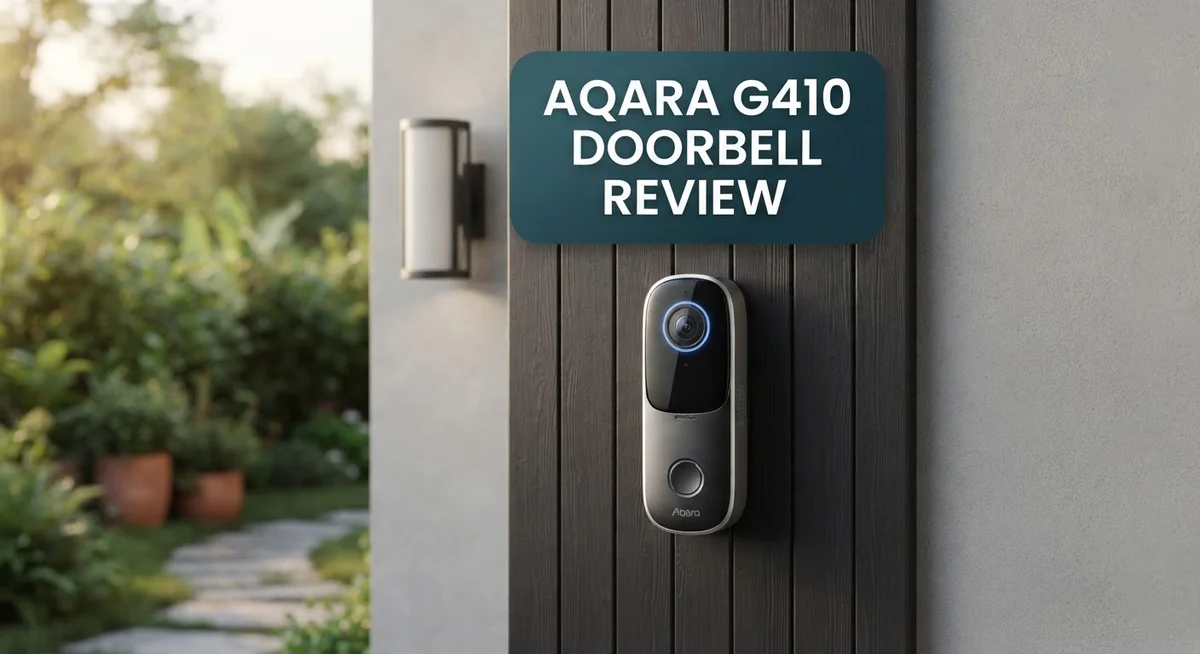
Aqara G410 Doorbell Review: Is It Worth Your Money?
Smart doorbells have changed how we greet guests. The Aqara G410 takes things further with a mix of smart features.
This doorbell offers 2K resolution and a 175° wide angle lens. You get a clear view of your porch, every time.
It also comes with mmWave radar detection. This helps the doorbell sense motion with more accuracy.
What makes the G410 stand out? It works as a Matter controller and Zigbee 3.0 hub. You do not need extra bridges for your smart home devices.
This review covers everything you need to know. We look at setup, performance, and real world use.
Is the G410 the right upgrade from the older G4 model? Let’s find out together.
In a Nutshell
The Aqara G410 brings smart security to your front door. Here’s a quick look at what makes it special.
-
Local facial recognition keeps your data safe. It works without constant cloud dependency, so your privacy stays protected.
-
The integrated hub is a game changer. You don’t need a separate bridge to connect your smart home devices.
-
Setup feels simple and quick. Most users get it running without major headaches.
-
It supports Thread Border Router functionality. This helps your smart home network run smoother and faster.
-
Some users report connection stability issues. This is worth checking before you commit to installation.
-
This model requires hardwired installation. You’ll need proper wiring, unlike battery powered alternatives.
-
Compared to the older G4, this doorbell offers better connection and sharper resolution. It’s a solid step forward for Aqara fans.
-
Advanced customization options let you tweak settings to match your needs. This makes the G410 flexible for different households.
The G410 stands out as a capable upgrade. It combines smart features with practical hub functionality for modern homes.
Key Features and Specifications
The Aqara G410 brings together several powerful features that work as one unified system. At its core, you get 2K resolution with a 175 degree wide angle lens that captures your entire porch in crisp detail. The 4:3 aspect ratio gives you more vertical coverage, which is perfect for seeing packages and people from head to toe.
One standout feature is the mmWave radar detection. This advanced sensor picks up motion and presence even through obstacles. You get alerts that feel more natural and less prone to false triggers from passing cars or swaying branches.
The integrated Matter controller and Zigbee 3.0 hub eliminate the need for a separate bridge device. This means fewer boxes to set up and fewer devices cluttering your network. The doorbell becomes a central hub for your smart home ecosystem right away.
Thread Border Router support adds another layer of connectivity. If you have Thread enabled devices, this doorbell strengthens your entire mesh network. Your smart lights and locks get more stable connections as a result.
Local facial recognition works without sending your data to the cloud permanently. Your family members and frequent visitors get recognized locally on the device itself. This keeps your privacy intact while still delivering smart notifications.
The hardwired installation requirement means you need proper electrical wiring at your door. This isn’t a battery powered device, so setup demands a bit more technical work. However, it guarantees consistent power and eliminates charging hassles.
Advanced customization options let you fine tune detection zones, alert types, and response actions. You can set different rules for different times of day or adjust sensitivity based on your needs.
Some users report connection stability varies depending on their network setup. Proper WiFi placement and router configuration help ensure smooth operation. The G410 represents a solid step forward from earlier models with noticeably improved resolution and connection reliability.

- Works with HomeKit Secure Video and All Major Ecosystems: Fully compatible with Apple HomeKit Secure Video (HSV...
- Built-In Aqara Zigbee & Matter Hub for Simple Device Control: No extra hub needed. This doorbell includes a...
- More Accurate Motion Detection with mmWave Radar: The advanced mmWave radar detects human presence with greater...

Last update on 2026-10-04 / Affiliate links / Images from Amazon Product Advertising API
Video Quality and Camera Performance
The G410’s camera delivers sharp visuals thanks to its 2K resolution. You get clear footage of visitors, packages, and activity at your door. The 175 degree wide angle lens captures a broad view of your porch area. This wider perspective means fewer blind spots compared to narrower lens options.
The 4:3 aspect ratio provides a taller frame. This vertical orientation works well for capturing faces and upper body details. You see more of what happens directly in front of your door. The format feels natural for doorbell use cases.
Night vision performance matters when deliveries arrive after dark. The G410 handles low light situations effectively. You can still identify visitors and read package labels when the sun goes down. The camera adjusts automatically to changing light conditions.
The mmWave radar detection works alongside the camera. This sensor tracks motion patterns and distinguishes between people, vehicles, and animals. You receive smarter alerts because the system understands what triggered the detection. False alarms from swaying branches or passing cars decrease significantly.
Local facial recognition adds another dimension to video performance. The G410 learns faces of family members and frequent visitors. Recognition happens on your device, not on cloud servers. This approach keeps your biometric data private while still providing personalized notifications.
Frame rate and latency affect how smoothly you view live footage. The G410 streams video with minimal delay. You see real time activity without frustrating lag. Recording quality remains consistent throughout the day and night.
The integrated hub processes video locally. Your footage doesn’t depend on constant cloud uploads for basic functions. This local processing means faster response times and better reliability.
Storage options let you choose how long footage stays accessible. You can review recent events without worrying about clips disappearing instantly. The system balances storage efficiency with your need to access important moments.
Overall, the G410 excels at capturing clear, detailed video. The combination of resolution, lens width, and detection technology creates a comprehensive view of your entrance. Motion tracking and facial recognition transform raw video into actionable security information.
Smart Home Integration and Hub Functionality
The Aqara G410 functions as more than just a doorbell. It acts as a central hub for your smart home ecosystem.
This doorbell integrates Matter controller and Zigbee 3.0 hub capabilities directly into the device. You no longer need a separate bridge device sitting on a shelf somewhere. The hub connects your smart devices in one unified network, making communication between them seamless and fast.
Thread Border Router support adds another connectivity option to your setup. This means devices can hop between connection points, creating a more reliable mesh network. Your smart lights, locks, and sensors stay connected even if one pathway drops temporarily.
The local processing power is significant here. Your doorbell handles facial recognition without constantly sending data to distant servers. This keeps your information private while still delivering the smart features you need. Recognition happens on device, not in the cloud.
Connection stability remains important for any hub device. Some users report occasional hiccups with their G410 connections. Most report solid performance after proper setup, but this is worth testing during your first week of use. Ensure your WiFi signal reaches the doorbell location with adequate strength.
Setup involves hardwiring the doorbell to your existing chime circuit. This requirement means you cannot simply mount it anywhere. Your electrician or a handy homeowner needs to run wires to the installation spot. Once wired, the app guides you through adding the hub to your network.
The integration with other Aqara devices works smoothly. Automations between your doorbell, cameras, and smart locks become possible. You can create rules like “unlock the door when the doorbell recognizes a family member.” These automations run locally on the hub, so they work even if internet drops.
Advanced customization options let you fine tune how the hub behaves. Detection zones, alert types, and automation triggers all bend to your preferences. This flexibility makes the G410 adapt to your home’s unique layout and your family’s routines, rather than forcing you into standard settings.
Top 3 Alternatives
Logitech Circle View

- Circle View is an easy to use, motion detection based (non-continuous video) home security camera, with a durable...
- Featuring best-in-class Logitech TrueView video with 180° field-of-view optics and 1080p HD so everything is...
- High-quality sensor with wide dynamic range lets you see more detail in high contrast videos so you capture clear...
Last update on 2026-10-15 / Affiliate links / Images from Amazon Product Advertising API
Logitech Circle View offers smart home monitoring with a focus on simplicity. This doorbell connects easily to your Wi-Fi and sends alerts when someone approaches your door. The video quality is clear, and you can watch live feeds from your phone anytime.
The device stores footage in the cloud, so you don’t need extra equipment. Two-way audio lets you talk to visitors without opening the door. Night vision works well in low light conditions. Installation takes just a few minutes for most users.
Wyze Video Doorbell

- See More with 1:1 Head-to-Toe View: Sees everything with 150°×150°ultra-wide field of view. Captures visitors...
- Wire-Free or Wired: Up to 6 months battery life or continuous power via hardwiring. Built-in USB-C rechargeable...
- See The Whole Story - Clearer: 1536x1536 HD Video Doorbell with Color Night Vision, capture all porch arrivals and...
Last update on 2026-10-04 / Affiliate links / Images from Amazon Product Advertising API
Wyze Video Doorbell brings affordable security to your entryway. It records in high definition and sends instant notifications to your phone. The doorbell works with voice assistants like Alexa and Google Home.
You get person detection alerts, so you know when someone is actually at your door. The device records 24/7 and stores clips locally or in the cloud. Two-way talk lets you communicate with delivery drivers or guests. Battery life lasts several months before needing a charge.
Eufy Video Doorbell

- 𝐃𝐮𝐚𝐥 𝐂𝐚𝐦𝐞𝐫𝐚𝐬, 𝐃𝐨𝐮𝐛𝐥𝐞 𝐒𝐞𝐜𝐮𝐫𝐢𝐭𝐲 | Dual...
- 𝐋𝐨𝐜𝐚𝐥 𝐒𝐭𝐨𝐫𝐚𝐠𝐞,𝐍𝐨 𝐒𝐮𝐛𝐬𝐜𝐫𝐢𝐩𝐭𝐢𝐨𝐧 | 8GB...
- ...
Last update on 2026-09-14 / Affiliate links / Images from Amazon Product Advertising API
Eufy Video Doorbell emphasizes privacy and local storage. Unlike many competitors, it processes video on the device itself, not in the cloud. This means your footage stays private and secure.
The doorbell delivers crystal-clear video with a wide viewing angle. Person detection works accurately to reduce false alarms. Two-way audio is crisp and easy to use. Installation is straightforward, and the battery lasts for months. You can access footage anytime through the app, even without cloud subscriptions.
Installation and Wiring Requirements
The Aqara G410 requires hardwired installation to your existing doorbell circuit. This means you need proper electrical wiring already in place at your front door. If your home has an older chime system, the G410 connects directly to those same wires.
Before you start, turn off power at your circuit breaker. Safety comes first when working with electrical connections. Most homes have two wires running to the doorbell location, typically labeled “front door” or similar on your breaker panel.
The wiring process itself is straightforward. You disconnect the old doorbell and connect the two wires to the G410’s terminals. The device clearly marks which wire goes where, so confusion is minimal. Most people complete this step in under five minutes.
One important detail: the G410 works with standard 16 to 24 volt AC transformers. Your existing doorbell transformer likely falls within this range. Check your current setup to confirm compatibility before purchasing.
Professional installation is optional but helpful if you feel uncomfortable working with electrical connections. Many smart home installers can set up the G410 quickly. They verify your wiring is correct and ensure everything powers on properly.
After wiring is complete, the setup process moves to your smartphone. Download the Aqara app and follow the pairing instructions. The built in Matter controller and Zigbee 3.0 hub connect to your network automatically.
One advantage of hardwired installation is reliability. Unlike battery doorbells, the G410 never runs out of power. Your doorbell stays active 24/7 without charging concerns.
The integration hub functionality begins working immediately after power connects. Your G410 starts processing video locally and managing Zigbee devices. Thread Border Router support activates once you configure it in the app settings.
Connection stability depends partly on proper wiring installation. Loose connections or incorrect wire placement can cause intermittent issues. Double check your work or have a professional verify the connections.
Overall, installation takes 15 to 30 minutes total. Most users handle this themselves without difficulty.
Local Facial Recognition and Privacy
The Aqara G410 puts facial recognition where it matters most: on your device, not on distant servers. Local processing means your face data stays private. The doorbell analyzes faces directly through its integrated hub without sending biometric information to the cloud constantly.
This approach protects your family and visitors. You control who enters your home data, and facial data never leaves your property unless you explicitly choose to share it. The mmWave radar detection works alongside facial recognition to identify people at your door with minimal delay.
Privacy settings give you real control. You decide which faces the G410 learns and remembers. You can delete stored facial data anytime. You manage notification rules based on recognized individuals. This flexibility means the doorbell adapts to your comfort level, not the other way around.
Some users worry about security cameras recording their faces without consent. The G410 addresses this concern through local processing. Your neighbors’ faces aren’t uploaded to servers. Your delivery drivers’ faces aren’t stored in the cloud. Only faces you specifically train the system to recognize get stored locally on the device.
The integrated hub processes everything on site. This reduces latency between detection and notification. You also reduce the ongoing data transmission that cloud dependent systems require. Fewer data transfers mean fewer opportunities for interception or unauthorized access.
One consideration: local processing requires sufficient device storage. The G410 handles this reasonably well, but you should review your storage settings. You can adjust how long the doorbell keeps facial data and video clips.
The trade-off is straightforward. You gain privacy and faster performance by processing locally. You lose some features that require cloud infrastructure, like advanced analytics or cross-device facial recognition across multiple properties. Most homeowners find this trade-off worthwhile.
The G410 proves that security cameras don’t need to sacrifice privacy. Local facial recognition shows that smart home devices can be both intelligent and respectful of your personal information. This approach sets a better standard for how doorbells should protect your home.
Pros and Cons
Pros
- Local facial recognition processes video on your device instead of sending data to cloud servers
- Built in Matter controller and Zigbee 3.0 hub eliminate the need for a separate bridge device
- 2K resolution with 175 degree wide angle lens captures clear, detailed video of your doorway
- Straightforward setup process gets your doorbell running quickly
- Advanced customization options let you fine tune alerts, detection zones, and hub behavior
Cons
- Some users report connection stability issues that can affect hub performance
- Hardwired installation requires working with your existing doorbell circuit and AC transformer
- Device storage limits how much facial recognition data you can store locally before processing slows down
Who Should Buy It
The Aqara G410 works best for homeowners who want local privacy without cloud dependency. You should consider this doorbell if you value keeping facial recognition data on your own device instead of uploading it to distant servers.
This model suits tech enthusiasts who already use Aqara devices or other Matter compatible products. The integrated hub and Zigbee 3.0 support mean you won’t need to buy a separate bridge. Your smart home setup stays simpler and more streamlined.
Hardwired installation makes the G410 ideal for permanent homes, not rentals. If you own your property and have an existing doorbell circuit, this doorbell fits perfectly into your setup. Professional installers can help if electrical work feels intimidating.
The 2K resolution and 175 degree wide angle lens appeal to users who want clear footage of their entire porch area. You get detailed video without sacrificing the wide view that catches approaching visitors from different angles.
People concerned about security should appreciate the local facial recognition feature. Your family photos and visitor data stay on your device. You control which faces trigger alerts, and no external company stores this information permanently.
The G410 also attracts users who enjoy customization. Advanced settings let you adjust detection zones, alert timing, and hub behavior to match your exact needs. You’re not locked into default configurations.
However, skip this doorbell if you prefer battery powered options. The hardwired requirement means you must commit to proper electrical installation. Some users report occasional connection stability issues, so your network strength matters.
Renters should look elsewhere since removing the G410 requires rewiring your doorbell circuit back to the original setup. Temporary smart home solutions work better for your situation.
The G410 shines for homeowners who blend security with privacy. You get professional video quality, local processing, and hub functionality all in one device. If these priorities match your needs, this doorbell delivers real value to your home security system.
Final Verdict
The Aqara G410 stands out as a smart choice for anyone upgrading their home security setup. Its combination of local processing and smart home integration makes it more than just another doorbell camera.
mmWave radar detection adds another layer of smarts. This technology senses movement with precision that regular motion sensors cannot match. It reduces false alerts from passing cars or blowing leaves.
The Thread Border Router support future proofs this device. Your smart home network gets stronger as you add more Thread enabled gadgets. This feature alone sets the G410 apart from simpler doorbell cameras on the market.
Compared to its siblings, the G410 earns its spot at the top. The older Aqara G4 lacks some of these newer connectivity features. The Doorbell Lite trims down capabilities for simpler budgets. The G4 Pro offers similar specs but without the same hub integration depth.
If you already own Aqara devices, this doorbell completes your ecosystem nicely. It talks to your other smart home gear without extra bridges or complicated setups.
Connection hiccups reported by some users deserve mention here too. These issues seem isolated rather than widespread. Most buyers report smooth operation after initial setup.
Think about your home structure before buying. Wired installations suit permanent residences best. Renters or those wanting flexibility might look elsewhere.
For everyone else, the G410 delivers real value through its features. Smart detection, local privacy, and ecosystem integration come together well here. These qualities matter more than flashy marketing claims.
This doorbell works best for homeowners who want smart security without constant cloud reliance. Tech savvy users who appreciate customization will find plenty to like.
The Aqara G410 earns a solid recommendation for the right buyer. Match its strengths to your specific needs and you will likely be satisfied with this purchase.
Frequently Asked Questions
Does the Aqara G410 need a separate hub?
No, it doesn’t. The G410 has a built-in Matter controller and Zigbee 3.0 hub right inside the doorbell itself. You skip the extra bridge device entirely. This simplifies your setup and saves space.
Can I use facial recognition without sending data to the cloud?
Yes. The G410 performs local facial recognition on the device. Your face data stays on your doorbell, not uploaded to cloud servers. This keeps your privacy intact while still identifying visitors.
Is the G410 battery powered or hardwired?
It’s hardwired only. You need to connect it to your existing doorbell circuit and AC transformer. Battery models aren’t available for this doorbell, so renters may want to look elsewhere.
What makes the G410 different from the G4 model?
The G410 offers improved connection stability and better resolution compared to the older G4. It also adds mmWave radar detection for smarter motion sensing. The newer model performs better overall, though some users still report occasional connection hiccups.
Will the G410 work with my other smart home devices?
Absolutely. It supports Thread Border Router and works with any Matter compatible device. If you already own Aqara products, the G410 integrates smoothly into your ecosystem. This makes it a natural upgrade for existing Aqara users.

Sili is a tech reviewer who cuts through the hype to find AI tools and gadgets that make life easier. She shares honest reviews and simple guides for everyday tech users.