
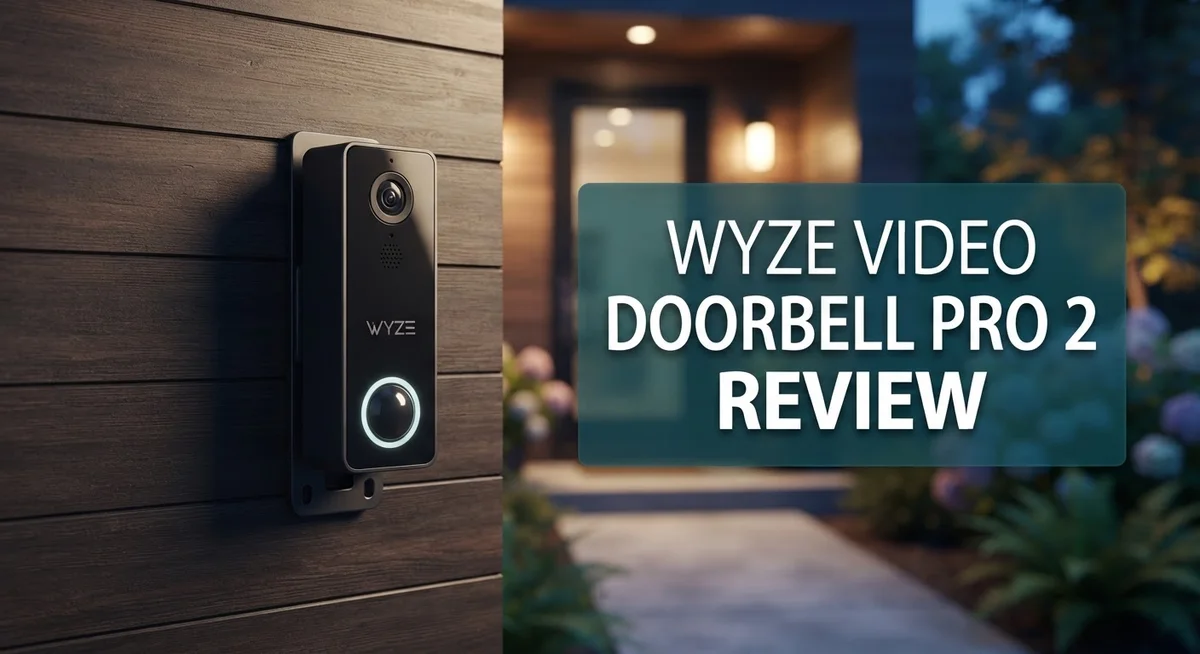
Wyze Video Doorbell Pro 2 Review: Is It Worth Your Money?
Want to know who’s at your door without missing a beat? The Wyze Video Doorbell Pro 2 promises just that.
This smart doorbell offers sharp 2K resolution. You get a clear view of every visitor, package, or surprise guest.
It comes in wired or battery powered options. You pick what fits your home setup best.
No cloud subscription needed. The microSD card slot lets you store footage locally. That means simple, stress free security.
Motion detection settings let you customize alerts. You choose Low, Medium, or High sensitivity based on your needs.
A wide field of view means fewer blind spots. You see more of your porch and yard in one frame.
Does it compete with bigger names like Ring or Nest? This review breaks down the real pros, cons, and features. Let’s see if this doorbell fits your home.
In a Nutshell
-
Local storage wins: The microSD slot saves clips without needing a cloud plan.
-
Fast live view: You get quick access to the live feed when someone rings.
-
Chime doubles as a WiFi extender: It boosts signal strength around your entryway.
-
Battery model stays active but needs regular charging to keep running smoothly.
-
Connectivity hiccups pop up for some users, causing occasional drops.
-
Feature set stays simple compared to Ring or Nest, but it covers the basics well.
-
Great pick if you want dependable doorbell security without extra complexity.
Key Features and Specifications
The Wyze Video Doorbell Pro 2 packs essential features into a compact device. You get 2K resolution video that captures clear details of visitors and packages. This clarity matters when you need to identify faces or read license plates from your phone.
The device offers flexibility in how you power it. You can hardwire it to your existing doorbell circuit, or use the battery model for renters and homes without doorbell wiring. The battery version keeps working between charges, though you’ll need to top it up regularly.
Motion detection works on three levels. Set it to Low, Medium, or High based on your street traffic. This helps you avoid alert fatigue from passing cars or distant movement. You control exactly what triggers notifications on your phone.
Local storage through the microSD card slot is a major advantage. Your video clips save directly to the card without relying on cloud servers. This means no monthly subscription fees and instant access to your footage anytime.
The included chime does double duty. It announces visitors inside your home, and it acts as a WiFi extender. This boosts your wireless signal around the entryway, which helps the doorbell stay connected.
The wide field of view reduces blind spots at your door. You see more of your porch, steps, and driveway without tilting the camera. This coverage helps you catch important moments like package deliveries or suspicious activity.
Some users report occasional connection drops, which can interrupt the live feed. These hiccups vary by location and WiFi strength. The feature set stays basic compared to premium competitors like Ring or Nest. You won’t find advanced AI person detection or package recognition here.
What you do get is straightforward security that works reliably. The doorbell handles the core job well: showing you who’s at your door and recording what happens. For homeowners seeking simple, effective video doorbell protection without unnecessary bells and whistles, this device delivers solid performance.

- Wire-Free & Flexible Installation:30-second screw-free setup for quick use; optional screws and wiring included to...
- 1440 HD Video + Night Vision:33% clearer than traditional HD—catches crisp details like visitor faces or package...
- Included Customizable Chime:Comes with a wireless chime: 20 tunes, 8 volume levels, and a “dog bark” tone to...
Last update on 2026-10-04 / Affiliate links / Images from Amazon Product Advertising API
Video Quality and Resolution
The Wyze Video Doorbell Pro 2 delivers video performance that handles most home security needs. You get 2K resolution on the Pro 2 model, which captures clear details of visitors, packages, and activity at your door.
The camera sensor performs well in daylight conditions. Colors appear natural and faces are easy to recognize. You can see who’s at your door without squinting at a blurry feed.
Night vision uses infrared technology to keep watch after dark. The image switches to black and white mode when light drops. Details remain visible enough to identify people and objects, though not with the same clarity as daytime footage.
The wide field of view is a real strength here. You see more of your porch, steps, and surrounding area without needing to pan or tilt. This reduces blind spots where someone could hide from the camera’s view.
Live feed speed matters when someone rings your doorbell. The Wyze Pro 2 loads the video quickly on your phone. You don’t sit waiting for the stream to connect. This fast response helps you see visitors almost instantly.
Video stabilization keeps the image steady even if the doorbell moves slightly. Wind or vibrations won’t cause constant jittering in your footage.
Local recording through the microSD card slot means you capture video without relying on cloud servers. Footage saves directly to the card inside the device. This approach gives you full control over your recordings and privacy.
The camera records at different frame rates depending on your settings. Higher frame rates show smoother motion but use more storage space. You can adjust this based on your needs and card capacity.
Streaming quality adjusts automatically when your WiFi signal is weak. The app reduces resolution to keep the feed from dropping completely. This adaptive streaming helps maintain connection during spotty signal moments.
Overall, the video quality sits between budget and premium options. It won’t match high end doorbells, but it covers the essentials well. For basic security and visitor identification, the 2K resolution performs the job reliably.
Power Options and Battery Life
The Wyze Video Doorbell Pro 2 gives you two ways to power your doorbell. You can wire it directly to your existing doorbell circuit, or you can use the battery option for more flexibility.
The wired setup connects to your home’s existing 16 to 24 volt doorbell transformer. This method means you never worry about charging. Your doorbell stays powered 24/7 without any gaps in coverage. The wired option works best if you already have a traditional doorbell system in place.
The battery powered model offers freedom for renters or homes without existing doorbell wiring. The rechargeable battery keeps the doorbell running for several weeks on a single charge. Exact battery life depends on how often motion events trigger recording and how frequently people ring the bell. High activity areas drain the battery faster than quiet entryways.
You’ll need to recharge the battery periodically through a USB cable. The charging process takes a few hours to reach full capacity. During charging, the doorbell stays functional, so you won’t miss any visitors. Many users find the battery life reliable enough for typical home use without constant attention.
The included chime works with both power options. When someone rings the bell, the chime alerts you inside your home. This chime also functions as a WiFi extender, which helps strengthen your signal near the entryway. This dual purpose adds real value to your setup.
Motion detection runs on Low, Medium, or High sensitivity levels. Higher sensitivity drains battery faster because the doorbell triggers more frequently. You can adjust these settings in the app to balance battery life with detection responsiveness.
The battery model works well for most households, but high traffic areas or properties with lots of motion alerts may see shorter battery intervals. The wired option eliminates battery concerns entirely and provides continuous power without maintenance. Choose wired if you have existing doorbell infrastructure, or go battery if you need installation flexibility.
Top 3 Alternatives
Ring Video Doorbell Pro

- Like-New Ring Wired Doorbell Pro is refurbished, tested, and certified to look and work like new and comes with the...
- Premium wired video doorbell with Head-to-Toe HD+ Video, Two-Way Talk with Audio+, 3D Motion Detection, built-in...
- Head-to-Toe HD+ Video -* See more of who stops by and check in on package deliveries down low with improved 1536p...

Last update on 2026-10-04 / Affiliate links / Images from Amazon Product Advertising API
Ring Video Doorbell Pro offers excellent video quality with 3K resolution. You get a clear view of visitors and packages at your front door. The device works with both wired and battery power, giving you flexibility. Two-way audio lets you talk to people before they ring the bell. Motion detection sends alerts to your phone instantly. The app works smoothly on iOS and Android devices. Installation is straightforward if you have existing doorbell wiring.
Logitech Circle View

- Circle View is an easy to use, motion detection based (non-continuous video) home security camera, with a durable...
- Featuring best-in-class Logitech TrueView video with 180° field-of-view optics and 1080p HD so everything is...
- High-quality sensor with wide dynamic range lets you see more detail in high contrast videos so you capture clear...
Last update on 2026-10-15 / Affiliate links / Images from Amazon Product Advertising API
Logitech Circle View brings smart home integration to your doorbell. The camera records video in 1080p and stores footage in the cloud. You can review events anytime through the app. Person detection helps reduce false alerts from animals or moving objects. The device supports both battery and wired installation. Two-way talk works reliably. Night vision captures clear footage even in darkness. Logitech offers flexible storage plans for your video library.
Arlo Essential Doorbell

- Video Doorbell Camera for Complete Front Door and Entryway Protection: Monitor your front door with 2K video...
- Arlo Secure Early Warning System Unlocks Advanced Features: Get 60-day video history, AI detection, and emergency...
- Smart Alerts That Keep You Informed: Get notifications for package and pet detection, along with person and vehicle...
Last update on 2026-09-14 / Affiliate links / Images from Amazon Product Advertising API
Arlo Essential Doorbell provides robust security with 1080p video recording. The battery lasts several months between charges, which is convenient. You receive instant notifications when motion or people appear. The two-way audio feature lets you communicate with visitors. Advanced AI distinguishes between people, packages, and vehicles. Cloud storage keeps your footage safe and accessible. The installation process takes just minutes without professional help. The app interface is user-friendly and responsive.
Installation and Setup
Getting your Wyze Video Doorbell Pro 2 up and running is straightforward. The process takes about 15 to 20 minutes for most users.
Start with the power choice. You can wire it directly to your existing doorbell transformer (16 to 24 volts) or use the battery option. The wired setup integrates with your home’s current system. The battery model gives you flexibility if you don’t have existing wiring or prefer a removable option.
For wired installation, turn off power at your breaker first. Connect the doorbell wires to the terminals on the back of the device. Then restore power and move to the app setup. For battery users, simply charge the unit via USB before mounting.
The app handles most of the work. Download the Wyze app on your phone. Create or log into your Wyze account. Select “Add Device” and choose the Video Doorbell Pro 2. The app walks you through connecting to your WiFi network.
Position the doorbell at your entrance. The included chime connects wirelessly to your WiFi and acts as a signal booster. Place it in a central location in your home for best range. The chime setup happens directly in the app as well.
Motion detection settings come next. You can adjust sensitivity to Low, Medium, or High based on your needs. High traffic areas might benefit from Medium or Low to reduce false alerts. Customize which zones trigger notifications through the app’s motion detection map.
If you want local recording, insert a microSD card into the slot on the back. The device supports cards up to 256GB. Local storage means your videos save without relying on cloud services.
Test everything before finishing. Ring the doorbell and confirm you receive notifications. Check the live feed to ensure video quality looks good. Verify night vision activates when needed.
Most users complete setup without technical issues. The app provides clear prompts at each step. If WiFi connectivity troubles occur, move the chime closer to your router or check your network strength in the app.
Storage and Recording Options
The Wyze Video Doorbell Pro 2 gives you flexible options for storing and accessing your video footage. You can choose between local storage on a microSD card or rely on cloud services through the Wyze app.
Local storage via microSD card is the standout feature here. Insert a compatible card into the slot on the back of the doorbell, and your footage saves directly to the card. This approach means you don’t need a cloud subscription to keep your videos safe. The footage stays under your control on the physical card.
The microSD card works best when you want continuous recording or frequent motion alerts. Your doorbell captures video at adjustable frame rates depending on your settings. Higher frame rates use more storage space, so balance your needs against the card’s capacity. Most users find that a 64GB or 128GB card handles several weeks of footage without issues.
Cloud recording through the Wyze app offers another path. Videos upload to Wyze’s servers, giving you access from anywhere. This option works well if you travel often or want automatic backups. Cloud storage does require a subscription, but it keeps your videos safe even if someone damages the doorbell.
Motion detection triggers recordings automatically. You control the sensitivity level through Low, Medium, or High settings. Higher sensitivity captures more activity but creates more videos. Lower sensitivity filters out minor movements like rustling leaves or passing cars.
Streaming quality adjusts automatically based on your WiFi signal strength. When your connection is strong, you get crisp video on your phone. If WiFi weakens, the app reduces quality to maintain smooth playback. This smart adjustment keeps live feeds responsive even during connectivity dips.
The combination of local and cloud options gives you real flexibility. Homeowners who prefer privacy often choose microSD cards exclusively. Those wanting convenience and redundancy use both methods together. Either way, you capture important moments at your front door and access them whenever you need them.
Pros and Cons
Pros
- Fast live feed access when you need to see who’s at your door
- Works with wired power or battery, so renters and homeowners both have options
- Local storage via microSD card means you don’t pay for cloud subscriptions
- Wide field of view captures more of your entryway and surroundings
- Good battery life on the battery powered model between charges
Cons
- WiFi connectivity issues reported by some users, causing occasional disconnections
- Feature set feels basic compared to premium video doorbell competitors
- Battery model requires regular recharging through USB cable
- Motion detection can trigger too many alerts in high traffic areas even on low sensitivity
Who Should Buy It
The Wyze Video Doorbell Pro 2 works well for renters and homeowners who want flexibility in installation. The wired option connects to existing doorbell transformers. The battery model requires no hardwiring at all. Either path gets you up and running quickly.
Smart home enthusiasts benefit from this doorbell’s integration with the Wyze ecosystem. You control it through the Wyze app on your phone. Motion detection adjusts to your preferences. The WiFi extender capability in the included chime expands your network reach.
People who prefer local storage over cloud subscriptions find real value here. Insert a microSD card into the slot. Record continuously or capture motion events without monthly fees. You own your footage locally.
This doorbell suits apartment dwellers and renters particularly well. Battery power means you skip transformer installation entirely. No landlord approval needed. USB charging keeps the battery topped up between uses.
Budget conscious buyers appreciate the straightforward feature set. You get 1080p to 2K resolution depending on your model choice. Live feed access happens fast when someone rings the bell. Wide field of view captures your entryway and surroundings clearly.
Homeowners with moderate traffic areas work well with this device. Motion detection adjusts from Low to Medium to High sensitivity. You avoid excessive alerts in busy zones. The system learns what matters to you.
However, tech users seeking premium features may find the basic feature set limiting. Competitors like Ring and Nest offer more advanced capabilities. If you want cutting edge smart home integration, look elsewhere.
People experiencing frequent WiFi issues should consider alternatives. Some users report disconnection problems. Your home WiFi needs to be stable and strong for reliable performance.
The battery model suits those who recharge devices regularly. USB charging happens frequently between uses. If you prefer set it and forget it, the wired option eliminates this task entirely.
Families wanting simple security without complexity find this doorbell easy to use. Setup takes minutes. The app interface stays intuitive. You see who’s at your door instantly.
Final Verdict
The Wyze Video Doorbell Pro 2 earns its spot as a solid pick for everyday use. It handles the basics well and skips the fluff many premium models pile on.
This doorbell shines for people who want simple, reliable monitoring. It does not try to be everything. Instead, it focuses on core features that matter most.
Setup takes minutes, and the app feels easy to use right out of the box. You will not spend hours configuring settings or troubleshooting confusing menus.
Compared to Ring Video Doorbell Pro 2 or Nest, this Wyze model trades some polish for simplicity. You get fewer smart features, but you also avoid a steep learning curve.
Reolink and Arlo both offer strong alternatives if you need more advanced AI detection or professional monitoring. Blink remains the closest rival in terms of straightforward function.
If you want a doorbell that just works without extra noise, this one fits the bill. It suits practical buyers who value function over flash.
Think about your daily routine before deciding. Do you need instant alerts for every visitor? Does your home see heavy foot traffic? Answering these questions helps you pick the right fit.
For most households, the Wyze Video Doorbell Pro 2 delivers dependable performance. It covers the essentials without overwhelming you with options you will never use.
Our final take: this doorbell works best for people who want a no fuss security upgrade. It is not the flashiest choice on the market, but it gets the job done.
If connectivity issues worry you, test your WiFi strength first. A stable connection makes a real difference in how this device performs day to day.
Overall, the Wyze Video Doorbell Pro 2 proves that simple design can still deliver real value. It stands as a dependable choice for anyone ready to upgrade their front door security.
Frequently Asked Questions
Does the Wyze Video Doorbell Pro 2 need a monthly subscription?
No. The doorbell works without any monthly fees because it stores video locally on a microSD card. You can review recordings whenever you want without paying for cloud storage.
If you want cloud backup, Wyze offers optional paid plans. But local storage alone keeps your doorbell functional and free.
Can I use this doorbell if I rent my home?
Yes. The battery powered model works great for renters since it needs no wiring. You can install it without drilling into your door frame or calling an electrician.
The wired version requires hardwiring to your existing doorbell circuit, so check with your landlord first. Most renters prefer the battery option for this reason.
How long does the battery last between charges?
The battery model gives you solid performance between charges. Most users report needing to recharge every few months, depending on motion activity and weather.
Cold temperatures drain the battery faster. High traffic areas with constant motion alerts also shorten the time between charges. You’ll charge via USB cable when the battery runs low.
What resolution does the Wyze Video Doorbell Pro 2 offer?
The Pro 2 version shoots in 2K resolution, which captures more detail than standard 1080p. This helps you see faces and package labels more clearly.
The higher resolution also works well for identifying visitors during day and night. The wide field of view combines with 2K to show more of your entryway at once.
Will this doorbell work if my WiFi is weak?
The included chime has WiFi extender capability, so it can boost your signal. This helps the doorbell stay connected in areas with spotty coverage.
However, some users report occasional disconnections. If your WiFi drops frequently, test the connection before installing permanently.

Sili is a tech reviewer who cuts through the hype to find AI tools and gadgets that make life easier. She shares honest reviews and simple guides for everyday tech users.