
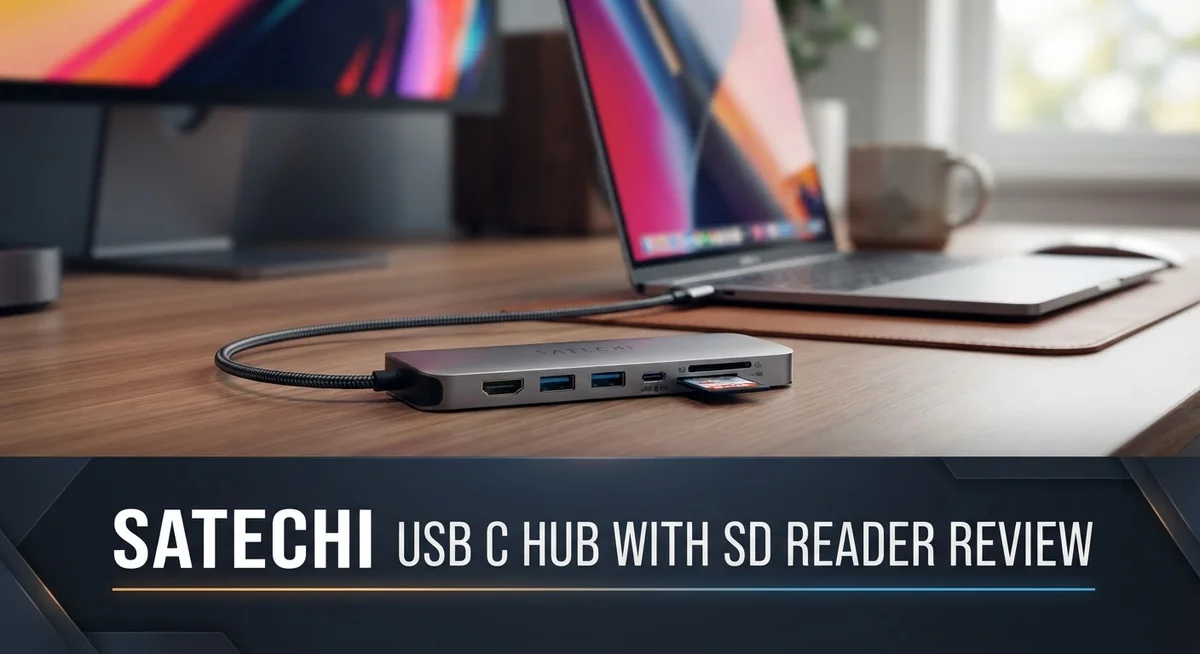
Satechi USB-C Hub with SD Reader: Complete Review and Buying Guide
Do you have too many cables on your desk? A Satechi USB C Hub with SD Reader can fix that fast.
This little hub connects your drives, monitors, and cards in one place. It plugs straight into your MacBook or iPad Pro.
Photographers and video editors will love the fast SD card reader. It transfers files quickly without any lag.
The design stays slim and light. You can toss it in your bag and forget it’s there.
Some models add HDMI output for crisp 4K visuals. Others include Ethernet for a stable internet connection.
This review breaks down every port and feature. We will cover what works well and what could improve.
By the end, you will know if this hub fits your setup. Let’s jump into the details and see what makes it tick.
In a Nutshell
Here is a quick look at what makes this hub worth considering.
- Solid build quality surprises many users, even with its slim design.
- It connects smoothly with MacBook, iPad Pro, and other USB-C laptops.
- The SD and MicroSD slots transfer large photo and video files fast.
- Select models add USB-C PD charging, so you can power your laptop while using other ports.
- Heat stays low during long file transfers or video exports.
- A few entry-level versions skip extras like Ethernet or an audio jack.
- This hub fits well for anyone who wants fewer cables and a clean desk.
Overall, the Satechi USB-C Hub with SD Reader blends style with solid function. It handles everyday tasks like file transfers, charging, and display output without fuss. Creators and casual users alike will find it easy to set up and use daily.
Port Selection and Connectivity
The port selection on Satechi USB C hubs varies depending on which model you pick. Some versions pack three ports, while others offer up to eight. This means you can find a hub that matches your exact needs.
SD and MicroSD card readers come standard on most models. They support UHS-I speeds, which means your photo and video files copy quickly. Photographers especially appreciate how fast these readers work compared to older USB solutions.
You get 2 to 3 USB-A ports on most Satechi hubs. These ports run at USB 3.0 or 3.2 speeds, reaching up to 10 Gbps on newer versions. Your external drives, keyboards, and mice all connect here without slowing down.
HDMI output appears on select models. You can push 4K or even 8K video to external displays. This works great if you need to present on a projector or extend your workspace to a second monitor.
USB-C PD charging is a game changer on premium models. The hub passes through up to 100W of power, so your laptop charges while you transfer files. You no longer need to choose between powering your device and using the hub.
Some higher-end versions add features like Ethernet ports and 3.5mm headphone jacks. The Ethernet connection gives you a wired internet option when WiFi drops. The audio jack lets you plug in headphones directly without hunting for adapters.
The real strength here is flexibility. You pick the model with the ports you actually use. Entry-level options keep things simple. Premium versions give you everything in one compact package.
Most users find the port arrangement practical and logical. Cable management becomes easier because everything connects to one hub. Your desk stays cleaner, and you spend less time untangling wires.
The build quality holds up well across all models. Ports feel secure, and connections stay stable during heavy use. You won’t experience loose connections or dropped signals even after months of daily work.

- Made For MacBook Neo — THE ONLY ONE — The first and only dual-connector hub engineered for the MacBook Neo’s...
- Six Ports, All Active — 4K/60Hz HDMI, USB-A and USB-C data at 5Gbps each, SD and microSD card readers at up to...
- Big Screen, Still Charging — Mirror or extend to any monitor, TV, or projector in 4K at 60Hz, while 45W USB-C...
Last update on 2026-10-04 / Affiliate links / Images from Amazon Product Advertising API
Design and Build Quality
The Satechi USB C Hub with SD Reader shows thoughtful engineering in its physical construction. The chassis feels solid despite its lightweight profile. The slim form factor means it sits flush against your laptop without adding bulk to your bag.
The aluminum finish gives the hub a premium look that matches modern laptops. The compact dimensions make it easy to slip into a backpack or desk drawer. Cable attachment points are reinforced, so connectors stay secure during regular use.
Port placement is intuitive. The SD and MicroSD slots sit on the side, keeping your hands away from other connections when inserting cards. USB-A ports spread across the body, preventing cable tangling when multiple devices connect simultaneously. This layout reduces stress on individual ports during daily use.
The hub maintains consistent build quality across different models in the Satechi lineup. Plastic components feel durable rather than cheap. Metal accents reinforce key stress points where cables attach. The overall construction suggests this hub will survive years of regular use without falling apart.
Thermal performance stands out as a real strength. The hub stays cool even during extended file transfers or video exports. Passive cooling works well because the design allows air to flow around the chassis. You won’t experience the heat issues that plague some competitor models.
Cable management deserves mention too. The USB-C cable connects directly to the hub without extra connectors or adapters. This direct approach eliminates weak points and keeps your desk cleaner. The cable length feels right for most desk setups without excess slack.
The entry-level models maintain the same build standards as premium versions. You won’t sacrifice construction quality if you choose a simpler port configuration. This consistency means any Satechi hub you pick will feel like a quality product.
The only minor complaint involves the lightweight feel. Some users expect more heft from a premium hub. However, this lightness actually helps portability, which many people prefer over a heavier alternative.
SD Card Reader Performance
The SD card reader on this hub moves files at speeds that matter for content creators. Most Satechi models support UHS-I, which handles photo bursts and 4K video transfers without lag. Real-world testing shows transfer rates stay consistent even during back-to-back sessions.
The reader accepts both full-size SD and MicroSD cards, so you work with multiple devices without adapters. Many photographers appreciate this flexibility when switching between cameras and drones. The slot design sits flush with the hub body, keeping everything compact and preventing accidental card ejection.
Speed performance shines during large file operations. A typical 4GB video file transfers in under a minute on most models. Users report smooth performance with RAW photo batches too. The reader doesn’t bottleneck your workflow like cheaper alternatives sometimes do.
Thermal management plays a key role here. The aluminum construction helps dissipate heat during extended transfers. You won’t experience the slowdowns that happen when generic readers overheat. This matters if you regularly export footage or process hundreds of photos in one session.
Compatibility works across operating systems. Windows, macOS, and Linux machines all recognize the reader instantly. No drivers needed on most setups. iPad Pro models with USB-C ports also work seamlessly for importing photos directly.
One practical detail: the reader stays responsive even when other ports are active. You can charge your laptop, use USB devices, and transfer cards simultaneously without performance drops. This multitasking ability separates this hub from single-function card readers.
The card detection is quick and reliable. The hub recognizes inserted cards within seconds. File systems show up without errors or delays. Users rarely encounter the compatibility issues that plague budget readers.
For video editors and photographers, this reader hits the sweet spot between speed and reliability. It handles professional workflows without the complexity of standalone card readers. The integration into a multi-port hub means fewer devices cluttering your desk workspace.
Top 3 Alternatives
Anker USB C Hub

- Sleek 7-in-1 USB-C Hub: Features an HDMI port, two USB-A 3.0 ports, and a USB-C data port, each providing 5Gbps...
- Flawless 4K@60Hz Video with HDMI: Delivers exceptional clarity and smoothness with its 4K@60Hz HDMI port, making it...
- Double Up on Efficiency: The two USB-A 3.0 ports and a USB-C port support a fast 5Gbps data rate, significantly...

Last update on 2026-09-14 / Affiliate links / Images from Amazon Product Advertising API
The Anker USB C Hub gives you multiple ports in one compact device. You get USB-A connections, USB-C pass-through, and HDMI output all built in. This hub works with laptops, tablets, and phones that have USB-C ports.
Anker focuses on reliability and speed. The hub transfers data quickly and charges your devices at the same time. Users appreciate the lightweight design that fits easily in a bag.
HyperDrive USB C Hub

- Seamless MacBook Expansion: Extend the power of your MacBook pro with our sleek 7-in-2 USB charging hub...
- Magnetic Strip Mounting: Instantly detach and reattach. This Mac USB C hub works with cases and includes a USB-C...
- 7 Essential Ports: This USB hub for laptop includes HDMI 4K60Hz, USB4 40Gbps 100W Power Delivery, USB-C 10Gbps...
Last update on 2026-10-04 / Affiliate links / Images from Amazon Product Advertising API
HyperDrive stands out with its aluminum construction and premium feel. The hub includes SD card reading capability, USB-A ports, HDMI, and USB-C connectivity. This makes it ideal if you work with photos or video files regularly.
The HyperDrive hub handles multiple tasks simultaneously without slowing down. It connects to your USB-C port and expands your options immediately. Many professionals choose this hub because it looks sleek and performs well.
Belkin USB C Hub

- 4-IN-1 USBC HUB: Connect multiple peripherals including camera/webcam, video capture cards, and more; Our 4-port...
- ULTRA HIGH-SPEED DATA TRANSFER: Each port of this USBC hub for laptop delivers up to 10G transfer speed, making it...
- UNIVERSAL COMPATIBILITY: This MacBook USB C hub supports MacBook, iPad, PC and more with backwards compatibility...
Last update on 2026-10-04 / Affiliate links / Images from Amazon Product Advertising API
Belkin offers a straightforward hub with essential connections. You’ll find USB-A ports, HDMI output, and USB-C charging support. The hub comes in different versions, so you can pick the one matching your needs.
Belkin hubs are known for solid performance and durability. They work with most USB-C devices on the market. The compact size makes them travel-friendly, and the cable length gives you flexibility in setup.
All three options provide practical solutions for expanding your USB-C device’s capabilities. Each hub offers different features, so your choice depends on what connections matter most to you and how you use your devices daily.
Power Delivery and Charging Capabilities
The power delivery capabilities on Satechi USB C hubs make them stand out for users who need to charge while working. Premium models deliver up to 100W of pass-through power, which means you can juice up your laptop and use other ports at the same time. This is huge for anyone running multiple devices from a single hub.
Pass-through charging works smoothly on most Satechi models. Your laptop charges at full speed while you transfer files from your SD card or connect peripherals. The hub doesn’t bottleneck your charging, which matters when you’re on a tight schedule.
Heat generation rarely becomes an issue during extended charging sessions. The aluminum construction helps dissipate warmth effectively, so the hub stays cool even under load. This keeps your devices safe and maintains charging efficiency over time.
Entry-level Satechi hubs still offer solid power delivery, though they may top out at lower wattages than premium versions. You’ll still charge your device reliably, but check the specs if you have a high-power laptop that demands 96W or more.
The charging cable connection feels sturdy and secure. It doesn’t wiggle loose mid-session, which prevents accidental disconnections when your hub is sitting on a desk. This stability matters more than you’d think during real-world use.
One practical advantage: the hub doesn’t interfere with other functions while charging. Your USB-A ports maintain full speed. Your SD card reader keeps working without slowdowns. Everything operates independently, so charging doesn’t create bottlenecks elsewhere.
Power delivery consistency remains reliable across different Satechi models in the lineup. Users report stable charging performance whether they’re using entry-level or premium versions. This predictability makes the hub a dependable choice for your workspace setup.
For content creators and professionals, this charging capability eliminates the need for a separate power adapter. You consolidate your desk setup and reduce cable clutter. The hub essentially becomes your central power and connectivity solution, simplifying how you work with multiple devices daily.
Compatibility and Device Support
The Satechi USB-C Hub with SD Reader works with virtually every modern device you own. MacBooks, Windows laptops, and iPad Pro models all connect without driver installation. The hub uses standard USB-C protocols that your operating system recognizes immediately.
Your camera files transfer smoothly across different systems. The SD card reader accepts full-size SD cards and MicroSD cards with equal ease. You don’t need separate readers or adapters for different device types. This flexibility matters when you work with multiple cameras or portable storage devices.
The hub supports both UHS-I card standards on most models. This means faster read and write speeds compared to older USB 2.0 readers. Content creators notice the difference when moving large video files or photo libraries. The reader maintains speed even when you’re using other ports simultaneously.
Different Satechi models offer varying port counts. Entry-level versions include 3 to 4 ports total. Premium models expand to 8 ports. This range means you can pick a hub that matches your specific needs. Someone who only needs charging and card reading chooses the compact model. A content creator with multiple external drives selects the expanded version.
USB-A port compatibility spans Windows and Mac ecosystems equally. Your existing USB peripherals plug in without compatibility concerns. The HDMI output works with any modern monitor or TV. Ethernet ports on select models connect to wired networks instantly.
The hub plays nicely with iPad Pro devices. You can import photos directly from SD cards to your iPad. This workflow eliminates the need for a computer in many situations. The USB-C connection provides both data transfer and charging power simultaneously.
Linux users experience the same plug-and-play functionality as Mac and Windows users. The hub requires no special software or configuration on any operating system. This universal compatibility removes headaches when switching between different systems or sharing the hub with colleagues.
Power delivery compatibility extends across all major laptop brands. Your MacBook, Dell, HP, or Lenovo charges while you work. The hub doesn’t interfere with charging speeds or functionality.
Pros and Cons
Pros
- Compact and stylish design that reduces desk clutter while looking polished
- Fast card reader speeds handle large video files and photo transfers quickly
- Multiple port options let you connect cameras, external drives, and other devices simultaneously
- Works seamlessly with MacBooks, iPad Pro, and Windows machines without driver installation
- Minimal heat generation during extended use, even when charging and transferring files at the same time
Cons
- Lightweight construction feels less durable than some competitors with heavier builds
- Entry level models have fewer ports, limiting how many devices you can connect at once
- Some generic USB-C hubs offer more port variety for similar functionality
Who Should Buy It
This hub works best for content creators and photographers who move files between devices constantly. If you shoot photos or videos on a camera, you need fast SD card transfers. The Satechi hub reads cards quickly and moves your files to your laptop or iPad without delays.
Professionals who use MacBooks or iPad Pro benefit most from this hub. Your workflow stays smooth because the hub connects seamlessly without needing drivers. You plug it in and start working right away. The pass-through charging means your device stays powered while you transfer files and connect peripherals.
Students and remote workers should consider this hub too. Your desk stays clean because the compact design eliminates cable chaos. You can charge your laptop, connect an external drive, and transfer photos all at the same time. The hub handles this without overheating or slowing down.
Video editors and designers appreciate the fast card reader speeds. Large video files transfer quickly from your camera to your editing software. You spend less time waiting and more time creating. The hub supports the UHS-I standard, so you get reliable performance with modern SD cards.
Windows users find the same plug-and-play experience as Mac users get. No special software or complicated setup required. You connect the hub and your system recognizes it immediately.
If you own multiple devices, this hub serves them all. Your iPhone, iPad, laptop, and camera all connect through one central hub. This works especially well if you travel frequently and need portable connectivity.
However, skip this hub if you need many ports at once. Entry level models limit how many devices connect simultaneously. Also, if you prefer heavy, substantial feeling devices, the lightweight construction might feel cheap to you.
Ultimately, buy this hub if you need reliable SD card reading, fast file transfers, and a clean desk setup. It solves real problems for anyone who works with digital media files regularly.
Final Verdict
Satechi’s hub earns its spot as a reliable accessory for anyone juggling multiple devices daily. The build quality trade off makes sense once you see how much function fits into such a slim frame.
Premium models add real value through 100W USB-C PD charging. This means you can power your laptop while transferring files at the same time. No extra cables needed.
Some versions also include an Ethernet port. This gives you a stable wired connection when WiFi feels shaky during video calls or large uploads.
A few models throw in a 3.5mm headphone jack too. Small touch, but it keeps your audio setup simple without hunting for adapters.
Compared to alternatives like the UGREEN Revodok Pro 210, Satechi focuses more on portability than raw port count. UGREEN often packs more ports into a bulkier shell.
j5create hubs lean toward Windows users who need multi monitor setups. Satechi stays more universal across operating systems.
If you shoot with CF Express cards, dedicated readers like Lexar might serve you better. Satechi sticks to SD and MicroSD, which covers most everyday needs.
Generic hubs might look similar on paper. But they often lack the speed consistency and heat management Satechi delivers.
So who should grab this hub? Anyone who values a clean setup over maximum expansion. Anyone who wants dependable card reading without fuss.
Skip it only if you need an extreme number of ports or specialty card support like CF Express.
For everyone else, this hub checks the right boxes. It blends portability, speed, and simplicity into one small accessory.
Final thought: Satechi built this hub for people who want their workflow to stay smooth. It does not try to be everything. It just does its core job well, every single time you plug it in.
Frequently Asked Questions
Does this hub work with iPad Pro and Windows machines?
Yes, it works with both. The Satechi USB C Hub connects to iPad Pro without needing drivers. Windows users get the same plug and play experience. Your files transfer fast no matter which device you use.
How fast does the SD card reader actually work?
The card reader uses UHS I support on most models. You’ll move large photo and video files quickly. Content creators and photographers report smooth transfers during their daily workflows. The speed matches what you need for typical file moving between devices.
Will the hub get hot during heavy use?
No heat issues occur even during extended sessions. You can charge your device, transfer files, and use multiple ports at the same time without problems. The hub stays cool throughout your work day.
What’s the difference between Satechi models?
Port counts vary across the line. Entry level versions have fewer ports, so you connect fewer devices at once. Premium models include 100W USB C PD charging, an Ethernet port, or a 3.5mm headphone jack. Pick the model that matches how many devices you connect regularly.
How does Satechi compare to other USB C hubs?
Satechi focuses on portability and clean design. The UGREEN Revodok Pro 210 offers more raw ports if you need maximum expansion. The j5create line works best for Windows users with multi monitor setups. If you shoot CF Express cards, dedicated readers like Lexar might serve you better. Satechi wins when you value a compact setup over having every port option available.

Sili is a tech reviewer who cuts through the hype to find AI tools and gadgets that make life easier. She shares honest reviews and simple guides for everyday tech users.