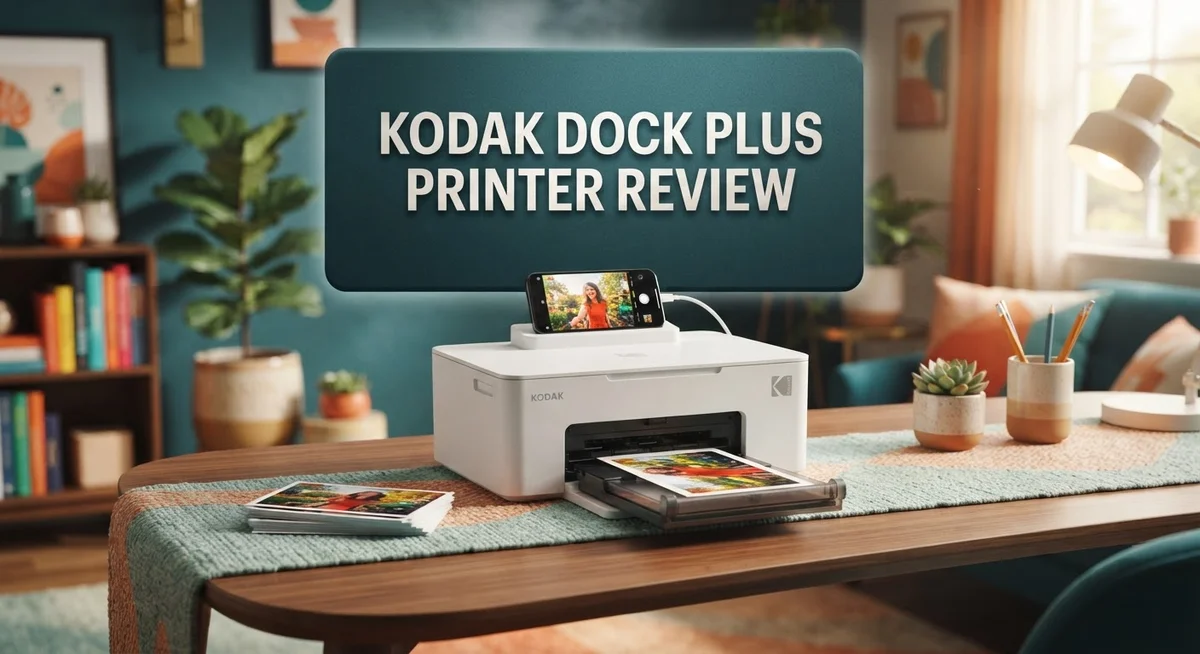
Kodak Dock Plus Printer Review: Photo Quality, Features & Performance
Want to turn your phone photos into real prints? The Kodak Dock Plus Printer makes it simple. You just dock your phone and print in seconds.
This printer uses 4PASS dye sublimation technology. It creates sharp, vivid photos with a glossy finish every time.
Many people struggle with grainy prints or slow apps. The Kodak Dock Plus solves this problem. It connects through Bluetooth or a physical dock, so printing feels fast and easy.
Each print comes out in 4×6″ format. The colors stay true to life, and the finish looks professional.
This review covers everything you need to know. We will look at its features, performance, and how it compares to other printers on the market.
If you want quick, reliable photo prints at home, this device deserves your attention. Let’s explore what makes it special.
In a Nutshell
-
Desktop design: This printer sits on a desk or table. It stays in one spot and does not travel with you.
-
One touch printing: Connect your phone through Bluetooth or the physical dock. Prints start with a single tap.
-
Steady pace: It prints one page per minute. This works well for small batches, not big projects.
-
Vivid results: Expect accurate colors and a smooth glossy finish on every photo.
-
Built to last: The 4PASS dye sublimation process makes prints resistant to fading and smudges.
-
Great for memories: Use it for parties, gifts, or scrapbooking. It turns phone photos into keepsakes fast.
-
Simple setup: Both Android and iOS users get adapters. Setup takes just a few minutes.
This printer suits anyone who wants quick, good looking prints at home. It skips complicated software and messy cables. Simplicity and quality make it a solid pick for casual photo printing.
Print Quality and Color Accuracy
The Kodak Dock Plus Printer delivers impressive color accuracy that stands out in the portable printer category. The 4PASS dye sublimation technology works by layering multiple color passes onto each photo. This method produces rich, vibrant hues without the graininess you might see in cheaper alternatives.
Colors stay true to what you see on your phone screen. Reds appear bold. Blues look deep. Skin tones render naturally. This consistency matters when you’re printing memories that need to look their best.
The glossy finish enhances color depth significantly. Light bounces off the print surface, making images pop. Blacks appear darker. Whites stay crisp. The finish also protects your photos from fingerprints and minor smudges over time.
Sharpness remains excellent across the entire 4×6″ frame. Fine details stay clear, whether you’re printing landscape shots or close up portraits. The printer handles both bright outdoor photos and dimly lit indoor scenes with equal competence.
One thing to note: the dye sublimation process requires specific photo paper. Standard printer paper won’t work here. Kodak sells compatible paper separately, and this is the only option that produces the color quality this printer promises. Using off brand paper may result in dull colors or poor adhesion.
The one page per minute speed means you won’t rush through a stack of prints. This slower pace actually benefits color accuracy. The printer takes time to apply each color layer properly. Rushing the process would compromise the final result.
Consistency across multiple prints is reliable. Your first photo looks as good as your fiftieth. Color calibration remains stable, so you won’t notice shifts in tone as you print throughout the day.
The Dock Plus excels at delivering what it promises: accurate, durable prints with professional looking color reproduction. If you value print quality over speed or format variety, this printer proves itself worthwhile. Your photos will look like they came from a real photo lab, not a home device.

- Dock Photo Printer: The KODAK Dock Plus is a home photo printer that produces high-quality 4x6” prints directly...
- Genuine 4PASS dye sublimation printing: Each photo is produced in three color layers and finished with a clear...
- Easy to Use: Print photos quickly without complicated setup or technical steps. Simply power on, connect wireless...
Last update on 2026-10-04 / Affiliate links / Images from Amazon Product Advertising API
Connectivity and Smartphone Integration
The Kodak Dock Plus Printer connects to your smartphone in two convenient ways. You can use Bluetooth wireless connection for hands-free printing, or dock your phone directly into the physical slot for a more tactile experience.
Both Android and iOS devices work seamlessly with this printer. The package includes adapters for both platforms, so setup takes just minutes. You won’t need to download complicated apps or hunt for drivers.
One touch printing is where this device really shines. Open your favorite photo on your phone, tap print, and your 4×6″ photo emerges within seconds. The process feels instant compared to uploading files to cloud services or waiting for online orders.
The Bluetooth connection gives you freedom to print from anywhere in your room. You stay wireless until the moment you want your print. This flexibility means you can browse your phone library, select multiple photos, and print them in quick succession without moving the device.
The physical dock option works equally well for those who prefer a direct connection. Simply slide your phone into the slot, and the printer recognizes it instantly. This method eliminates any wireless lag or connection drops.
Switching between Bluetooth and dock mode is effortless. You can use whichever method suits your moment. Some people prefer the dock for stability when printing batches, while others enjoy Bluetooth’s flexibility for casual printing.
The smartphone integration extends beyond just printing. The Kodak app lets you edit photos before printing, adjust colors, and add filters. You maintain full creative control right from your phone screen.
Connection reliability stands out as a major strength. Users report consistent performance with no frequent disconnects or pairing issues. The printer remembers your phone after the first connection, making subsequent sessions faster.
The desktop design means your phone stays accessible while printing. You’re not dealing with a portable device that moves around. Everything stays in one place, creating a dedicated photo printing station in your home.
This level of smartphone integration makes the Dock Plus feel like a natural extension of your mobile photography workflow.
Speed and Output Performance
The Kodak Dock Plus Printer delivers steady, reliable output that works well for home printing needs. This device produces one photo per minute, which gives you time to prepare your next shot or organize your prints.
Speed matters when you’re printing multiple photos. The one page per minute rate means a stack of ten photos takes about ten minutes. This pace suits casual printing sessions rather than high volume jobs. If you’re printing memories from a family gathering, the speed feels natural and manageable.
The output quality justifies the measured pace. Each print emerges with vibrant colors and sharp details across the entire 4×6 inch frame. The 4PASS dye sublimation technology works behind the scenes to lock colors into the photo paper. This process takes time, but the results show why patience pays off.
Your prints arrive with a professional glossy finish that makes colors pop. The glossy surface protects your photos from everyday wear and tear. Fingerprints wipe away easily, and the prints resist fading over time. This durability means your photos stay looking fresh for years.
The printer handles consistency remarkably well. Print number one looks identical to print number twenty. Colors remain accurate, sharpness stays crisp, and the finish stays uniform. This reliability removes the guesswork from batch printing.
One thing to keep in mind: this printer works best with Kodak’s specific photo paper. The dye sublimation process needs compatible paper to achieve these quality results. Using the right paper ensures every print meets the high standard you expect.
The desktop design means your printer stays in one spot. It doesn’t move around your home like portable models do. This stationary setup actually helps with output quality since vibration doesn’t affect the printing process. Your prints benefit from a stable, consistent printing environment.
For home photo enthusiasts, this speed and quality combination hits the right balance. You get professional looking results without waiting hours for a small batch of prints.
Top 3 Alternatives
HP Sprocket Printer

- Instant photos on the go – Easily print your favorite adventures on 2x3" sticky-backed photo paper with this luna...
- Get the print party started – Now you can connect multiple devices so you and your friends can print at the same...
- Augmented reality fun – Scan your Sprocket using your smartphone and the Sprocket app to view a virtual photo...

Last update on 2026-10-04 / Affiliate links / Images from Amazon Product Advertising API
The HP Sprocket brings instant photo printing to your pocket. This compact device prints 2×3 inch photos directly from your phone using Bluetooth technology. You get vibrant, sticky-backed prints that work great for scrapbooks and decorations.
The main advantage is portability. You can carry it anywhere and print on demand. The app offers fun editing tools before you print. Photos come out with decent color accuracy and durability.
Setup takes just minutes. The printer uses special paper cartridges that include ink and paper together. Battery life lasts around 25-30 prints per charge, which is solid for casual use.
Canon Ivy Printer

- Print and customize your photos directly from your smartphone or tablet via the Canon Mini Print App.(1)
- No ink needed! The IVY 2 Mini Photo Printer uses ZINK (Zero Ink) technology, which features colorful dye-based...
- Place your photos anywhere, thanks to a PEEL & STICK backing that adheres to your favorite surfaces.
Last update on 2026-10-04 / Affiliate links / Images from Amazon Product Advertising API
Canon’s Ivy Printer delivers a similar experience with its own strengths. It prints 2×3 inch photos and connects via Bluetooth to smartphones. The design feels slightly more premium than competitors.
Print quality stands out with sharp details and accurate colors. The device heats and bonds photos in seconds. You’ll notice vibrant results, especially with outdoor shots.
The Ivy app includes creative filters and frames. You can print directly from social media or your photo library. Battery performance matches the HP, giving you roughly 25 prints per charge. The printer feels durable and reliable for regular use.
Fujifilm Instax Share

- Create Instax photos by sending images from smartphones and tablets using the free share app
- High resolution images with print pixels of 800x600 dots and print resolution of 320 dpi to show detailed...
- A new laser exposure system achieves a faster printing time of 10 seconds from print data transfer to print output
Last update on 2026-10-04 / Affiliate links / Images from Amazon Product Advertising API
Fujifilm’s Instax Share offers a different approach to instant printing. It prints 2×3 inch photos and connects wirelessly to your phone. The device uses Instax film, which has a loyal following among photography enthusiasts.
What makes it special is the film quality. Instax film produces that authentic instant photo look that many people love. Colors feel warm and nostalgic. The prints feel substantial in your hand.
This printer works with both iOS and Android devices. Print speed is quick, taking around 12 seconds per photo. The device is lightweight and battery-efficient, perfect for events or travel.
Design, Build Quality, and Durability
The Kodak Dock Plus Printer features a compact desktop design that fits naturally into any home setup. This unit sits flat on your desk or shelf without taking up much space. The build feels sturdy and well made, with quality materials throughout.
The physical construction prioritizes simplicity and durability. The printer has a clean, minimalist look with soft edges and a modern finish. All the important buttons and connections sit within easy reach. The dock slot on top is clearly marked and easy to use.
Build quality stands out as a real strength here. The internal components use proven dye sublimation technology that has earned a solid reputation for reliability. Kodak designed this printer to handle regular home use without issues. The mechanisms move smoothly, and everything feels properly aligned.
Durability expectations are realistic for a desktop photo printer. With normal care, this unit should last for several years of regular printing. The print heads are protected inside the unit, which reduces wear over time. You won’t need to worry about accidental damage from casual handling.
The exterior casing resists scratches and minor bumps well. The glossy top panel can attract fingerprints, but a quick wipe keeps it clean. The bottom has rubber feet that prevent sliding on smooth surfaces.
Maintenance is straightforward and hassle free. The printer requires minimal upkeep beyond occasional cleaning. The dock connector stays protected when not in use. Paper loading is intuitive and doesn’t involve complicated steps.
One practical consideration: this printer needs a stable, level surface to work properly. Vibrations from nearby devices can affect print quality. A dedicated spot on your desk works best for consistent results.
The overall design philosophy emphasizes function over flashy features. Everything serves a purpose, and nothing feels unnecessary. The printer connects securely to your phone dock without wobbling or shifting. This solid, no nonsense approach appeals to users who value reliability over fancy aesthetics.
Ease of Use and Setup
Getting your Kodak Dock Plus Printer up and running takes just a few minutes. The initial setup process feels straightforward and doesn’t require technical knowledge.
Start by unboxing the unit and placing it on a flat, stable surface. The printer arrives with all necessary cables included, so you won’t hunt for extra parts. Plug it in, and the device powers on without fuss.
The real magic happens when you connect your smartphone. The setup process splits into two simple paths. First, you can use the physical dock that comes in the box. Just slide your phone into the dock, and the printer recognizes it instantly. Android and iOS devices both work seamlessly here.
Alternatively, enable Bluetooth on your phone and pair it with the printer. This takes roughly 30 seconds. Once paired, your phone remembers the connection for future sessions. You won’t need to repeat this step every time you want to print.
The Kodak app installation is optional but recommended. The app gives you access to editing tools, filters, and layout options before printing. Download it from your phone’s app store, and you’re ready to go. The interface feels intuitive, so you’ll figure it out without reading instructions.
First time printing? Simply select your photo, tap print, and watch it happen. The printer handles the rest automatically. No driver installations or complicated settings to adjust. This simplicity is one of the device’s biggest strengths for casual users.
One important note: have Kodak photo paper on hand before your first print. The printer works best with their specific paper stock, which ensures optimal color accuracy and durability. Standard printer paper won’t work here.
Overall, the ease of use factor makes this printer appealing to anyone who wants hassle free photo printing. Whether you’re tech savvy or prefer keeping things simple, the Kodak Dock Plus Printer removes barriers between you and your photos. Setup takes minutes, not hours, and printing feels natural once you’ve done it once.
Pros and Cons
Pros
- Prints arrive with vibrant, accurate colors and a professional glossy finish that makes photos stand out
- One touch smartphone printing via Bluetooth or physical dock works seamlessly on Android and iOS devices
- Sharp image quality and consistent output across multiple prints
- Simple setup and operation that takes just a few minutes to get started
- Durable construction with proven dye sublimation technology built to last
Cons
- Limited to 4×6 inch photo format only, so larger prints aren’t possible
- Prints at 1 page per minute, which feels slow when you need multiple photos quickly
- Desktop unit that stays in one spot, not portable for travel or events
- Works best with Kodak branded photo paper, which limits your supply options
Who Should Buy It
The Kodak Dock Plus works best for people who print photos regularly at home. If you snap pictures on your phone and want them in your hands within minutes, this printer fits your lifestyle perfectly.
Photo enthusiasts love this device because it delivers sharp, vibrant prints with accurate colors. The glossy finish makes each photo look professional and gallery-ready. You get consistent quality across every single print, which matters if you care about how your memories look.
Parents and grandparents find real value here too. You can print smartphone photos instantly without dealing with complicated software or computer uploads. The one-touch printing means even less tech-savvy users can operate it smoothly. Kids’ birthday parties, family events, and holiday moments become tangible keepsakes in seconds.
This printer suits people who appreciate simplicity over complexity. The setup takes minutes, not hours. Printing requires just a few taps on your phone. There’s no learning curve or frustration involved.
However, this device isn’t for everyone. If you need large format prints, look elsewhere since it only handles 4×6 inch photos. Event photographers or anyone requiring high volume output might feel frustrated by the 1 page per minute speed. The desktop design means it stays put on your shelf, so travelers and mobile workers should consider portable alternatives instead.
People who want durable, long lasting equipment will appreciate the proven dye sublimation technology. This method creates prints that resist fading and maintain color accuracy for years. The build quality feels solid and reliable.
Content creators who share social media photos will benefit from instant physical copies. You can hold a printed version of your digital memories within moments of capturing them. It bridges the gap between digital and physical photography beautifully.
The Kodak Dock Plus ultimately serves people who value convenience, quality, and simplicity over portability and speed. If you’re someone who loves having printed photos but hates complicated workflows, this printer deserves serious consideration. It transforms your smartphone into a personal photo lab right on your desk.
Final Verdict
The Kodak Dock Plus earns its place as a solid pick for home photo printing. It delivers on its core promise: quick, reliable prints straight from your phone.
This printer shines when you compare it against its own goals. It never claims to be a travel companion or a bulk printing machine. Instead, it focuses on doing one job well.
Families who capture everyday moments will find this device fits naturally into their routine. Birthdays, holidays, and weekend outings all become instant keepsakes.
Compared to competitors like the Canon Selphy QX20, the Kodak Dock Plus holds its own in print quality and color accuracy. The dye sublimation process gives it an edge in durability over inkjet alternatives.
Think about your printing habits before deciding. If you print photos often but stay in one place, this printer matches your lifestyle well.
Event hosts and small business owners can also find a use case here. Setting up a photo station at a party or pop up shop becomes simple with one touch printing.
The learning curve stays flat. Anyone can pick up this printer and start producing quality prints within minutes, without reading long manuals.
Some buyers may want faster output or larger print sizes. Those needs point toward different printer categories entirely, like the Epson ET 8500 series.
For most casual users and hobbyists, though, this device checks the right boxes. It combines ease of use with consistent quality, two things that matter most for everyday photo printing.
The Kodak Dock Plus proves that simplicity doesn’t mean sacrificing results. It stays focused on one task and executes it with confidence.
If your priority list includes vibrant colors, durable prints, and hassle free operation, this printer deserves serious consideration. It stands as a dependable choice for anyone who values straightforward, quality photo printing over complicated features or portability.
Frequently Asked Questions
Can I print larger photos than 4×6 inches?
No. The Kodak Dock Plus only prints 4×6 inch photos. If you need bigger prints, you’ll want to look at other printers like the Epson P700 or Canon imagePROGRAF series instead.
How fast does this printer work?
It prints one page per minute. This speed is fine for occasional printing at home. If you need to print many photos quickly for an event, you might find this slower than you’d like.
Will this printer work with my phone?
Yes. The Kodak Dock Plus connects to both Android and iOS devices using Bluetooth. The box includes physical adapters for both phone types, so setup is straightforward and printing from your phone becomes a one touch action.
Is the Kodak Dock Plus portable?
No, this is a desktop unit. It stays in one spot on your desk or shelf. If you need a printer you can carry to events or travel with, the Canon Selphy QX20 might be a better fit for you.
How long do the prints last?
Dye sublimation technology produces durable, long lasting photos. The prints resist fading and hold their color and sharpness over time. This makes them ideal if you want physical copies that stay vibrant for years.

Sili is a tech reviewer who cuts through the hype to find AI tools and gadgets that make life easier. She shares honest reviews and simple guides for everyday tech users.