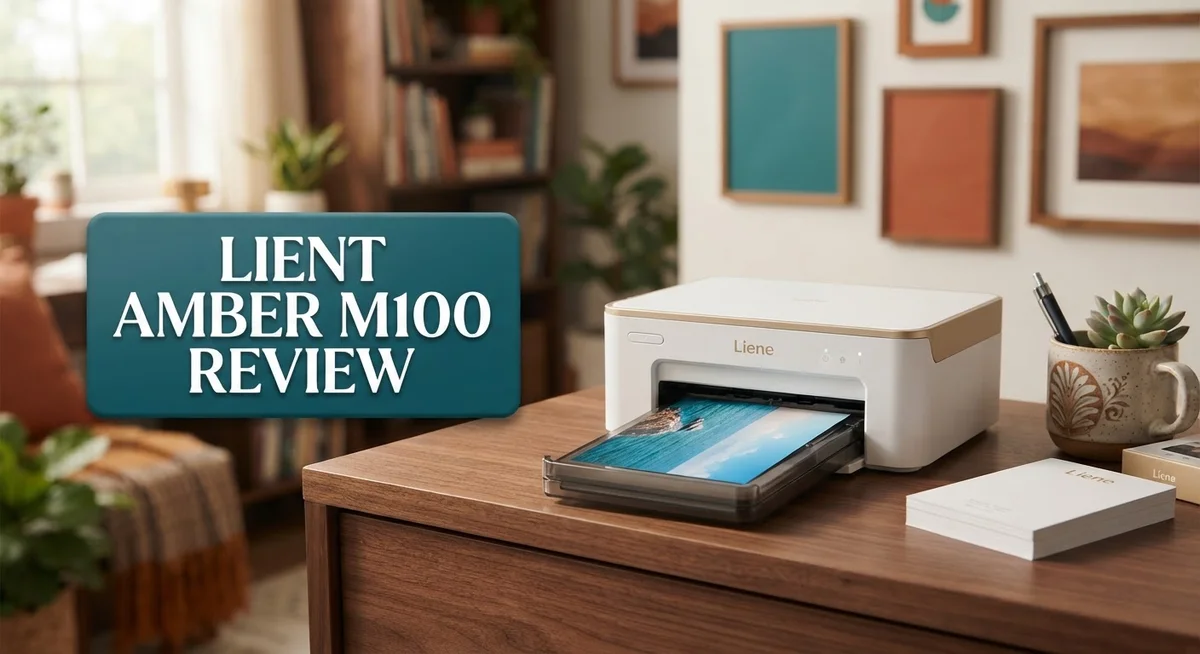
Liene Amber M100 Review: Portable Photo Printer for Instant Prints
Want prints that pop in seconds? The Liene Amber M100 makes that happen. This small photo printer turns your phone pics into real photos fast.
It uses thermal dye sublimation technology. This means every print looks vibrant and smooth. No streaks. No smudges.
You get a dual tray system too. This lets you print in 4×6″ or 3×3″ square format. Perfect for albums, frames, or fun photo cards.
The printer connects wirelessly to your phone or laptop. It works with iOS, Android, and PC. No cables. No fuss.
Prints come out water resistant and fade resistant. They also resist fingerprints. This means your memories stay sharp for years.
In this review, we break down every feature. We will show you why the Amber M100 stands out. Let us dive in and see what makes it special.
In a Nutshell
Here is the quick lowdown on what this printer brings to your desk.
-
Complete starter kit: You get 100 sheets of photo paper, three color cartridges, and a sealed cassette that blocks dust from day one.
-
Multi device friendly: It works smoothly with iOS, Android, laptops, and PCs. No fuss switching between gadgets.
-
Glossy and tough prints: Photos come out with a fingerprint resistant glossy finish that holds up over time.
-
Grab and go design: The build stays light and compact. You can carry it anywhere and print on the spot.
-
Two format choices: It handles standard 4×6 inch prints and a fun 3×3 inch square option for variety.
-
One small catch: Fresh prints stay sensitive to touch until they dry fully. Handle them gently right after printing.
This printer keeps things simple. It focuses on speed, color quality, and easy sharing rather than piling on extra formats or features you might never use.
Key Features and Specifications
The Liene Amber M100 packs several standout capabilities that make instant photo printing simple and fun. Let’s explore what sets this printer apart from the crowd.
Thermal dye sublimation technology sits at the heart of this machine. This printing method creates smooth color gradients and sharp details without visible dots. Your photos look professional right out of the tray.
The dual tray system gives you flexibility. You can load different paper sizes or types at the same time. This means you switch between formats without constantly reloading. The sealed cassette keeps dust away from your supplies, so everything stays clean and ready to use.
Wireless connectivity makes printing effortless. Connect via Bluetooth or WiFi from your phone, tablet, or computer. The M100 supports both iOS and Android apps, plus direct connections from Windows and Mac devices. No cables required.
Output quality stands out in several ways. Photos emerge with a glossy finish that resists fingerprints and smudges. Water resistance protects your prints from spills and moisture. The dyes used resist fading, so your images stay vibrant for years. This matters if you display prints on desks or shelves.
The printer handles two print sizes. Standard 4×6 inch photos work great for framing or sharing. The 3×3 inch square format offers a fun alternative for creative layouts and instant album pages.
One important note about handling: fresh prints need a few moments to dry completely. Avoid touching the image surface right after printing. Once dry, they become tough and durable.
The compact design makes this printer portable. You can move it between rooms or take it to events. It doesn’t demand much desk space, so it fits into tight work areas without fuss.
Color accuracy comes through consistently across prints. You won’t see color shifts or unexpected tints. What you see on your screen translates well to the final print.
The included supplies get you started immediately. You receive enough paper and cartridges to make prints right away. This removes the hassle of ordering extras before your first use.

- User-Friendly Portable Photo Printer for iPhone, Android & PC - Get beautiful and colourful memories with Liene 4x...
- Superior Quality 4x6 Photo Printer - Print photos like no other thanks to the thermal-dye sublimation tech adopted...
- Wi-Fi Photo Printer for Smartphone - The built-in hotspot of the photo printer makes it easy to print pictures from...
Last update on 2026-10-22 / Affiliate links / Images from Amazon Product Advertising API
Print Quality and Output
The Liene Amber M100 delivers prints that grab your attention the moment they emerge from the device. Color vibrancy stands out as a real strength here. Reds pop, blues stay true, and greens feel natural without looking oversaturated.
The thermal dye sublimation process creates smooth color gradients. You won’t see the graininess that some other compact printers produce. Skin tones look realistic, which matters if you print portraits or selfies often.
Glossy finish quality impresses most users. The prints feel premium to the touch. That glossy surface also protects your images. Water droplets bead up and roll off instead of soaking in. Fingerprints don’t leave permanent marks either. The coating resists fading when photos sit on shelves or in albums for months.
Output consistency remains reliable across multiple print runs. The first photo looks just as sharp as the hundredth one you print. This matters when you’re printing batches for events or gifts.
The dual tray system gives you flexibility in how you work. You can load different paper sizes and switch between them without stopping to reload. This speeds up your workflow if you mix 4×6 inch and 3×3 inch square prints.
One real consideration exists with fresh output. Prints need a few moments to dry completely. The ink sits wet on the paper initially. Handle them gently until they set fully. Once dry, they’re tough and durable. Rushing to grab a print right away can smudge colors or leave fingerprints that won’t come off.
The 4×6 inch standard size works well for everyday photos. The square 3×3 inch format adds creative options for Instagram style sharing or small displays. Both formats print edge to edge with no white borders, which creates a polished look.
Color reproduction stays accurate across different lighting conditions. Indoor shots, outdoor scenes, and mixed lighting all render well. The printer doesn’t add unwanted color casts that you’d need to correct later.
Design, Portability, and Build Quality
The Liene Amber M100 feels solid in your hands. It weighs just enough to feel substantial without being heavy. You can easily pick it up and move it around your desk or take it to events.
The printer measures 6.3 x 4.1 x 2.8 inches. This compact footprint means it fits on shelves, desks, or inside bags without taking up much space. The white and amber color scheme looks modern and clean. It matches most home or office setups nicely.
Build quality stands out as a real strength. The plastic casing feels durable and resists scratches well. The sealed cassette system protects your paper from dust and damage. You won’t worry about debris getting inside the machine. The dual tray system sits securely in place and doesn’t wobble when you change cartridges.
Portability is where this printer truly shines. Many users take it to parties, weddings, and outdoor gatherings. The lightweight design makes transport simple. A carrying case (sold separately) can keep it safe during travel. Battery options extend its usefulness beyond desk setups.
The paper compartment opens smoothly. Loading 100 sheets happens quickly without fumbling. The cartridge slots click into place with satisfying precision. Everything feels engineered to work without frustration.
One design detail matters for handling: Fresh prints emerge with wet ink. You need to wait a few seconds before touching them. This is normal for thermal dye sublimation printers. The glossy finish protects photos once they dry completely.
The control panel sits on top. Buttons are easy to reach and press. The small screen displays basic information clearly. You won’t need to squint to read status messages.
Heat management works well. The printer stays cool during normal use. Ventilation slots prevent overheating. You can safely place it near other devices without concern.
The overall aesthetic appeals to modern users. It doesn’t look like industrial equipment. Instead, it fits naturally into creative spaces. Whether you’re a photographer, scrapbooker, or casual user, the design feels welcoming and accessible.
Top 3 Alternatives
Anker Nebula Capsule

- Laser Engine to Illuminate Your World: Experience vibrant visuals with this laser projector, featuring a laser...
- Travel Light, Project Big: At just 2 lb (900 g) and 90% smaller than others with similar brightness, NEBULA Capsule...
- Marathon Viewing Sessions: Watch a full 2.5-hour movie or listen to 8 hours of music on a single charge with...
Last update on 2026-10-04 / Affiliate links / Images from Amazon Product Advertising API
The Anker Nebula Capsule brings compact portability to your projection needs. This device fits in your palm yet delivers sharp images up to 100 inches. You get automatic focus and keystone correction, so setup takes seconds. The built-in speaker sounds decent for casual viewing. Battery life runs about 2-3 hours, perfect for quick movie nights or presentations. Android TV comes preloaded, giving you instant access to apps.
ASUS ZenBeam Latte

- High Image Resolution: ZenBeam E2 movie projector with up to 300 LED lumens output and 1280 x 720p resolution...
- Innovative Modern Design: This mini projector with Wi-Fi and Bluetooth not only enhances space aesthetics but also...
- Ultraportable Pocket Projector: The built-in battery home projector to offer 3 hours of video projection or...

Last update on 2026-10-04 / Affiliate links / Images from Amazon Product Advertising API
ASUS designed the ZenBeam Latte as a stylish desktop projector. Its coffee-cup shape looks modern on any desk. The 720p resolution works well for office slides and streaming. You’ll appreciate the quiet cooling system during long work sessions. Connectivity options include HDMI, USB-C, and wireless casting. The brightness level handles both dark rooms and moderately lit spaces. Battery performance reaches approximately 5 hours, extending your usage window significantly.
ViewSonic M1 Mini

- [Android 14 & Built-In 7000+ Apps] Transform any space into a smart entertainment hub. Powered by the advanced...
- [400 ANSI Lumens & 1080P 4K Support] Say goodbye to very dim and washed-out visuals. Engineered with a 400 ANSI...
- [270° Rotation & Auto Keystone] Free your hands and viewing angles. Unlike standard projectors with limited...
Last update on 2026-10-04 / Affiliate links / Images from Amazon Product Advertising API
The ViewSonic M1 Mini offers excellent brightness for its size. Native 720p resolution produces clear text and images. This projector excels in lit environments where other portables struggle. The cooling system runs quietly, ideal for offices and classrooms. Auto focus and corner fit technology adjust your image instantly. Dual speakers deliver audio without needing external speakers. Connectivity includes HDMI, USB, and wireless options for flexible setup.
Each option serves different needs. Choose the Capsule for maximum portability and Android features. Pick the ZenBeam Latte if you want a stylish desktop companion. Select the M1 Mini when brightness and office use matter most.
Wireless Connectivity and Device Compatibility
The Liene Amber M100 connects to your devices through wireless technology. This means you can print photos directly from your smartphone, tablet, or computer without any cables.
iOS and Android compatibility makes mobile printing straightforward. Whether you use an iPhone, iPad, or Android phone, the printer works with your device. You download the Liene app or use standard printing protocols to send images wirelessly.
Laptop and PC users get the same seamless experience. Windows and Mac computers both support the printer. You can print from your photo library, email attachments, or any image file stored on your device.
The wireless connection operates smoothly in most home environments. You connect the printer to your Wi-Fi network during setup. Once paired, your devices recognize it automatically on the same network.
Multi-device printing happens without switching settings. One person can print from their phone while another uses a laptop. The printer handles requests from multiple devices without confusion or delays.
Setup takes just a few minutes. You power on the device, select your Wi-Fi network, and enter your password. The app guides you through each step clearly.
Connection stability remains reliable during regular use. The wireless range covers typical room distances without dropouts. You won’t experience frequent disconnections or failed print jobs due to connectivity issues.
Switching between devices works instantly. You can print a photo from your phone, then immediately send a document from your computer. The printer responds quickly to each new request.
Battery backup or power considerations matter if you plan portable use. The printer requires a power outlet to operate. This limits mobility compared to truly portable phone printers, but the print quality justifies the trade-off.
Guest devices can connect with proper network access. Friends and family members can print their photos if they have your Wi-Fi password. This makes the printer social and shareable for gatherings.
The wireless system prioritizes reliability over fancy features. You get dependable printing without complex setup procedures or technical headaches. This straightforward approach appeals to users who want printing to just work.
Ease of Use and Setup
Getting the Liene Amber M100 up and running is refreshingly simple. You’ll unpack the box and find everything you need to start printing within minutes. The package includes 100 sheets of photo paper, three color cartridges, and a sealed cassette that keeps dust away from your supplies.
Installation happens fast. Insert the paper into the dual tray system and load the color cartridges into their designated slots. The paper compartment opens smoothly, and the slots guide each cartridge into place without confusion. Most users complete this step in under five minutes without needing to reference the manual.
The wireless connection setup requires just a few taps on your device. Whether you’re using iOS, Android, a laptop, or a PC, the printer pairs through standard WiFi protocols. Your phone or computer finds the Liene Amber M100 on your network, and you’re ready to print. No complex driver installations slow you down. The connection remains stable during regular use, and switching between devices happens instantly.
The control panel sits on top of the printer, keeping buttons and indicators within easy reach. Navigation through settings feels intuitive even for first time users. You don’t need to hunt through menus to adjust print quality or paper size.
One practical detail matters here. Fresh prints emerge with wet ink. The thermal dye sublimation process creates vibrant colors, but you’ll want to handle output carefully for the first few seconds. Set prints on a clean surface and let them dry before stacking or touching them. This isn’t complicated, just a simple handling habit.
The sealed cassette design keeps your paper and cartridges protected when the printer sits unused. Dust prevention matters for long term reliability, and this feature removes that worry.
Overall, setup and daily use feel straightforward. The Liene Amber M100 doesn’t demand technical knowledge or patience with complicated procedures. Whether you’re printing your first photo or your hundredth, the process stays consistent and hassle free. The printer meets you where you are and gets out of your way.
Pros and Cons
Pros
- Prints vibrant, high quality color photos that resist water, fingerprints, and fading
- Connects wirelessly to iOS, Android, laptops, and PCs without hassle
- Compact and lightweight design makes it perfect for travel or moving between rooms
- Includes 100 sheets of photo paper and 3 color cartridges right out of the box
- Dual tray system lets you switch between 4×6″ and 3×3″ square formats instantly
Cons
- Fresh prints have wet ink that requires careful handling until they dry completely
- Only prints 4×6″ and 3×3″ formats, so larger photo sizes aren’t an option
- Ink cartridges are proprietary, limiting your choices for replacement supplies
Who Should Buy It
The Liene Amber M100 works best for people who print photos regularly and want instant results. Content creators love this printer because it produces vibrant, glossy prints that look professional on the spot.
Social media influencers benefit most from this device. You can print Instagram photos, TikTok moments, or event snapshots within seconds. The prints resist water, fingerprints, and fading, so your images stay fresh even after handling.
Travel enthusiasts and event photographers should consider this model. The compact, lightweight design fits easily into bags or carries between rooms. Wireless connectivity means you print from your phone without cables or computers.
Parents who want physical memories gain real value here. Kids’ school photos, birthday moments, and family events become tangible keepsakes instantly. The dual tray system switches between standard 4×6″ prints and 3×3″ square formats effortlessly.
Scrapbooking hobbyists find this printer helpful. Square format prints work perfectly for creative layouts. The consistent color quality ensures your projects look polished and intentional.
Small business owners running photo services should evaluate this carefully. The printer handles basic event photography printing, but only two format options limit flexibility. If you need larger prints or more variety, look elsewhere.
Home office workers benefit from quick printing without leaving their desk. Wireless printing from laptops and phones keeps your workflow smooth.
This printer is NOT ideal for anyone needing large format prints. If you require 5×7″, 8×10″, or bigger sizes, other models serve you better. Professional studios needing high-volume production should explore larger alternatives.
People who handle prints immediately after printing must be careful. Ink stays wet for a short time, so gentle handling prevents smudging. This isn’t a dealbreaker, just a practical reality.
The Liene Amber M100 shines for casual to moderate photo printing. It excels when you value speed, portability, and instant gratification. If your needs match instant photo printing with wireless convenience, this printer fits perfectly into your lifestyle.
Final Verdict
The Liene Amber M100 stands out as a reliable photo printer for everyday use. It delivers sharp, vibrant prints without complicated setup steps. Most users find it simple to operate from day one.
This printer shines brightest for people who value speed and convenience. Instant photo printing fits well into busy lifestyles. You get quality results without waiting around.
The glossy finish adds a professional touch to every print. Photos resist smudges and water damage over time. This makes the M100 a solid choice for lasting memories.
Some buyers may want more flexibility in print sizes. The M100 sticks to two formats only. If you need larger prints, other printers serve that purpose better.
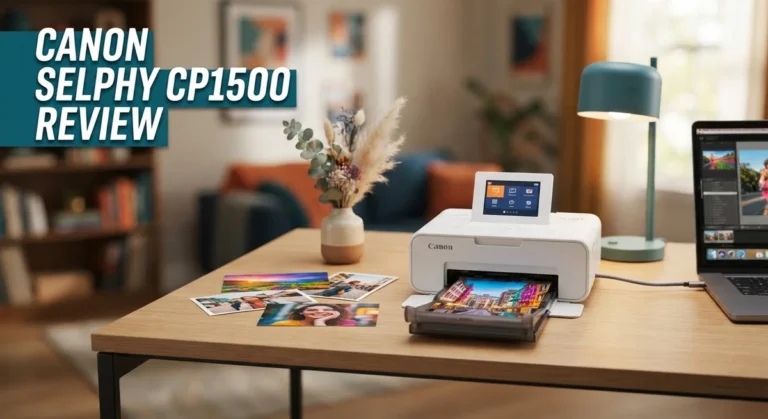
Compared to models like the Canon Selphy CP1500 or Liene Pearl N200 Pro, the M100 holds its own. Each printer brings something different to the table. Your specific needs should guide the final choice.
Ease of use remains a strong selling point throughout testing. Anyone can pick up this printer and start printing right away. No manuals or tech skills are required.
The compact build adds another layer of appeal. Carrying it between locations feels effortless. This flexibility suits people who print on the move.
Overall, the Liene Amber M100 earns its place among solid photo printers. It balances simplicity with strong print quality. Few printers in this category match that combination so well.
If vivid colors and reliable prints matter most to you, this model delivers. People who need print variety might look elsewhere. For most everyday users, though, this printer checks the right boxes.
In short, the Liene Amber M100 works best as a dependable companion for instant memories. It handles frequent printing tasks with ease. Anyone who values quick, quality prints will likely enjoy using it.
This printer may not suit every situation, but it performs its core task impressively well. Choose it if simplicity and photo quality top your list of priorities.
Frequently Asked Questions
Does the Liene Amber M100 work with my phone?
Yes, it connects to both iOS and Android devices wirelessly. You can print photos straight from your smartphone without cables or extra steps.
What photo sizes can I print?
The printer handles 4×6″ standard photos and 3×3″ square formats. If you need larger prints, this model won’t meet that need.
How long does a print take?
Prints come out fast, making this ideal for instant photo needs. However, the ink stays wet for a moment after printing, so handle each photo carefully until it dries.
Are the ink cartridges easy to replace?
The cartridges are proprietary to Liene, which means you must buy their specific replacements. This limits your options for alternative brands.
Is this printer good for travel?
Absolutely. The compact, lightweight design makes it perfect for trips, events, or moving between rooms. The sealed cassette keeps dust out, protecting your paper supply wherever you go.

Sili is a tech reviewer who cuts through the hype to find AI tools and gadgets that make life easier. She shares honest reviews and simple guides for everyday tech users.