
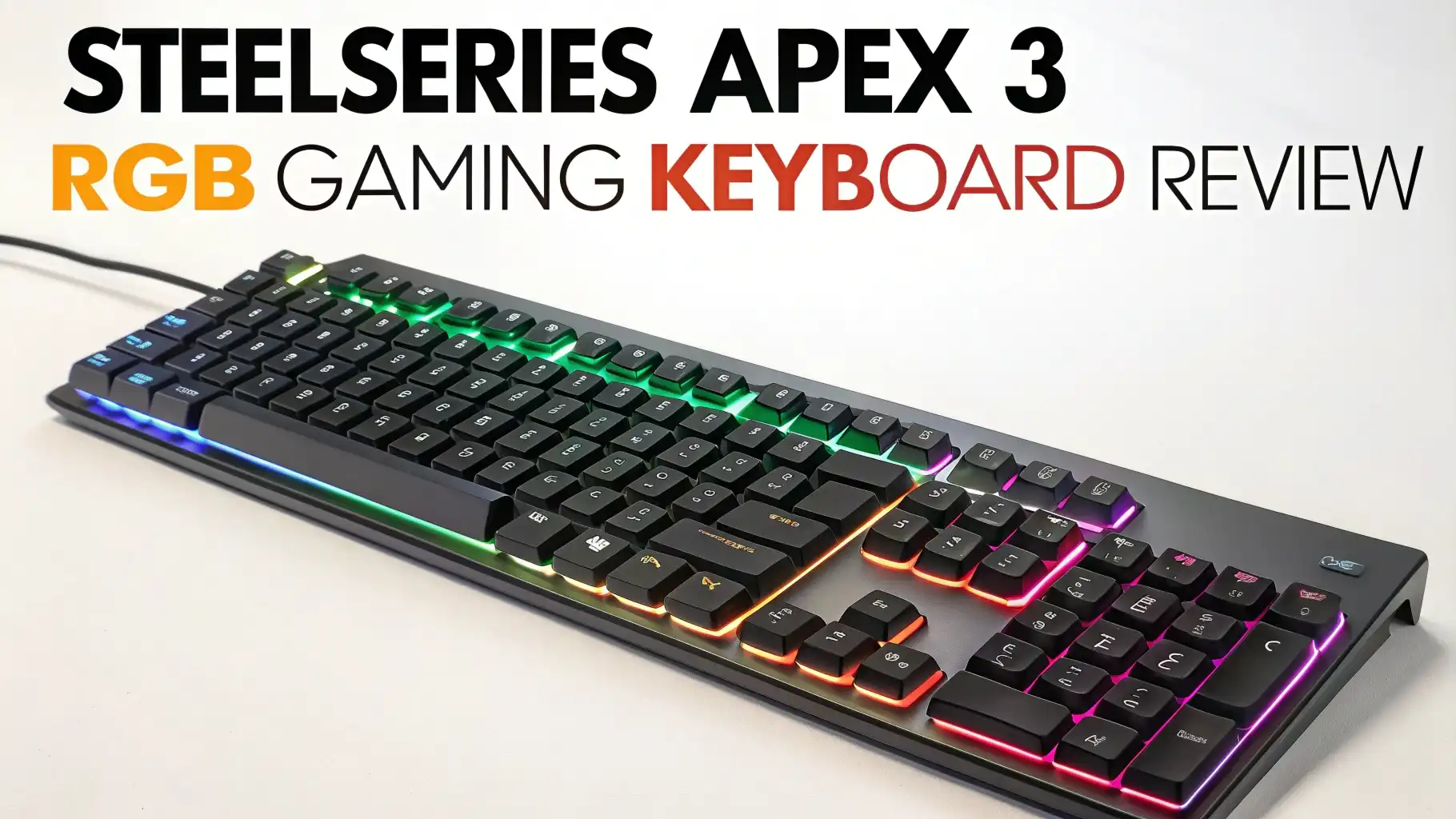
SteelSeries Apex 3 RGB Gaming Keyboard Review: Your Complete Guide
Gaming keyboards can transform your entire gaming experience. But finding the right one doesn’t mean you need to empty your wallet. The SteelSeries Apex 3 RGB Gaming Keyboard proves that exceptional performance and stunning aesthetics can come at a price that won’t break the bank.
This full featured gaming keyboard brings professional level features to everyday gamers. It combines whisper quiet switches with brilliant RGB lighting and water resistant protection. The Apex 3 stands out in the crowded budget keyboard market. I tested this keyboard extensively across multiple games and work tasks to bring you this honest review.
Whether you’re a competitive gamer who needs reliable performance or a casual player looking for value, this review covers everything you need to know. Let’s dive deep into what makes the Apex 3 worth your consideration.
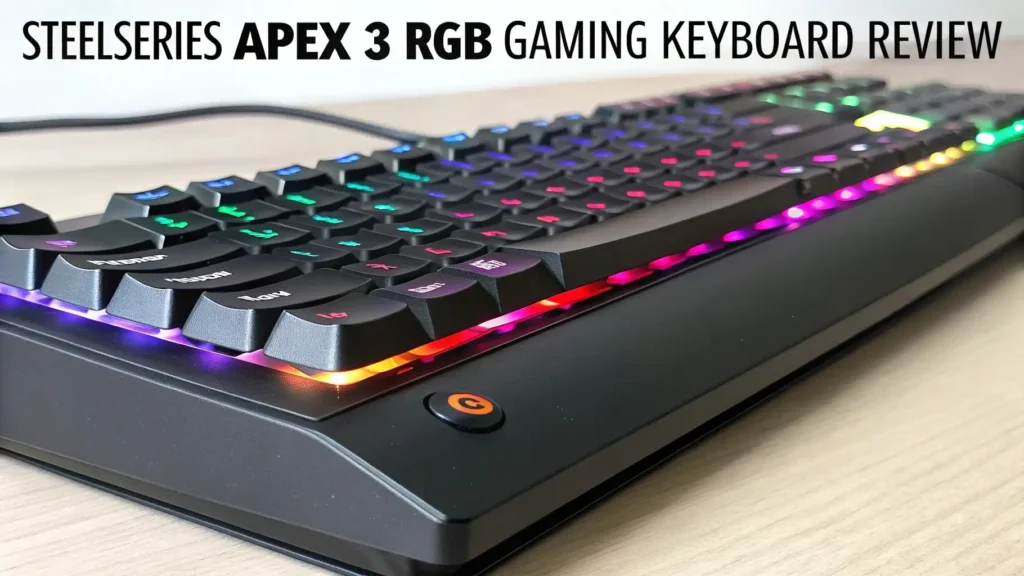
Key Takeaways
Budget Friendly Excellence: The Apex 3 delivers premium features at just $49.99, making it one of the best value gaming keyboards on the market today. You get professional level performance without the premium price tag.
Whisper Quiet Operation: The specialized gaming switches provide near silent typing and gaming experiences. These switches last over 20 million keypresses, ensuring long term durability for years of heavy use.
Stunning RGB Lighting: Features 10 zone RGB illumination with customizable colors and effects through SteelSeries Engine software. The lighting reacts to games and Discord, creating an immersive gaming atmosphere.
Water Resistant Protection: IP32 rated water resistance protects against accidental spills and splashes. This practical feature adds peace of mind during intense gaming sessions or late night snack breaks.
Complete Package: Includes a premium magnetic wrist rest for extended comfort, dedicated multimedia controls for easy access, and anti ghosting technology for accurate key registration during fast paced gaming.
SteelSeries Apex 3 RGB Gaming Keyboard

- Ip32 water resistant – Prevents accidental damage from liquid spills
- 10-zone RGB illumination – Gorgeous color schemes and reactive effects
- Whisper quiet gaming switches – Nearly silent use for 20 million low friction keypresses

The SteelSeries Apex 3 RGB Gaming Keyboard represents a perfect balance between affordability and functionality. This full sized keyboard comes packed with features typically found in keyboards twice its price. SteelSeries built this keyboard specifically for gamers who want quality without the premium cost.
The keyboard measures standard dimensions for a full sized layout. It includes the number pad, navigation cluster, and function row. The matte black finish looks professional and resists fingerprints well. The construction feels solid despite the plastic frame. There’s minimal flex when you apply pressure to the deck.
The included magnetic wrist rest attaches securely to the bottom edge. It provides cushioned support during long gaming marathons. This attention to ergonomic comfort shows SteelSeries’ commitment to user experience. Many budget keyboards skip this accessory entirely, but SteelSeries includes it standard.
Design and Build Quality
First impressions matter, and the Apex 3 makes a strong visual statement. The keyboard features a sleek, modern design with clean lines and minimal branding. The SteelSeries logo sits subtly on the top left. The overall aesthetic works well in any gaming setup, from minimalist to RGB heavy environments.
The build quality exceeds expectations for this price point. The plastic construction feels sturdy and well assembled. There are no creaks or rattles when you pick it up or type aggressively. The keys sit firmly in place with no wobbling. The bottom plate has sufficient weight to prevent sliding during intense gaming sessions.
The top panel has a slight texture that feels premium to touch. The matte finish resists scratches and keeps fingerprints at bay. The sides feature subtle angular cuts that add visual interest. The overall dimensions make it slightly larger than some competitors, but the extra size accommodates the full layout comfortably.
Four rubber feet on the bottom provide excellent grip on smooth surfaces. The two stage kickstand offers adjustable height options. You can use the keyboard flat or raise it for better ergonomics. The kickstand mechanism feels solid and doesn’t collapse under pressure.
Whisper Quiet Gaming Switches
The heart of any keyboard lies in its switches. The Apex 3 uses low friction membrane switches designed specifically for gaming. These switches deliver a unique typing experience that differs from mechanical keyboards. The membrane technology provides soft, cushioned keypresses without the loud clicking sounds.
Each keypress feels smooth and consistent across the entire board. The actuation force sits in the medium range, not too light and not too heavy. This balance works well for both gaming and typing tasks. The keys return quickly after each press, enabling fast double taps when needed.
The travel distance feels optimal for membrane switches. You get enough feedback to know when you’ve activated a key. But the movement isn’t so deep that it slows down your typing speed. The bottom out feels cushioned rather than harsh, reducing finger fatigue during extended use.
SteelSeries rates these switches for over 20 million keypresses. This durability rating matches or exceeds many budget mechanical keyboards. The low friction coating on each switch ensures smooth operation throughout the keyboard’s lifetime. You won’t experience sticky keys or inconsistent performance as the keyboard ages.
The noise level truly impresses. These switches produce minimal sound during both gaming and typing. You hear only a soft thud when bottoming out. This quiet operation benefits anyone who games late at night, shares a room, or participates in voice chats. Your teammates won’t hear constant clicking in the background.
RGB Lighting System
The RGB lighting on the Apex 3 creates an impressive visual display. The keyboard features 10 customizable lighting zones. Each zone can display different colors and effects. This zoning provides more customization than single color keyboards but remains simpler than per key RGB.
The LED brightness reaches satisfying levels even in well lit rooms. The lighting shines through the semi transparent keycaps clearly. The illumination spreads evenly without hot spots or dark areas. The light doesn’t bleed excessively around the keys, maintaining a clean appearance.
SteelSeries Engine software unlocks the full potential of the lighting system. You can choose from preset effects like rainbow wave, color shift, and breathing patterns. The software also allows you to create custom lighting configurations. You can assign specific colors to different key groups for visual organization.
The reactive lighting features add immersive elements to your gaming. The keyboard can react to in game events in supported titles. Discord integration lets the lighting change colors based on your communication status. These reactive features create a more engaging gaming environment.
The lighting transitions smoothly between colors and effects. There’s no flickering or stuttering. The 16.8 million color palette ensures you’ll find the perfect shade for your setup. Whether you prefer subtle single colors or eye catching rainbow effects, the Apex 3 delivers.
Top 3 Alternatives for SteelSeries Apex 3

- Your Winning Streak Starts Now: Everything you need to start your winning streak is here. Enjoy quiet, responsive keypresses and RGB that makes your gaming sessions shine.
- Ten-Zone RGB Backlighting: Ten zones of fully customizable RGB illuminate your desktop with mesmerizing lighting effects.
- Convenient Media Controls: Four dedicated media buttons give you the ability to control volume and playback with ease, and Win lock and brightness buttons put extra commands at your fingertips.

- 🔥𝗧𝗿𝘂𝗲 𝗠𝗲𝗰𝗵𝗮𝗻𝗶𝗰𝗮𝗹 𝗙𝗲𝗲𝗹 𝘄𝗶𝘁𝗵 𝗟𝗶𝗻𝗲𝗮𝗿 𝗥𝗲𝗱 𝗦𝘄𝗶𝘁𝗰𝗵𝗲𝘀 - Experience smooth, consistent...
- 🔥𝗩𝗶𝗯𝗿𝗮𝗻𝘁 𝗥𝗮𝗶𝗻𝗯𝗼𝘄 𝗟𝗘𝗗 𝗕𝗮𝗰𝗸𝗹𝗶𝗴𝗵𝘁𝗶𝗻𝗴 𝘄𝗶𝘁𝗵 𝟲 𝗗𝘆𝗻𝗮𝗺𝗶𝗰 𝗠𝗼𝗱𝗲𝘀 -...
- 🔥𝗖𝗼𝗺𝗽𝗮𝗰𝘁 & 𝗗𝘂𝗿𝗮𝗯𝗹𝗲 𝟴𝟳-𝗞𝗲𝘆 𝗗𝗲𝘀𝗶𝗴𝗻 𝘄𝗶𝘁𝗵 𝗠𝗲𝘁𝗮𝗹 𝗙𝗿𝗮𝗺𝗲 - The tenkeyless layout saves...

- Personalize 5 customizable lighting zones with over 16.8M colors to match your setup or game and synchronize backlit lighting effects with other Logitech G devices using Logitech G Hub
- G213 Prodigy is a full-sized keyboard designed for gaming and productivity, with a slim body built for gamers of all levels and durable construction to repel liquids, crumbs, and dirt for easy cleanup
- Each key is tuned to enhance the tactile experience, delivering ultra-quick, responsive feedback while the anti-ghosting gaming matrix is tuned for optimal gaming performance, keeping you in control
IP32 Water Resistance
One standout feature sets the Apex 3 apart from most budget keyboards: IP32 water resistance. This rating means the keyboard can withstand light splashes and spills. The protection isn’t waterproof, but it prevents common accidents from destroying your keyboard.
The IP32 rating specifically guards against water droplets and light sprays. If you knock over a drink near your keyboard, the liquid won’t immediately seep inside and short circuit the electronics. This gives you precious seconds to grab a towel and clean up the mess.
The water resistance comes from sealed internal components and protective layers. SteelSeries designed drainage channels to direct liquids away from sensitive electronics. This engineering attention to detail shows in keyboards costing much more. Having this feature at the Apex 3’s price point represents excellent value.
The dust resistance part of the IP32 rating also benefits keyboard longevity. Dust particles have a harder time penetrating the keyboard’s interior. This keeps the switches cleaner longer and maintains consistent performance over time. You won’t need to deep clean the keyboard as frequently.
This protection gives peace of mind during long gaming sessions. You can keep drinks nearby without constant worry. The keyboard survives the occasional splash from a water bottle or soda can. This practical feature makes the Apex 3 more durable and user friendly than unprotected alternatives.
Software and Customization
The SteelSeries Engine software provides the control center for your Apex 3. This free software downloads from the SteelSeries website. The installation process runs smoothly and the interface opens clearly. The software detects your keyboard automatically upon connection.
The main dashboard shows your connected SteelSeries devices. Clicking on the Apex 3 opens its customization menu. The interface uses a visual layout that makes navigation intuitive. You don’t need technical knowledge to adjust settings and create custom profiles.
The lighting customization section offers the most options. You can select from preset effects or create your own. The color picker provides access to millions of colors. You can adjust brightness levels and transition speeds. The preview window shows changes in real time before applying them.
The keyboard settings section lets you reassign keys and create macros. While the Apex 3 lacks dedicated macro keys, you can program any key to perform custom actions. This flexibility helps optimize the keyboard for specific games or applications. The macro recorder makes creating complex sequences simple.
Profile management allows you to save multiple configurations. You can create different profiles for various games or tasks. The software can automatically switch profiles when you launch specific applications. This automation streamlines your workflow and gaming experience.
The software also provides firmware updates for the keyboard. These updates can add new features or improve performance. The update process happens directly through the software interface. Keeping your keyboard updated ensures optimal functionality.
Gaming Performance
Performance matters most in a gaming keyboard, and the Apex 3 delivers reliably. The membrane switches provide consistent actuation across all keys. The response time feels immediate with no noticeable lag. You can execute complex combinations and rapid key sequences without missing inputs.
The anti ghosting technology ensures accurate key registration. You can press multiple keys simultaneously without dropped inputs. This feature proves essential in fast paced games requiring complex key combinations. Whether you’re executing ability combos or movement commands, every press registers correctly.
The rollover capability handles simultaneous key presses effectively. During testing across various game genres, the keyboard never missed an input. FPS games, MOBAs, MMOs, and action games all performed flawlessly. The membrane switches keep up with mechanical keyboards for gaming purposes.
The key travel distance and actuation point work well for gaming. The switches actuate about halfway through the keypress. This positioning allows for quick taps without fully pressing keys down. Experienced gamers can develop faster reaction times by learning the actuation point.
The spacebar and modifier keys maintain the same quality and responsiveness as the alphanumeric keys. Larger keys sometimes feel mushier on budget keyboards, but not here. Every key feels equally responsive and well built. This consistency across the entire board enhances the gaming experience.
The keyboard’s response time measured excellently during testing. Input lag remained imperceptible even in reaction based games. The wired USB connection provides stable, consistent communication with your computer. You won’t experience wireless interference or battery concerns.
Typing Experience
While designed for gaming, the Apex 3 performs admirably for typing tasks. The membrane switches provide a comfortable typing feel for extended writing sessions. The soft actuation reduces finger strain compared to stiffer switches. Your hands won’t feel fatigued after hours of typing.
The key spacing follows standard layout dimensions. Touch typists can transition easily to this keyboard without adjustment period. The keys have sufficient space between them to prevent accidental presses. The keycap tops feature slight concavity that helps finger positioning.
The typing sound remains pleasantly quiet. The soft membrane switches produce minimal noise during rapid typing. This makes the Apex 3 suitable for office environments or shared spaces. You won’t disturb others while working on documents or sending emails.
The tactile feedback, while subtle, provides enough sensation to confirm key actuation. You develop a rhythm naturally when typing longer passages. The consistent switch feel across all keys maintains this rhythm. There are no outlier keys that feel different from the rest.
The included wrist rest significantly improves typing comfort. The cushioned support reduces wrist strain during extended typing sessions. The magnetic attachment keeps the rest firmly in place. You can easily remove it if you prefer typing without wrist support.
The overall typing speed achievable on the Apex 3 matches other quality keyboards. After a brief adjustment period from mechanical switches, typing speed returns to normal levels. The membrane switches don’t hinder typing performance for most users.
Multimedia Controls
The dedicated multimedia controls add convenient functionality. Located in the upper right corner, these controls provide quick access to common media functions. You don’t need to leave your game or minimize windows to adjust volume or skip tracks.
The volume roller feels smooth and precise. You can make fine adjustments to audio levels without clicking through software menus. The roller has light resistance that prevents accidental changes. It rotates infinitely in both directions without stopping points.
The media keys include play/pause, skip forward, and skip backward functions. These buttons sit flush with the keyboard surface. They respond to light touches without requiring hard presses. The placement makes them easy to reach without looking down.
These controls work system wide across all media applications. They function with Spotify, YouTube, media players, and games with music. The universal compatibility means you don’t need to configure anything. The controls work immediately after connecting the keyboard.
Having hardware controls beats using keyboard shortcuts or clicking on screen buttons. You can adjust audio or change tracks instantly during intense gaming moments. This convenience enhances the overall user experience significantly.
Connectivity and Compatibility
The Apex 3 uses a standard USB wired connection. The attached cable measures approximately 6 feet long, providing ample reach for most desk setups. The cable features a braided sleeve that resists tangling and adds durability. The USB connector is gold plated for better conductivity.
The plug and play functionality makes setup effortless. Connect the USB cable to any available port on your computer. Windows recognizes the keyboard immediately without requiring driver installation. The basic functions work instantly. Install the SteelSeries Engine software for full customization options.
The keyboard maintains broad compatibility across operating systems. It works with Windows, macOS, and Linux systems. All keys function properly regardless of your operating system. The software provides the most features on Windows, but the keyboard operates fine without it.
The wired connection eliminates concerns about battery life or charging. The keyboard draws power directly from your computer. You never need to stop gaming to recharge batteries. The wired connection also ensures the lowest possible input lag.
The USB connection provides stable and reliable communication. You won’t experience dropped connections or interference issues. The keyboard responds consistently every time you press a key. This reliability matters especially during competitive gaming.
Value for Money
At $49.99, the Apex 3 represents outstanding value. The feature set rivals keyboards costing significantly more. You get water resistance, RGB lighting, quality switches, comfortable design, and trusted brand reputation. Few competitors offer this complete package at this price point.
The included accessories add to the value proposition. The magnetic wrist rest alone typically costs $10 to $15 separately. SteelSeries includes it standard with the keyboard. The braided cable represents another quality touch often missing from budget options.
The durability and build quality ensure long term value. The 20 million keypress rating means the keyboard should last years of daily use. You won’t need to replace it quickly due to worn out switches or mechanical failures. This longevity justifies the initial investment.
The software support adds value beyond the hardware. Free access to SteelSeries Engine provides extensive customization. Some manufacturers charge for advanced software features or limit functionality. SteelSeries provides full access at no additional cost.
Comparing the Apex 3 to similarly priced alternatives reveals its competitive advantages. Most $50 keyboards lack water resistance. Many use lower quality switches with shorter lifespans. Few include premium wrist rests. The Apex 3 delivers more features for the same or less money.
The brand reputation carries value too. SteelSeries established itself as a trusted gaming peripheral manufacturer. Their products consistently receive positive reviews. The customer support helps if you encounter any issues. This peace of mind has value beyond the hardware specifications.
Ergonomics and Comfort
Ergonomic design directly impacts long term comfort and health. The Apex 3 incorporates several features that promote comfortable extended use. The included magnetic wrist rest provides the most obvious ergonomic benefit. It cushions your wrists and maintains proper hand positioning.
The wrist rest uses memory foam covered in soft fabric. The padding conforms to your wrists while providing support. The magnetic attachment keeps it aligned perfectly with the keyboard. You won’t need to constantly readjust its position during use.
The two position kickstand allows you to adjust the keyboard angle. The flat position works well for some users. The raised position creates a more natural wrist angle for others. Experiment with both positions to find your optimal setup.
The key travel distance and actuation force balance comfort and performance. The switches require enough force to prevent accidental presses. But they don’t demand so much pressure that your fingers tire quickly. This balance reduces fatigue during marathon gaming sessions.
The keyboard dimensions accommodate the full sized layout comfortably. The key spacing prevents cramped hand positioning. Your fingers can move naturally across the keys. The number pad provides efficient data entry for users who need it.
The overall weight distribution keeps the keyboard stable during use. You won’t accidentally push it around your desk. The rubber feet and kickstand work together to prevent sliding. This stability contributes to comfortable, consistent hand positioning.
Durability and Longevity
Durability determines whether a keyboard represents a good long term investment. The Apex 3 demonstrates impressive build quality for its price category. The plastic construction resists everyday wear and tear effectively. The matte finish hides minor scratches that accumulate over time.
The switches rate for over 20 million keypresses per key. This specification indicates serious longevity. Even heavy daily use won’t wear out the switches quickly. Most users will keep the keyboard for years before approaching this limit.
The water resistance adds another layer of protection and durability. Accidental spills won’t immediately destroy the keyboard. This resistance helps the keyboard survive environments where unprotected keyboards would fail. The dustproofing also keeps internal components cleaner longer.
The keycaps use ABS plastic with pad printed legends. While not as durable as double shot PBT keycaps, they resist fading under normal use. The legends remain readable after months of gaming. Some shine may develop on frequently used keys over time.
The attached cable features a braided sleeve that resists fraying. Many cheaper keyboards use basic rubber cables that deteriorate quickly. The braided design maintains integrity even with repeated bending. The strain relief at the keyboard end prevents cable damage.
The internal components benefit from quality control standards. SteelSeries tests their products thoroughly before release. The Apex 3 should provide reliable service for years when treated reasonably. The brand’s warranty support adds security to your purchase.
Lighting Effects and Customization
The RGB lighting system offers extensive customization possibilities. The 10 zone configuration provides more control than single zone lighting. You can create color patterns that flow across the keyboard. Each zone responds independently to your commands.
The preset effects include options for every preference. The rainbow wave creates a flowing spectrum across the zones. Color shift transitions smoothly between selected colors. Breathing effects pulse the lighting gently. Static colors provide clean, simple illumination.
The reactive effects respond to your actions and applications. Game integration allows the lighting to change based on in game events. Health bars, cooldowns, and notifications can trigger lighting changes. This feature works with supported games through the SteelSeries Engine.
Discord integration changes lighting based on your communication status. Different colors indicate whether you’re in a voice channel, muted, or speaking. This visual feedback helps you monitor your status without checking the Discord window. The integration setup takes only moments in the software.
Creating custom lighting profiles allows personal expression. You can match your keyboard to your room’s color scheme. Create different profiles for different games or moods. Save unlimited profiles in the software for instant switching.
The brightness control lets you adjust lighting intensity. Set it bright for dark rooms or dim it for less distraction. The per zone control enables complex patterns. You could highlight WASD keys in one color while keeping other zones different.
Comparison with Competitors
The budget gaming keyboard market offers many choices. Comparing the Apex 3 against key competitors reveals its strengths and weaknesses. Understanding these differences helps you make an informed decision.
The Corsair K55 RGB Pro competes directly with the Apex 3. Both keyboards offer membrane switches and RGB lighting at similar prices. The Corsair includes dedicated macro keys that the Apex 3 lacks. However, the Apex 3 counters with superior water resistance and a premium wrist rest. Both represent solid choices depending on your priorities.
The Redragon K552 takes a different approach with mechanical switches at a budget price. Mechanical keyboards provide different tactile feedback that many gamers prefer. The K552 costs slightly less but sacrifices the wrist rest and water resistance. The choice between these keyboards depends on whether you prefer membrane or mechanical switches.
The Logitech G213 Prodigy targets the same market segment. It features membrane switches with Logitech’s Mech Dome design. The G213 offers similar RGB lighting and media controls. The Apex 3 edges ahead with better water resistance and software. Both keyboards deliver quality at competitive prices.
Higher priced mechanical keyboards offer additional features. Hot swappable switches, PBT keycaps, and per key RGB represent common upgrades. These features justify higher prices for enthusiasts. The Apex 3 targets users who want quality without premium costs.
The Apex 3 distinguishes itself through complete package value. The combination of features, accessories, and build quality creates strong overall value. Few competitors match this complete offering at the same price point.
Pros and Cons
Understanding the Apex 3’s strengths and limitations helps set realistic expectations. No keyboard perfectly suits every user. Evaluating both positives and negatives enables informed purchasing decisions.
Pros: The whisper quiet switches enable gaming and typing without disturbing others. The IP32 water resistance protects against common accidents. The included magnetic wrist rest enhances comfort during extended use. The RGB lighting offers good customization through 10 zones. The build quality exceeds expectations for a $50 keyboard. The durability rating of 20 million keypresses ensures longevity. The dedicated multimedia controls provide convenient functionality. The SteelSeries Engine software unlocks extensive customization. The anti ghosting ensures accurate key registration during gaming.
Cons: The membrane switches won’t satisfy mechanical keyboard enthusiasts. The ABS keycaps may develop shine over extended use. The lack of dedicated macro keys limits advanced customization. The 10 zone RGB lighting provides less control than per key RGB. The attached cable cannot be replaced if damaged. The full sized layout requires significant desk space. The plastic construction feels less premium than metal keyboards.
The pros significantly outweigh the cons for most users. The identified weaknesses represent minor limitations rather than deal breakers. Users seeking mechanical switches or per key RGB should look elsewhere. Everyone else will find the Apex 3 delivers excellent value.
Maintenance and Care
Proper maintenance extends your keyboard’s lifespan and maintains optimal performance. The Apex 3 requires minimal upkeep compared to mechanical keyboards. Following simple care guidelines keeps it functioning perfectly for years.
Regular cleaning prevents dust accumulation and maintains appearance. Turn off your computer and unplug the keyboard before cleaning. Use compressed air to blow dust from between keys. Hold the keyboard at an angle while spraying to let debris fall out.
For surface cleaning, use a slightly damp microfiber cloth. Wipe the keycaps and top surface gently. Avoid excessive moisture despite the water resistance. The IP32 rating protects against splashes but not submersion. Never pour liquid directly on the keyboard for cleaning.
Clean the wrist rest separately using mild soap and water. The fabric cover can accumulate oils from your skin. Gently scrub with a soft brush if needed. Let it air dry completely before reattaching to the keyboard.
If you spill liquid on the keyboard, act quickly. Disconnect it immediately and turn it upside down. Let excess liquid drain out. Use paper towels to absorb moisture. Let the keyboard dry completely for at least 24 hours before reconnecting.
The braided cable requires no special maintenance. Avoid excessive bending or twisting. Route the cable smoothly without sharp angles. These precautions prevent internal wire damage over time.
Who Should Buy the Apex 3
The Apex 3 suits specific user types better than others. Understanding ideal use cases helps determine if this keyboard matches your needs. Consider your gaming habits, budget, and preferences when deciding.
Budget conscious gamers represent the primary target audience. If you want quality gaming features without spending over $100, the Apex 3 delivers. The feature set rivals more expensive keyboards while maintaining affordability. You won’t sacrifice essential gaming functionality to save money.
Users who game in shared spaces benefit from the whisper quiet switches. Late night gamers won’t disturb sleeping family members. Roommates appreciate the minimal typing noise. Anyone who voice chats while gaming will have clearer audio without keyboard clatter.
First time gaming keyboard buyers find the Apex 3 accessible and user friendly. The simple setup and intuitive software welcome newcomers. The complete package eliminates the need to purchase accessories separately. New gamers get everything needed to start immediately.
Players prone to accidents appreciate the water resistance. If you keep drinks near your setup, the IP32 protection provides peace of mind. Parents buying keyboards for younger gamers benefit from this durability feature. The keyboard survives common mishaps that destroy unprotected alternatives.
Users who prioritize typing comfort alongside gaming will appreciate the ergonomic features. The included wrist rest and comfortable switches suit extended typing sessions. Writers, students, and professionals who also game find this versatility valuable.
The Apex 3 doesn’t suit users seeking mechanical switch experiences. Mechanical keyboard enthusiasts should look elsewhere. Users wanting per key RGB control need higher tier keyboards. Competitive esports players might prefer faster mechanical switches.
Final Verdict
The SteelSeries Apex 3 RGB Gaming Keyboard exceeds expectations for its price category. It successfully balances performance, features, comfort, and affordability. SteelSeries created a gaming keyboard that doesn’t compromise essential features to hit a low price point.
The whisper quiet switches deliver responsive gaming performance without disturbing others. The durability rating ensures years of reliable service. The water resistance protects against common accidents. The included wrist rest enhances comfort during long sessions. These features combine to create outstanding value.
The RGB lighting adds visual appeal through 10 customizable zones. The SteelSeries Engine software provides extensive customization options. The build quality feels solid despite the plastic construction. The multimedia controls add convenient functionality. Every aspect of the keyboard demonstrates thoughtful design.
Minor limitations exist but don’t significantly impact the overall experience. The membrane switches won’t please mechanical keyboard purists. The 10 zone RGB lighting offers less control than per key systems. These represent acceptable trade offs at this price point.
The Apex 3 stands as one of the best budget gaming keyboards available. It competes effectively against similarly priced alternatives. The complete package delivers more value than most competitors. Few keyboards offer this feature combination under $50.
For gamers seeking quality without premium prices, the Apex 3 represents an excellent choice. It provides the features and performance needed for modern gaming. The durability and comfort support extended use. The brand reputation adds confidence to your purchase.
Whether you’re building your first gaming setup or upgrading from a basic keyboard, the Apex 3 delivers. It proves that budget gaming peripherals don’t require sacrificing quality or features. SteelSeries created a keyboard that performs admirably while remaining accessible to everyone.
Frequently Asked Questions
Is the SteelSeries Apex 3 a mechanical keyboard?
No, the Apex 3 uses membrane switches rather than mechanical switches. The membrane switches provide whisper quiet operation and smooth keypresses. They feel different from mechanical switches but offer excellent gaming performance. The switches rate for over 20 million keypresses, ensuring long term durability. Many users prefer the quieter operation for late night gaming or shared spaces.
Can you customize the RGB lighting on the Apex 3?
Yes, the Apex 3 features extensive RGB customization through the SteelSeries Engine software. The keyboard includes 10 lighting zones that you can control independently. You can choose from preset effects like rainbow wave and color shift. The software also allows you to create custom lighting patterns. The lighting can react to games and Discord notifications for immersive experiences.
Does the Apex 3 work with Mac computers?
Yes, the Apex 3 works with Mac computers through its standard USB connection. The keyboard functions immediately after connecting without requiring drivers. All keys work properly on macOS systems. The SteelSeries Engine software offers full features on Mac for lighting customization. You can use the keyboard seamlessly across Windows, Mac, and Linux operating systems.
How water resistant is the SteelSeries Apex 3?
The Apex 3 features IP32 water resistance rating. This protects against light splashes and accidental spills. The keyboard can withstand water droplets and brief liquid exposure. Internal drainage channels direct liquids away from sensitive components. However, the keyboard is not waterproof and shouldn’t be submerged. Always disconnect and dry the keyboard if significant spills occur.
Does the Apex 3 have dedicated macro keys?
No, the Apex 3 doesn’t include dedicated macro keys. However, you can program any key to function as a macro through the SteelSeries Engine software. The software includes a macro recorder for creating complex key sequences. You can save multiple profiles with different macro configurations. This flexibility provides customization without requiring extra physical keys.
What is the cable length on the Apex 3?
The Apex 3 includes an attached braided USB cable measuring approximately 6 feet long. This length provides sufficient reach for most desk setups. The braided sleeve resists tangling and adds durability. The cable is permanently attached and cannot be replaced. The USB connector features gold plating for better conductivity and connection stability.
Can you replace the keycaps on the Apex 3?
The keycap removal and replacement process is possible but not officially supported by SteelSeries. The membrane switch design makes keycap replacement more challenging than mechanical keyboards. Aftermarket keycap compatibility remains limited. Most users keep the original keycaps throughout the keyboard’s lifespan. The included ABS keycaps resist fading under normal use conditions.
How loud is the SteelSeries Apex 3 during gaming?
The Apex 3 operates very quietly compared to mechanical keyboards. The whisper quiet switches produce minimal sound during gaming and typing. You hear only soft thuds when bottoming out keys. This makes the keyboard suitable for late night gaming, shared rooms, and voice chat situations. Other people in the same room won’t be disturbed by keyboard noise.
Does the Apex 3 require software to function?
No, the Apex 3 works immediately after connecting through plug and play functionality. All keys function properly without installing software. The default RGB lighting activates automatically. However, installing the SteelSeries Engine software unlocks full customization options. The software provides lighting control, macro programming, and profile management. You choose whether to use the software based on your needs.
What games work best with the Apex 3?
The Apex 3 performs excellently across all gaming genres. FPS games benefit from the anti ghosting and responsive switches. MOBA players appreciate the durability and consistent key feel. MMO gamers can create macros for complex abilities. Racing and sports games work perfectly with the quick actuation. The keyboard suits any game type from casual to competitive play.

Sili is a tech reviewer who cuts through the hype to find AI tools and gadgets that make life easier. She shares honest reviews and simple guides for everyday tech users.
Last update on 2026-02-01 / Affiliate links / Images from Amazon Product Advertising API