Keychron C3 Pro Mechanical Keyboard Review: Is It Worth Your Money?
The mechanical keyboard market has grown rapidly over the past few years. Finding a quality keyboard that does not break your budget can feel like searching for a needle in a haystack. The Keychron C3 Pro promises to deliver premium features at an entry-level price point. This keyboard has caught the attention of gamers, typists, and tech enthusiasts alike. Does this compact TKL keyboard live up to the hype? We tested the Keychron C3 Pro extensively to bring you this detailed review. You will discover whether this keyboard deserves a spot on your desk.
The C3 Pro enters a crowded market filled with budget mechanical keyboards. Many keyboards claim to offer great value but fall short in actual performance. Keychron has built a solid reputation for delivering quality products at reasonable prices. The C3 Pro represents their most affordable entry into the mechanical keyboard space. This review will explore every aspect of this keyboard from build quality to typing experience. You will learn about its strengths, weaknesses, and who should consider buying it.
Key Takeaways
Budget-Friendly Excellence: The Keychron C3 Pro delivers exceptional value with a typical price point between $35 and $55, making it one of the most affordable mechanical keyboards with premium features like QMK/VIA programmability and gasket mount design.
Tenkeyless Design Advantage: The 87-key TKL layout eliminates the number pad, creating a more compact footprint that saves desk space and allows for better mouse positioning during gaming sessions.
Full Programmability Options: Every single key can be remapped using open-source QMK/VIA software, giving you complete control over keyboard customization without requiring expensive proprietary software subscriptions.
Premium Build Quality: Features include a gasket mount design with sound-absorbing foam layers, double-shot PBT keycaps that resist shine and wear, and a sturdy frame that feels solid despite the budget price.
Multiple Switch Options: Available in various Gateron switch types including Red (linear), Brown (tactile), and the latest 8K model offers Super Red, Super Brown, and Super Banana switches with hot-swappable options for easy customization.
Keychron C3 Pro Overview and First Impressions

- QMK/VIA software support: QMK / VIA is open-source software for keyboards that allows anyone to program and remap each key easily and quickly. You can personalize your own keyboard layouts, shortcuts,...
- Gasket mount design: The C3 Pro uses a gasket mount structure to reduce sound resonance while adding more typing flexibility. Along with the sound-absorbing foam and the case foam, it provides you...
- 1000 Hz polling rate & NKRO: Empowered by the high- performance ARM architecture MCU with 256KB Flash, it provides a 1000 Hz polling rate for a fast and responsive typing speed in your working and...

The Keychron C3 Pro arrives in minimalist packaging that reflects its budget-friendly positioning. You get the keyboard, a USB-A to USB-C cable, a keycap puller, and some replacement keycaps for Windows users. The unboxing experience feels straightforward and functional. No fancy presentation boxes or excessive accessories here. Keychron focuses on delivering what matters most, which is the keyboard itself.
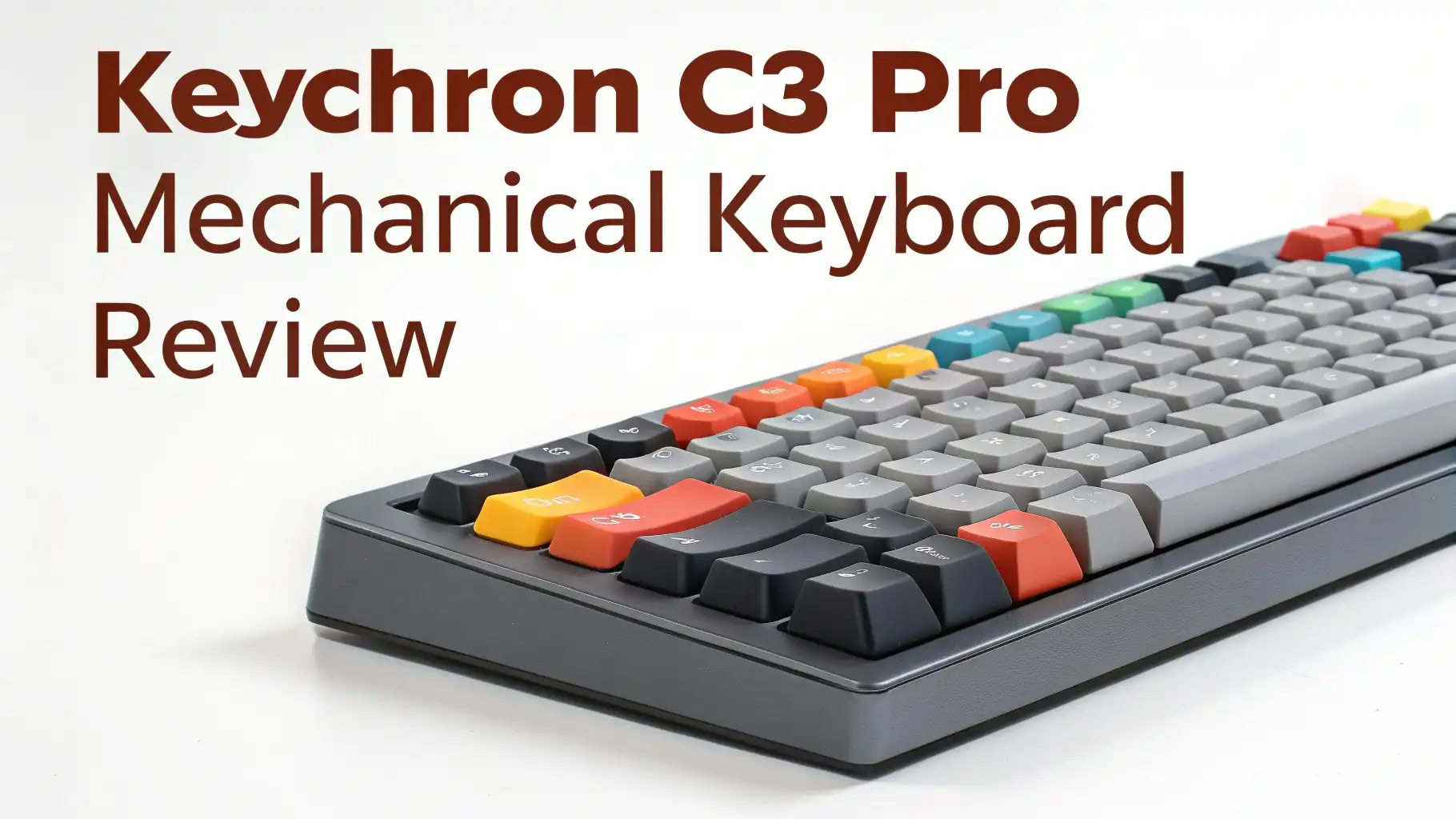
Your first touch reveals a surprisingly solid construction. The keyboard weighs enough to stay planted on your desk during intense typing or gaming sessions. The plastic frame does not feel cheap or hollow like many budget keyboards. A metal plate sits beneath the switches, adding rigidity and contributing to a pleasant typing sound. The bottom features rubber feet that grip your desk effectively. You can also flip out two-stage stands for angled typing positions.
The TKL layout removes the number pad found on full-sized keyboards. This design choice creates a more compact footprint measuring approximately 14 inches wide. Your mouse gains more room for sweeping movements during gaming. The layout includes all standard keys that most users need daily. Function keys, arrow keys, and navigation clusters remain intact. Only users who frequently enter numerical data will miss the dedicated number pad.
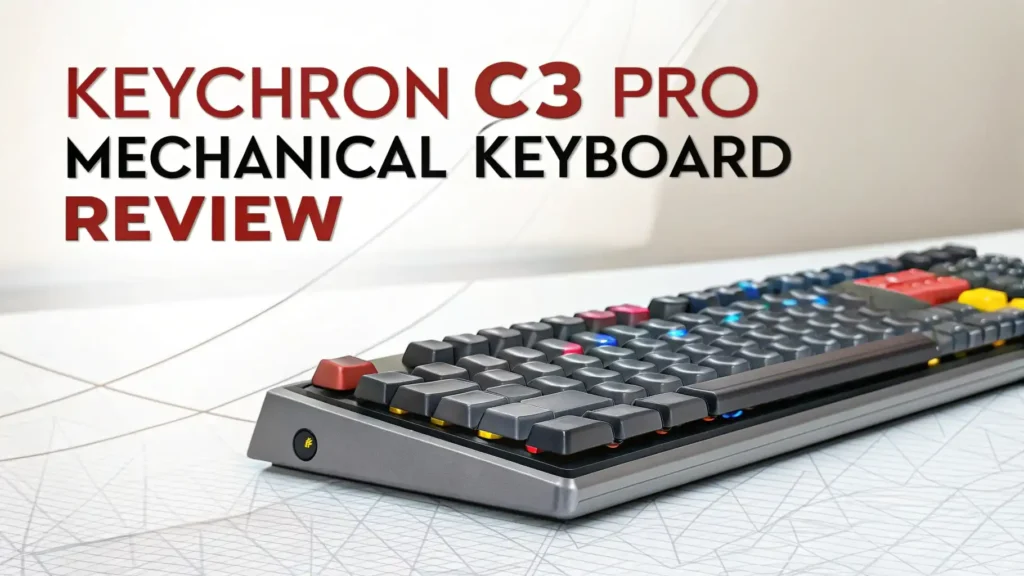
The overall aesthetic leans toward professional and understated. Red LED backlighting illuminates the keys through shine-through keycaps. The lighting offers over 18 different effects and patterns. You can adjust brightness levels or turn the lighting off completely. The legends on the keycaps appear clear and easy to read. Keychron chose a clean font that works well in both lit and unlit conditions.
Build Quality and Construction Details
The Keychron C3 Pro surprises with build quality that punches above its weight class. The keyboard features a gasket mount design, which is unusual for keyboards in this price range. Gasket mounting uses foam or rubber strips to create a buffer between the plate and the case. This design reduces harsh bottoming-out sounds and creates a softer, more pleasant typing experience. You feel a noticeable difference compared to traditional tray-mount keyboards.
Multiple layers of sound-dampening foam sit inside the case. One layer rests beneath the PCB, while another sits between the plate and PCB. These foam layers absorb hollow sounds and reduce case ping. The result delivers a fuller, more muted acoustic profile. Your typing sounds less clacky and more refined. The foam also adds slight flex to the typing experience, making each keystroke feel cushioned.
The double-shot PBT keycaps represent another premium feature. PBT plastic resists shine and wear better than cheaper ABS plastic. Your keycaps will maintain their texture after months of heavy use. The double-shot molding process creates legends that will never fade. The manufacturer molds the letters from separate plastic, so they physically cannot wear off through normal use. The keycaps feature a slightly textured surface that provides good grip without feeling rough.
The PCB uses a standard layout that supports most aftermarket keycap sets. The north-facing LED positioning allows maximum light transmission through the keycaps. However, this orientation can cause interference with certain Cherry-profile keycaps. The stock keycaps work perfectly without any interference issues. The PCB also includes proper stabilizers on larger keys like the spacebar, shift keys, and enter key. These stabilizers come pre-lubricated but may benefit from additional tuning for optimal performance.
Top 3 Alternatives for Keychron C3 Pro

- 🔥𝗧𝗿𝘂𝗲 𝗠𝗲𝗰𝗵𝗮𝗻𝗶𝗰𝗮𝗹 𝗙𝗲𝗲𝗹 𝘄𝗶𝘁𝗵 𝗟𝗶𝗻𝗲𝗮𝗿 𝗥𝗲𝗱 𝗦𝘄𝗶𝘁𝗰𝗵𝗲𝘀 - Experience smooth, consistent...
- 🔥𝗩𝗶𝗯𝗿𝗮𝗻𝘁 𝗥𝗮𝗶𝗻𝗯𝗼𝘄 𝗟𝗘𝗗 𝗕𝗮𝗰𝗸𝗹𝗶𝗴𝗵𝘁𝗶𝗻𝗴 𝘄𝗶𝘁𝗵 𝟲 𝗗𝘆𝗻𝗮𝗺𝗶𝗰 𝗠𝗼𝗱𝗲𝘀 -...
- 🔥𝗖𝗼𝗺𝗽𝗮𝗰𝘁 & 𝗗𝘂𝗿𝗮𝗯𝗹𝗲 𝟴𝟳-𝗞𝗲𝘆 𝗗𝗲𝘀𝗶𝗴𝗻 𝘄𝗶𝘁𝗵 𝗠𝗲𝘁𝗮𝗹 𝗙𝗿𝗮𝗺𝗲 - The tenkeyless layout saves...
The Redragon K552 offers comparable features at a similar price point. This mechanical keyboard provides an 87-key TKL layout with LED backlighting. The K552 uses Outemu mechanical switches instead of Gateron switches. Build quality remains solid with a metal base plate. However, the K552 lacks QMK/VIA programmability and gasket mount design. You get basic functionality without advanced customization options. This keyboard works well for users who want simple mechanical performance without bells and whistles.

- First Generation of Triple Mode Keyboards - Wireless mode with stable BT5.0 chipset, hassle-free 2.4Ghz dongle plus USB-C wired mode set no limits about your keyboard connection. The RK61 is best to...
- 60% Mechanical Gaming Keyboard: The Compact mechanical keyboard with 61 Keys brings you a neat desktop. Tips you might want to know is that 60% BT gaming keyboard without numpad is most FPS gamers’...
- Hot-swappable: Hot-swap PCB allows you to replace 3 pins/5 pins switches freely without soldering issue. Enjoy the fun of making your own keyboard.
The Royal Kludge RK61 takes a different approach with a compact 60% layout. This keyboard removes function keys and navigation clusters for maximum portability. The RK61 includes wireless connectivity via Bluetooth 5.0 and 2.4GHz modes. Hot-swappable switches allow easy switch replacement without soldering. RGB backlighting provides colorful illumination options. The smaller size may not suit everyone, especially those who use function keys regularly. The RK61 works best for minimalist setups and users who prioritize portability.

- The compact tenkeyless design is the most popular form factor used by the pros, allowing you to position the keyboard for comfort and to maximize in-game performance.
- Our whisper quiet gaming switches with anti-ghosting technology for keystroke accuracy are made from durable low friction material for near silent use and guaranteed performance for over 20 million...
- Designed with IP32 Water & Dust Resistant for extra durability to prevent damage from liquids and dust particles, so you can continue to play no matter what happens to your keyboard.
The SteelSeries Apex 3 TKL offers a different value proposition. This keyboard uses membrane switches instead of mechanical switches. The whisper-quiet switches create minimal noise during typing. IP32 water and dust resistance provides protection against spills. Eight-zone RGB illumination adds visual flair. The Apex 3 TKL costs less than mechanical options but lacks the tactile feedback that enthusiasts prefer. This keyboard suits office environments where noise levels matter more than mechanical feel.
Switch Options and Typing Experience
The Keychron C3 Pro ships with Gateron mechanical switches in your choice of Red or Brown variants. Gateron Red switches deliver smooth linear actuation without tactile bumps. These switches require 50g of force to actuate and feature a 2mm actuation point. The linear action feels consistent from top to bottom. Gamers often prefer linear switches for their smooth, predictable behavior. The lack of tactile feedback makes double-tapping easier during fast-paced gaming.
Gateron Brown switches provide tactile feedback with a noticeable bump at the actuation point. You feel when each keystroke registers without needing to bottom out completely. The tactile bump sits at approximately 2mm travel distance. Browns require similar 50g actuation force as Reds. These switches work well for mixed-use scenarios. The tactile feedback benefits typing accuracy while remaining light enough for gaming. The bump feels pronounced enough to notice but not aggressive like Blue switches.
The newer C3 Pro 8K model introduces Super switches with improved performance characteristics. Super Red, Super Brown, and Super Banana switches offer refined tolerances and smoother operation. These upgraded switches feature factory lubrication for reduced friction. The 8K model also includes hot-swappable sockets, allowing switch replacement without soldering skills. You can experiment with different switch types to find your perfect match. Hot-swap functionality adds significant value for users who want customization options.
The actual typing experience feels satisfying and well-balanced. The gasket mount design creates a slightly softer landing when bottoming out keys. Your fingers experience less harsh impact compared to rigid tray-mount keyboards. The sound profile leans toward muted and refined rather than loud and clacky. Office use becomes feasible without disturbing nearby coworkers. Long typing sessions feel comfortable thanks to the cushioned mounting system. Your hands and fingers experience less fatigue over extended use.
QMK and VIA Programmability Features
The Keychron C3 Pro supports both QMK and VIA firmware, which represents a significant advantage over many competitors. QMK provides open-source firmware that gives complete control over keyboard behavior. You can reprogram every single key to perform custom functions. VIA offers a user-friendly graphical interface for QMK programming. No coding knowledge is required to customize your keyboard layout.
Setting up VIA takes just minutes. You download the VIA software from the official website and connect your keyboard via USB cable. The software automatically detects your C3 Pro and displays its layout visually. You can click any key to assign new functions. Layer programming allows multiple layouts on a single keyboard. Hold a function key to access secondary functions on any key. Power users create elaborate macros and shortcuts that streamline their workflow.
The programming capabilities extend beyond simple key remapping. You can adjust debounce timing to optimize input responsiveness. Custom lighting effects and patterns become possible through advanced settings. Tap dance features allow different actions based on single tap, double tap, or hold behaviors. Combo keys trigger actions when pressing multiple keys simultaneously. These advanced features let you create highly personalized keyboard behavior.
The firmware updates happen through the VIA interface when Keychron releases improvements. You maintain complete control without cloud connectivity requirements. Your custom programming stays stored on the keyboard’s onboard memory. The C3 Pro works with your custom layout on any computer without installing software. This portability makes the keyboard ideal for users who work across multiple machines.
Gaming Performance and Response Time
The standard C3 Pro features a 1000Hz polling rate, which translates to 1ms response time. This polling rate matches the industry standard for wired gaming keyboards. Your inputs register quickly enough for competitive gaming in most scenarios. First-person shooters, MOBAs, and fighting games all work smoothly with the C3 Pro. The keyboard does not introduce noticeable input lag during gameplay.
The upgraded C3 Pro 8K model pushes performance further with an 8000Hz polling rate. This ultra-high polling rate reduces input latency to just 0.125ms. The difference becomes measurable in laboratory tests but remains barely perceptible during actual gameplay. Competitive esports players might appreciate the fractional advantage. Most users will find the standard 1000Hz polling rate more than adequate for their gaming needs.
Anti-ghosting technology ensures simultaneous key presses register correctly. The N-key rollover (NKRO) implementation allows unlimited simultaneous key presses. Complex gaming maneuvers that require multiple keys work flawlessly. You can press every key on the keyboard simultaneously, and each input will register. Fighting game players who use multiple button combinations benefit from reliable NKRO functionality.
The TKL layout provides ergonomic advantages for gaming. Your mouse gains more space for low-sensitivity aiming styles. Popular in competitive FPS games, low sensitivity requires large mouse movements. The compact keyboard footprint prevents your mouse from hitting the keyboard edge. Your arm positioning becomes more comfortable and natural. The layout also suits smaller desks where space comes at a premium.
Backlighting and Customization Options
The Keychron C3 Pro includes red LED backlighting as standard. Single-color lighting keeps costs down while providing adequate illumination. The north-facing LEDs shine through translucent keycap legends. You can read key labels easily in dark environments. The brightness adjusts across multiple levels to suit different ambient lighting conditions. Turning the backlighting off completely saves power and reduces distractions.
Over 18 different lighting effects come pre-programmed from the factory. Static lighting keeps all keys illuminated at constant brightness. Breathing effects create gentle pulsing animations. Wave patterns flow across the keyboard in various directions. Reactive lighting responds to your keystrokes with temporary brightness increases. Each effect offers multiple speed settings for customization.
The RGB model variant provides full-color backlighting for users who want more visual options. RGB lighting allows individual key color assignments through VIA software. You can create color-coded layers that visually indicate different functions. Gaming profiles might highlight WASD keys in red while function keys glow blue. Work profiles could use subtle white lighting for professional appearance. The RGB variant typically costs slightly more than the red LED version.
Custom lighting effects become possible through VIA programming. Advanced users create elaborate color patterns and animations. Per-key RGB control allows precise visual feedback for macros and special functions. Layer indicators change colors when accessing secondary functions. The lighting customization works entirely through local software without requiring cloud connectivity. Your lighting settings save to onboard memory for portability.
Keycap Quality and Compatibility
The double-shot PBT keycaps stand out as a premium feature at this price point. Most budget keyboards use cheaper ABS plastic that develops shine quickly. PBT plastic maintains its texture through years of use. The slightly rough surface provides better grip compared to smooth ABS. Your fingers slide less during fast typing, improving accuracy. The material also resists oils from your skin better than alternatives.
The shine-through design features translucent sections that allow LED light transmission. The legends appear clearly lit in dark environments. The font choice balances readability with aesthetic appeal. Letter spacing and sizing feel comfortable for touch typists. The legends cover both primary and secondary functions on modifier keys. No confusion about which function key combination produces which symbol.
Compatibility with aftermarket keycap sets remains strong for a budget keyboard. The standard ANSI layout uses common keycap sizes. Most mechanical keyboard keycap sets will fit the C3 Pro without issues. The one consideration involves Cherry-profile keycaps and north-facing switches. Some Cherry-profile sets may experience interference on the number row. OEM profile and other common profiles work perfectly without modifications.
The keyboard includes extra keycaps for Windows users. Mac-oriented keycaps come installed by default, but Windows alternatives sit in the box. The Command and Option keys can be swapped for Windows and Alt keys. This flexibility suits users who switch between Mac and Windows environments. The included keycap puller makes swapping keys simple and safe.
Cable and Connectivity Options
The C3 Pro ships with a detachable USB-A to USB-C cable measuring approximately 5.9 feet in length. The detachable design allows easy cable replacement if damage occurs. You can also upgrade to premium braided cables or custom-colored cables. The USB-C connector on the keyboard sits centered on the top edge. Cable routing becomes flexible whether you prefer left, right, or center routing.
The keyboard operates as a wired-only device without wireless connectivity options. This design choice keeps costs down and ensures zero input lag. Competitive gamers often prefer wired connections for reliability. You never worry about battery life or wireless interference. The consistent connection works reliably across all operating systems. The tradeoff means dealing with cable management on your desk.
Plug-and-play functionality works immediately without driver installation. Windows, macOS, and Linux systems recognize the keyboard automatically. Basic typing functions work instantly upon connection. Advanced programming through VIA requires downloading separate software. The keyboard draws power directly through the USB connection. No external power adapters or batteries complicate the setup.
The USB connection provides sufficient power for all LED backlighting modes. Even maximum brightness settings draw well within USB power specifications. The keyboard works with USB 2.0 and USB 3.0 ports identically. Connecting through USB hubs generally works fine, though direct motherboard connections offer the most reliable performance. The keyboard also functions properly with KVM switches for multi-computer setups.
Sound Profile and Acoustic Performance
The C3 Pro produces a muted, refined sound signature that suits shared workspaces. The combination of gasket mounting and internal foam dramatically reduces harsh acoustics. You hear a pleasant, muffled thock rather than high-pitched clacks. The sound profile changes based on your chosen switch type. Red switches create quieter linear sounds while Brown switches produce audible tactile clicks.
The sound-dampening foam layers effectively eliminate case ping and hollow reverb. Cheaper keyboards often sound tinny or plasticky when typing. The C3 Pro sounds fuller and more premium despite its budget positioning. The foam absorption prevents sound waves from bouncing around inside the empty case. Each keystroke sounds isolated rather than creating echoing artifacts.
The stabilizers on larger keys perform adequately out of the box. Spacebar, shift keys, enter, and backspace use wire stabilizers. These stabilizers come factory-lubricated but not optimized. The larger keys sound slightly different from regular keys. Some rattle may occur with aggressive typing. Enthusiasts often add additional lubricant to stabilizers for improved acoustics. This modification takes about 30 minutes and costs minimal money.
Office-friendly noise levels make the C3 Pro suitable for professional environments. Linear Red switches especially create minimal sound during operation. Tactile Brown switches produce slightly more noise but remain far quieter than clicky Blue switches. Your coworkers likely will not complain about typing noise during video calls or quiet work periods. The keyboard strikes a good balance between satisfying mechanical feedback and workplace appropriateness.
Software Support and Operating System Compatibility
The Keychron C3 Pro works seamlessly across Windows, macOS, and Linux operating systems. No proprietary drivers lock you into specific platforms. The keyboard functions identically regardless of your chosen operating system. Basic typing works immediately through standard HID protocols. Advanced programming requires downloading open-source VIA software available for all major platforms.
VIA configuration software provides the primary programming interface. The web-based version runs directly in modern browsers without installation. You can also download standalone applications for offline use. The interface displays your keyboard layout visually. Clicking any key allows reassignment to different functions. The process feels intuitive even for users new to keyboard programming.
QMK firmware powers the underlying programmability system. Tech-savvy users can dive deeper into QMK’s capabilities through manual firmware compilation. This advanced approach allows customization beyond VIA’s graphical interface. You can write custom code for unique behaviors. The open-source nature means unlimited community support and resources. Online documentation covers virtually any customization scenario imaginable.
The keyboard stores custom programming in onboard memory. Your layout moves with the keyboard between computers. No software installation is needed on secondary machines. The keyboard remembers your programming through power cycles and disconnections. This portability benefits users who work across multiple computers. You maintain consistent keyboard behavior whether at home, office, or traveling.
Value for Money Analysis
The Keychron C3 Pro typically retails between $35 and $55 depending on sales and variants. This pricing positions it among the most affordable mechanical keyboards with premium features. Competing keyboards at similar prices usually sacrifice build quality or features. The C3 Pro includes gasket mounting, foam dampening, PBT keycaps, and full programmability. Finding all these features under $60 proves challenging elsewhere.
The feature-to-price ratio stands as the keyboard’s strongest selling point. Gasket mount designs typically appear on keyboards costing $100 or more. VIA programmability usually requires expensive enthusiast boards. Double-shot PBT keycaps add manufacturing costs that budget keyboards avoid. The C3 Pro packages premium features at entry-level pricing. Keychron achieves this through direct sales and manufacturing efficiency.
Long-term value looks promising thanks to quality components. The PBT keycaps will not develop shine after months of use. The mechanical switches should last millions of keystrokes. The sturdy construction can handle daily use for years. The keyboard justifies its purchase price through durability. You avoid the false economy of buying cheap keyboards repeatedly.
Some compromises enable the aggressive pricing. The keyboard lacks wireless connectivity found on pricier models. The standard version uses soldered switches rather than hot-swap sockets. The backlight limits you to single-color red LEDs. The stabilizers arrive acceptable but not perfectly tuned. These tradeoffs allow Keychron to hit the budget price point. Most users find the compromises acceptable given the overall value.
Who Should Buy the Keychron C3 Pro
First-time mechanical keyboard buyers represent the ideal target audience. The C3 Pro offers a gentle introduction to mechanical keyboards without huge financial commitment. New users can experience mechanical switches and decide if they enjoy the typing feel. The affordable price removes barriers to entry. If mechanical keyboards are not for you, the loss feels minimal. The keyboard also teaches basics of programming and customization.
Budget-conscious gamers will appreciate the solid gaming performance. The 1000Hz polling rate handles competitive gaming adequately. NKRO prevents input loss during complex maneuvers. The TKL layout improves mouse space for FPS games. The red LED backlighting illuminates keys during late-night gaming sessions. The price leaves budget room for other gaming peripherals. You get genuine gaming performance without expensive enthusiast pricing.
Office workers seeking quieter keyboards benefit from the refined sound profile. The foam dampening and gasket mounting reduce disruptive noise. Linear switches especially minimize typing sounds. The professional appearance suits corporate environments. Full programmability allows custom shortcuts for productivity software. The compact TKL footprint saves valuable desk space in crowded offices. The keyboard works quietly enough for open office layouts.
Enthusiasts on a budget can use the C3 Pro as a modding platform. The standard layout accepts most aftermarket keycap sets. Adding stabilizer lubricant improves larger keys significantly. Switch films can reduce stem wobble on the standard version. The 8K hot-swap version allows switch experimentation without soldering. The solid foundation justifies spending more on modifications. The keyboard proves that entry-level does not mean unchangeable.
Maintenance and Long-Term Care
Regular cleaning keeps your C3 Pro functioning smoothly for years. Dust accumulation between keys affects switch performance over time. Use compressed air monthly to blow debris from between keycaps. Remove keycaps quarterly for deeper cleaning using the included keycap puller. Wipe the exposed plate and switch tops with slightly damp cloth. Avoid liquid cleaners that might damage electronics.
The PBT keycaps resist degradation but benefit from occasional washing. Remove all keycaps and place them in warm soapy water. Gentle dish soap works perfectly for removing skin oils. Let keycaps air dry completely before reinstalling. Never put keycaps in dishwashers or use harsh chemical cleaners. The double-shot construction means legends will never fade regardless of cleaning frequency.
Stabilizer maintenance improves keyboard performance noticeably. The factory lubrication may dry out or become uneven over months of use. Enthusiasts recommend relubing stabilizers after six months of heavy use. This process requires removing keycaps and accessing the stabilizer mechanisms. Dielectric grease works well for wire stabilizers. The modification takes minimal time but significantly reduces rattle and improves sound.
Firmware updates may become available periodically from Keychron. Check their official website occasionally for new QMK firmware versions. Updates might fix bugs or add new features. The VIA software makes flashing updated firmware straightforward. Always backup your current layout before updating firmware. The update process rarely causes issues but backing up prevents losing custom programming.
Common Issues and Troubleshooting
Some users report stabilizer rattle on larger keys like the spacebar. This issue stems from factory lubrication quality variance. The spacebar may sound louder or produce a metallic rattle. Adding dielectric grease to stabilizer contact points fixes this issue. The modification requires removing the spacebar keycap and accessing the stabilizer. Many online tutorials demonstrate proper stabilizer lubrication techniques.
VIA software detection problems occasionally occur on certain systems. The keyboard may not appear in VIA despite working normally for typing. Try using the web-based VIA version instead of standalone software. Some users need to enable NKRO mode through a keyboard shortcut. Check Keychron’s documentation for your specific model’s NKRO toggle combination. Reinstalling VIA software usually resolves persistent detection issues.
The north-facing switch orientation causes interference with certain Cherry-profile keycaps. The switch housing may contact the underside of keycaps on number row keys. This issue creates inconsistent key feel and may prevent full key travel. Using OEM profile or other compatible keycaps solves this problem. The stock keycaps work perfectly without any interference. Only aftermarket Cherry-profile sets require consideration.
Uneven LED brightness might appear on some units. Certain keys may glow brighter or dimmer than neighbors. This variance usually stems from LED positioning tolerances during manufacturing. The issue rarely affects functionality, only appearance. Contact Keychron support if LED brightness varies dramatically. Most units show consistent illumination across all keys. Minor variations fall within acceptable tolerances for budget keyboards.
Comparison with Higher-End Keychron Models
The Keychron V series offers step-up features for moderate price increases. V-series keyboards include aluminum frames for additional rigidity. Hot-swappable sockets come standard across all V models. RGB backlighting replaces the C3 Pro’s single-color LEDs. Screw-in stabilizers provide better performance than the C3 Pro’s plate-mounted stabilizers. The V series costs roughly $30 to $50 more depending on layout.
The premium Keychron Q series targets enthusiast users seeking ultimate customization. Full aluminum construction provides maximum rigidity and premium feel. QMK programming offers even deeper customization options. Sound-dampening materials exceed the C3 Pro’s already impressive foam layers. The Q series costs $150 to $200, representing a significant investment increase. These keyboards compete with high-end custom mechanical keyboards.
The wireless K series provides Bluetooth connectivity for untethered setups. Multiple device pairing allows quick switching between computers. Rechargeable batteries eliminate cable management concerns. However, K series keyboards typically cost more than the wired C3 Pro. Wireless functionality adds manufacturing complexity and component costs. Battery-powered designs also increase weight compared to wired alternatives.
The C3 Pro holds its ground as the best entry point into Keychron’s ecosystem. The keyboard delivers core mechanical keyboard benefits at accessible pricing. Users who discover they love mechanical keyboards can upgrade to V or Q series later. Those satisfied with the C3 Pro save significant money. The keyboard performs its role perfectly as the affordable option.
Final Verdict and Recommendations
The Keychron C3 Pro succeeds brilliantly at its intended purpose. This keyboard delivers genuine mechanical keyboard benefits at prices that compete with membrane keyboards. The combination of gasket mounting, foam dampening, PBT keycaps, and VIA programmability feels almost unfair at this price point. Keychron has created a compelling entry-level option that does not feel like a compromise product.
The keyboard works best for users who value customization and build quality over wireless connectivity or hot-swap switches. The wired connection and soldered switches keep costs down significantly. These tradeoffs prove acceptable for many users, especially those who never move their keyboards. The programming capabilities and solid construction justify the purchase for most buyers.
Some limitations deserve acknowledgment before purchasing. The lack of wireless connectivity matters to users seeking clean desk aesthetics. The soldered switches prevent easy customization on the standard version. The single-color backlighting feels dated compared to RGB alternatives. The stabilizers require tuning for optimal performance. These compromises enable the aggressive pricing but may disappoint some buyers.
The C3 Pro earns a strong recommendation for budget-conscious buyers seeking mechanical keyboard benefits. First-time mechanical keyboard users should strongly consider this model. The keyboard provides excellent value that exceeds its modest pricing. The typing experience, build quality, and features all punch above the keyboard’s weight class. Finding better value in the mechanical keyboard market proves challenging.
Frequently Asked Questions
Is the Keychron C3 Pro suitable for gaming?
Yes, the Keychron C3 Pro works excellently for gaming purposes. The keyboard features a 1000Hz polling rate that provides 1ms response time, which matches industry standards for gaming keyboards. The NKRO implementation ensures all simultaneous key presses register correctly during complex gaming maneuvers. The TKL layout provides more mouse space for low-sensitivity gaming styles. The keyboard performs well in competitive shooters, MOBAs, strategy games, and other genres. The upgraded 8K model offers even faster response times for competitive esports players seeking every possible advantage.
Can I change the switches on the Keychron C3 Pro?
The answer depends on which version you purchase. The standard C3 Pro uses soldered switches that require desoldering skills and equipment to replace. This version does not support simple switch swapping. The upgraded C3 Pro 8K model features hot-swappable sockets that allow tool-free switch replacement. You simply pull out existing switches and press new ones into the sockets. Hot-swappable versions cost slightly more but provide significant customization flexibility. The 8K model supports most 3-pin and 5-pin MX-style mechanical switches including Cherry, Gateron, Kailh, and Panda switches.
Does the Keychron C3 Pro work with Mac computers?
Absolutely, the C3 Pro works perfectly with Mac computers right out of the box. The keyboard ships with Mac-oriented keycaps installed by default. The layout includes Command and Option keys positioned correctly for Mac users. The keyboard also includes Windows keycaps as extras for users who prefer Windows systems. A physical switch on the back toggles between Mac and Windows modes. This switch adjusts key mapping to match each operating system’s expectations. VIA programming software runs on macOS, allowing full customization capabilities regardless of your operating system choice.
How loud is the typing noise on this keyboard?
The typing noise depends primarily on your chosen switch type and typing style. Linear Red switches produce minimal noise, creating soft thuds when bottoming out keys. These switches work well in quiet office environments or shared spaces. Tactile Brown switches generate slightly more noise from the tactile bump mechanism. The sound remains far quieter than clicky Blue switches found on many mechanical keyboards. The gasket mount design and foam dampening significantly reduce harsh acoustics. The keyboard produces a refined, muted thock sound rather than loud clacks. Most users find the noise levels acceptable for office use and late-night typing sessions.
What is the difference between the standard and 8K versions?
The main differences center on polling rate and switch technology. The standard C3 Pro features 1000Hz polling rate and uses regular Gateron switches that are soldered to the PCB. The 8K model provides 8000Hz polling rate for ultra-low latency, though most users will not notice the difference. The 8K version includes upgraded Super switches with tighter tolerances and factory lubrication. Most importantly, the 8K model features hot-swappable switch sockets that allow easy switch replacement without soldering. The 8K version typically costs about $10 to $20 more than the standard model. Choose the 8K version if you want the flexibility to experiment with different switches.
Can I use custom keycap sets with this keyboard?
Yes, the Keychron C3 Pro supports most aftermarket mechanical keyboard keycap sets. The keyboard uses a standard ANSI layout with common keycap sizes. Cherry MX stem compatibility ensures most keycap sets physically fit the switches. However, one consideration involves the north-facing switch orientation. Some Cherry-profile keycaps may experience interference on number row keys. OEM profile, DSA, SA, and most other keycap profiles work perfectly without issues. The keyboard includes space for standard keycap sizes without unusual layouts. Most popular keycap group buys and readily available sets fit the C3 Pro without problems.
How do I program the keyboard with VIA?
Programming the C3 Pro through VIA takes just a few simple steps. First, download VIA software from the official website or use the web-based version through compatible browsers. Connect your keyboard via USB cable and open VIA. The software automatically detects your C3 Pro and displays its layout visually. Click any key you want to reprogram and select the new function from available options. VIA supports layer programming where you hold a function key to access secondary layouts. Changes save automatically to the keyboard’s onboard memory. No coding knowledge is required, and the graphical interface makes customization intuitive even for beginners.
What warranty and support does Keychron provide?
Keychron provides a 12-month warranty covering manufacturing defects and hardware failures. The warranty does not cover physical damage from drops or liquid spills. Contact Keychron support through their official website if you experience issues. Response times typically range from 24 to 48 hours. The community forums and subreddit provide excellent peer support for common questions. Many retailers also offer their own return policies and warranties. Keep your purchase receipt and packaging for warranty claims. Most users report positive experiences with Keychron’s customer service team when legitimate issues arise.

Sili is a tech reviewer who cuts through the hype to find AI tools and gadgets that make life easier. She shares honest reviews and simple guides for everyday tech users.
Last update on 2026-02-01 / Affiliate links / Images from Amazon Product Advertising API