
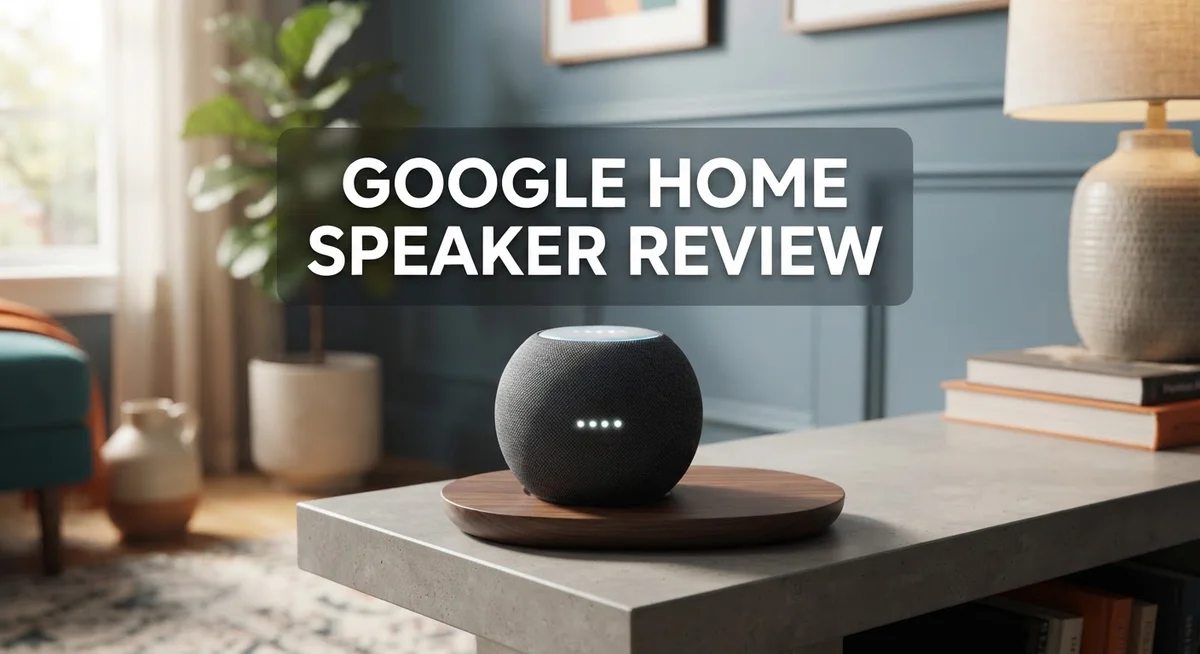
Google Home Speaker Review: Features & Performance Worth It?
Smart speakers are everywhere these days. But finding one that actually feels smart can be tricky. That’s where the Google Home Speaker steps in.
This device runs on Gemini for Home. It comes with its own CPU, memory, and storage. That means faster answers and smoother performance overall.
The design stays simple and clean. It fits into any room without drawing too much attention. You can also pair two units for stereo sound or link it with a Google TV Streamer for a surround setup.
We tested this speaker to see if it truly stands out. The query responses feel snappy and natural. Audio quality punches above its size, especially for casual listening.
Setup feels effortless if you already use Google devices. Smart home control works smoothly too. The assistant understands context, so conversations feel less robotic.
Of course, no speaker is perfect. Sound quality stays average for audiophiles. Third party app support feels limited. Some users report occasional connectivity hiccups.
Still, this speaker holds its own against competitors like Apple HomePod mini and Amazon Alexa speakers. Let’s break down everything you need to know before deciding.
In a Nutshell
Here’s the quick takeaway if you don’t have time for the full breakdown.
-
Speed wins the day. This speaker answers queries fast. You won’t wait around for responses.
-
Audio punches above its size. Sound quality feels surprisingly good for a compact speaker. It won’t fill a large room with rich bass, but it handles everyday listening well.
-
Smart home control feels natural. You can manage lights, plugs, and other connected devices with ease. The assistant understands context and holds a real conversation.
-
Third party app support lags behind. If you rely on apps outside the Google ecosystem, you might hit some walls here.
-
Connectivity hiccups pop up occasionally. Some users report recognition issues or dropped connections. It’s not constant, but it happens.
-
A subscription unlocks extra features. This adds an ongoing commitment beyond just owning the device.
Bottom line: this speaker shines for quick tasks and smart home control. It stumbles a bit on raw audio power and app flexibility.
Key Features and AI Capabilities
Gemini for Home powers this speaker with a dedicated processor, memory, and storage built right in. This means the device handles requests without constantly relying on cloud servers. You get faster responses and smoother interactions overall.
The speaker itself stays compact and minimalist. It fits nicely on a nightstand, shelf, or desk without demanding much visual attention. The design works well in most rooms without clashing with your decor.
Fast query responses make this device feel snappy and responsive. Ask a question and you’ll get an answer almost instantly. This speed advantage matters when you’re in a hurry or managing multiple smart home tasks at once.
Audio quality surprises many users. For a speaker this size, the sound output feels rich enough for everyday listening. You can play music, podcasts, or news without disappointment. The audio to size ratio stands out compared to other compact smart speakers in the market.
The speaker shines when controlling your smart home setup. Lights, plugs, thermostats, and other connected devices respond to your voice commands naturally. The assistant understands context in conversations, so you can speak more naturally without memorizing specific phrases.
Context aware conversations let you ask follow up questions without repeating yourself. The device remembers what you just discussed and builds on that information. This feels more human and less robotic than older voice assistants.
You can pair two speakers together for stereo sound or combine them with a Google TV Streamer for surround sound options. This flexibility lets you expand your audio setup as your needs grow.
However, third party app support remains limited. If you depend on apps outside the Google ecosystem, you may face restrictions. Some users also report occasional connectivity issues or voice recognition hiccups, though these aren’t widespread problems.
The speaker requires a subscription to unlock certain premium features. This ongoing commitment adds to the overall experience but isn’t included in the base purchase. Consider whether those extra features matter for your daily use before committing to the subscription.
Design and Build Quality
The Google Home Speaker features a compact and minimalist aesthetic that fits seamlessly into any room. The device avoids unnecessary bulk or flashy elements. Instead, it prioritizes clean lines and a simple silhouette.
The build quality feels solid without being premium. The speaker uses plastic construction throughout, which keeps weight down but doesn’t feel flimsy. You can place it on a shelf, desk, or nightstand without worrying about stability.
The physical controls remain straightforward. Touch sensors sit on top for volume adjustment and muting. A single button lets you toggle the microphone on and off. This simplicity means fewer moving parts to break over time.
The speaker’s size makes it genuinely portable. Unlike larger smart speakers, you can move this device between rooms without effort. It works well in kitchens, bedrooms, living rooms, or home offices.
The fabric covering on the speaker’s exterior adds a soft touch. This material resists fingerprints better than bare plastic would. Dust doesn’t stick as easily either, so cleaning requires minimal effort.
Heat dissipation works adequately for a device this size. The speaker doesn’t get noticeably warm during extended use. Air vents are positioned to allow proper airflow around the internal components.
The design prioritizes function over form. You won’t find unnecessary decorative elements or attention seeking styling. This approach appeals to users who prefer understated technology in their homes.
Durability seems reasonable for everyday use. The speaker can handle occasional bumps or minor drops, though it’s not rugged enough for outdoor environments. The microphone array sits protected within the housing.
When paired with another speaker or a Google TV Streamer, the physical design scales well. Two speakers look balanced when placed side by side. The minimalist approach means they coordinate visually without clashing.
Overall, the build quality matches what you’d expect at this level. The speaker prioritizes practicality and reliability over luxury materials. It’s built to last through normal household use without excessive maintenance or special care requirements.
Audio Performance and Sound Quality
The Google Home Speaker delivers impressive audio performance for its compact size. The speaker punches well above what you’d expect from a device this small. Sound clarity remains sharp across different volume levels, making it suitable for everyday listening.
Bass response feels adequate without overwhelming the mix. Mids and highs come through cleanly, so vocals and instruments stay distinct. The speaker handles podcasts, news briefings, and music with equal competence. You won’t experience the depth you’d find in larger, dedicated audio systems, but the balance works well for a smart speaker.
Sound quality shines brightest in smaller rooms. Bedrooms, kitchens, and home offices benefit most from this speaker’s acoustic profile. The audio fills these spaces without strain or distortion. In larger living areas, you might notice the sound lacks the richness needed for serious music enjoyment.
The stereo pairing option opens new possibilities. When you connect two speakers together, sound separation improves noticeably. Left and right channels create a wider soundstage. This setup works great for music streaming or watching content through a Google TV Streamer. Surround sound configurations emerge when you combine multiple speakers with a Google TV Streamer, though this requires additional investment.
Audio performance remains consistent across different content types. Streaming services, voice commands, and notifications all sound clear. The speaker handles multiple audio streams without dropping quality. Bluetooth connectivity works smoothly when you want to play audio from your phone or tablet.
One limitation exists with third party apps. Some music services may not integrate as seamlessly as Google’s native options. This could affect your listening experience if you rely on specific platforms outside the Google ecosystem.
Overall, the audio quality represents solid performance for a smart speaker at this size. The speaker excels at voice clarity and everyday listening. If you prioritize premium sound quality above all else, larger dedicated speakers might serve you better. For most users seeking a capable smart speaker with respectable audio, this device delivers satisfying results.
Top 3 Alternatives
Amazon Echo Dot

- Your favorite music and content – Play music, audiobooks, and podcasts from Amazon Music, Apple Music, Spotify...
- Alexa is happy to help – Ask Alexa for weather updates and to set hands-free timers, get answers to your...
- Keep your home comfortable – Control compatible smart home devices with your voice and routines triggered by...

Last update on 2026-11-10 / Affiliate links / Images from Amazon Product Advertising API
The Echo Dot delivers smart home control in a compact size. This speaker connects to Alexa, Amazon’s voice assistant. You can play music, check weather, and manage smart home devices with voice commands.
The sound quality works well for a small device. It fits easily on shelves, nightstands, or desks. Setup takes just a few minutes through the Alexa app. The device responds quickly to your requests and learns your preferences over time.
Apple HomePod Mini
Apple’s HomePod Mini offers a different approach to smart speakers. It integrates seamlessly with Apple devices like iPhones and iPads. Siri, Apple’s voice assistant, handles your commands and questions.
This speaker focuses on privacy and security. Your data stays on your device rather than being sent to servers. The sound quality is surprisingly good for its size. It works great if you already use Apple products and services.
Google Nest Audio
The Nest Audio brings Google Assistant into your home. This speaker performs well for music streaming and information searches. Google’s assistant understands natural language better than many competitors.
Setup is straightforward for Google ecosystem users. The device controls compatible smart home products easily. Sound quality is solid for everyday listening. It works with both Android and iOS devices, making it flexible for different households.
Each speaker serves different needs. Choose based on which ecosystem you already use. Amazon offers the most affordable option. Apple prioritizes privacy and integration. Google excels at understanding complex questions and requests.
Smart Home Integration and Connectivity
The Google Home Speaker connects seamlessly to your smart home ecosystem. You control lights, thermostats, locks, and cameras through simple voice commands. The device recognizes your requests instantly and executes them without delay.
Connectivity works reliably when your WiFi signal stays strong. The speaker maintains stable connections to your Google account and linked devices. Setup happens quickly, especially if you already use Google services. You just open the Google Home app, add the speaker, and start controlling your home.
The speaker pairs well with other Google devices. You can combine it with a Google TV Streamer to create surround sound while controlling your entire entertainment setup. Multiple speakers throughout your house work together as a unified system. Commands spoken in one room reach devices in another room instantly.
Context-aware conversations make interactions feel natural. You ask a follow-up question without repeating yourself. The speaker remembers what you discussed moments before. This feature saves time when managing multiple smart home tasks.
However, third-party app integration remains limited. You cannot access every smart home platform through this speaker. Popular services work fine, but some specialized systems may need alternative control methods. Check compatibility before assuming your devices will connect.
Connectivity issues appear occasionally in user reports. Some people experience recognition delays or dropped connections. These problems typically resolve through WiFi troubleshooting or app updates. Most users report stable performance after initial setup.
The speaker’s compact size doesn’t compromise connectivity strength. Despite its small footprint, it maintains strong wireless signals. You can place it anywhere in your home without worrying about connection drops.
Smart home control forms the speaker’s core strength. Voice commands feel responsive and accurate. Automations run smoothly when you set them up properly. The device becomes the central hub for managing your connected home.
Overall, this speaker handles smart home integration effectively. Connectivity remains stable for most users. Voice control works intuitively. The main limitation involves third-party app support, so verify your devices work before purchasing.
Setup, Ease of Use, and Ecosystem Compatibility
Setting up the Google Home Speaker takes just a few minutes. You download the Google Home app on your phone, tap the plus icon, and follow the on-screen prompts. The process walks you through connecting to WiFi and linking your Google account.
If you already use Google services like Gmail or YouTube, setup feels even smoother. Your preferences sync automatically. You skip several steps that new users might encounter. Existing Google ecosystem members experience the fastest onboarding.
The physical setup requires minimal effort. You plug in the speaker and wait for it to power on. No additional cables or complex configuration steps exist. The speaker connects to your WiFi network just like your phone does. You don’t need technical knowledge to complete installation.
Voice control starts working immediately after setup. You can ask questions, play music, or control smart home devices right away. The assistant responds quickly to commands. Most users report snappy query responses without noticeable delays.
Google Home Speaker integrates deeply with Google’s ecosystem. It works perfectly with other Google devices like Nest cameras, Chromecast, and Google TV Streamer. You can create routines that trigger multiple devices simultaneously. Smart home automation becomes straightforward when all your devices use the same platform.
However, third-party app support remains limited. You cannot install apps the way you might on other platforms. This restricts what the speaker can do beyond Google’s built-in functions. Users wanting broader app compatibility may feel disappointed.
The speaker pairs excellently with another Google Home Speaker for stereo sound. Setup for pairing happens inside the app with just a few taps. You select both speakers and choose your room. The pairing process completes in seconds.
Connectivity generally stays reliable when your WiFi signal remains strong. Some users report occasional recognition issues or connectivity drops. These problems typically resolve by moving the speaker closer to your router or restarting your WiFi network.
Overall, the Google Home Speaker prioritizes ease of use for Google ecosystem users. Setup takes minimal time. Integration with Google devices happens seamlessly. The assistant responds quickly and understands context in conversations.
Pros and Cons
Google Home Speaker has clear strengths and real limitations you should understand before buying.
Starting with the advantages: The speaker delivers fast, snappy responses to your questions. You get quick answers without waiting around. Audio quality punches above its weight for a compact device. The sound stays clean and balanced across music, podcasts, and notifications.
Setup takes just minutes, especially if you use Gmail, YouTube, or other Google services already. Everything connects smoothly within the Google ecosystem. Your smart home devices link up effortlessly. The assistant understands context in conversations, making interactions feel natural and helpful. You can pair two speakers together for stereo sound or surround sound with Google TV Streamer.
Now for the drawbacks: Sound quality, while good for the size, doesn’t satisfy people expecting rich, premium audio. The bass won’t wow audiophiles. Third party apps have limited support. You can’t access as many services as you might want through this speaker.
Connectivity problems show up in some user reports. Your WiFi signal strength matters a lot. Weak signals cause recognition issues and dropped connections. The speaker struggles when your network feels unstable.
Google charges a separate subscription for full access to certain features. That added cost reduces the overall value you receive. Many users question whether the subscription justifies the expense.
The bottom line: This speaker works best if you already live in the Google ecosystem and want reliable smart home control. It shines in bedrooms, kitchens, and home offices where compact size matters. If you demand premium sound quality or need extensive third party app integration, look elsewhere. The speaker represents a solid middle ground choice. It balances decent audio, easy setup, and smart home functionality. Just remember that it won’t be a high end audio experience, and some apps won’t work through it.
Who Should Buy It
Google Home Speaker suits several types of people very well.
First, Google ecosystem users should seriously consider this speaker. If you use Gmail, YouTube, Google Calendar, or Google Photos regularly, this device feels like a natural fit. Your existing accounts sync instantly. Voice commands connect to your digital life without extra steps.
Smart home enthusiasts benefit greatly from this speaker. You control lights, thermostats, locks, and cameras through simple voice commands. The speaker handles multiple device types smoothly. If you already own Google compatible smart home gadgets, this speaker becomes your command center.
People seeking quick answers love the fast response times. The speaker processes questions instantly. You get weather updates, news briefings, and general knowledge answers without waiting. Conversations feel natural because the speaker understands context.
Music lovers with modest expectations find good value here. The audio quality impresses for the compact size. You stream Spotify, YouTube Music, or other services easily. However, if you demand rich, deep bass or studio quality sound, this speaker falls short.
Users who want simple setup appreciate the minimal installation process. Everything works within minutes. You don’t need technical skills or extensive configuration. The speaker connects to your WiFi and starts functioning immediately.
Families living in Google homes gain convenience through multi-user support. Different family members get personalized results. Voice recognition distinguishes between speakers. Calendar reminders and grocery lists sync across the household.
People avoiding subscriptions should note one limitation. Google charges separately for full feature access. Some capabilities require a monthly subscription. If you want everything included, budget accordingly.
Avoid this speaker if you heavily use Apple devices or Amazon Alexa. Cross ecosystem compatibility remains weak. Third party apps don’t integrate well either. You’ll experience frustration trying to connect non Google services.
The Google Home Speaker works best for committed Google users who want reliable smart home control and quick information access.
Final Verdict
The Google Home Speaker earns its spot as a solid smart speaker choice. It runs on Gemini for Home, giving it dedicated processing power for smarter, more natural conversations.
This speaker shines brightest when you compare it to rivals like the Apple HomePod mini or Amazon Alexa speakers. It offers a strong audio-to-price ratio that few competitors match.
Context aware responses set this speaker apart. It remembers what you asked before and builds on that conversation naturally.
If you own a Google TV Streamer, this speaker becomes even more valuable. You can create a surround sound setup that elevates your home entertainment experience significantly.
The compact and minimalist design fits any room without demanding attention. It blends into your space rather than becoming a bulky centerpiece.
Compared to the Sonos Move or JBL Authentics 300, this speaker trades some audio richness for smarter assistant features. Your choice depends on what matters most to you.
People who prioritize smart features over premium sound should choose this speaker confidently. Those chasing studio quality audio might feel disappointed.
The Google Nest Hub offers a screen based alternative if you want visual feedback alongside voice commands. This speaker skips that screen entirely for a simpler experience.
Recognition issues reported by some users deserve mention here. Your experience may vary based on background noise and accent differences.
Overall, this speaker delivers on its core promise. It answers questions fast, controls your smart home reliably, and connects easily with other Google devices.
Should you buy it? Yes, if you want a smart, responsive assistant that handles daily tasks smoothly. This speaker earns a recommended rating for anyone already invested in Google’s ecosystem.
Skip it only if premium audio quality tops your priority list, or you rely heavily on non Google platforms for daily tasks.
Frequently Asked Questions
Can I use Google Home Speaker if I don’t have other Google devices?
Yes, you can use it standalone. The speaker works without Gmail, YouTube, or other Google services. However, setup becomes faster and easier if you already own Google devices. The assistant responds well to voice commands regardless of your device ecosystem.
Does this speaker work with Apple or Amazon devices?
The Google Home Speaker integrates best with Google products. It controls Google smart home devices smoothly. You can still use it with some third-party smart home gadgets, but Apple HomeKit and Amazon Alexa ecosystems have limited compatibility. If your home runs on Apple or Amazon platforms, this speaker may frustrate you.
What’s the sound quality like for music?
Audio quality sits in the middle range. The speaker delivers crisp, clear sound for everyday listening and podcasts. Music lovers expecting deep bass or rich highs should look elsewhere. For a compact device, the audio performs well. Pairing two speakers together creates a stereo effect that sounds better than a single unit.
Why does Google charge a subscription?
Google offers a subscription for expanded features and premium content access. The basic speaker functions work without paying extra. Full access to certain advanced features requires the subscription. Many users find the basic features sufficient without upgrading.
Can I pair this speaker with other Google products?
Yes. Two speakers work together as a stereo pair. The speaker also pairs with the Google TV Streamer for surround sound. This flexibility lets you build a multi-room audio system. Pairing enhances your overall listening experience throughout your home.

Sili is a tech reviewer who cuts through the hype to find AI tools and gadgets that make life easier. She shares honest reviews and simple guides for everyday tech users.